Installation guide
 Owner’s manual
 Error Codes


How to reset a Frigidaire refrigerator?
For the Frigidaire LFSS2312TP4, the most reliable reset is a power reset: unplug the refrigerator for 5 to 15 minutes, then plug it back in. If you only need to stop and restart cooling, use the control-panel On/Off function described in the LFSS2312TP4 owner’s manual.
- Power reset (clears many control glitches): Unplug, wait 5 to 15 minutes, plug back in.
- Cooling system off/on (does not remove power): Press and hold On/Off for 3 seconds on the temperature control panel (electronic controls), or turn the freezer and refrigerator controls to “0” (mechanical controls).
- Filter status reset (after replacing the water filter): Press and hold the Water Filter button for 3 seconds until the indicator changes from red to green.
- Move food-sensitive items to a cooler if needed.
- Unplug the power cord from the outlet.
- Wait 5 to 15 minutes.
- Plug the refrigerator back in.
- Allow temperatures to stabilize; we typically wait 24 hours after any temperature setting change.
If the water filter light stays on after installing a new filter, reset the filter status on the dispenser controls.
- Confirm the filter is fully seated in the housing.
- Dispense water for several minutes to purge air.
- Then press and hold the Water Filter button for 3 seconds.
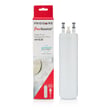
If you are replacing the filter itself, match the correct cartridge for LFSS2312TP4, such as the refrigerator water filter WF3CB.
| Reset type | What it affects | Best for |
|---|---|---|
| Power reset (unplug) | Entire refrigerator electronics | Error codes, odd display behavior, dispenser glitches |
| Cooling off/on (On/Off or “0”) | Cooling system only (not full power) | Cleaning, moving the unit, short-term cooling pause |
| Filter reset (Water Filter button) | Filter indicator only | “Replace filter” light after a new filter |
Using the right reset prevents confusion: turning cooling off at the panel can leave lights and other electrical components powered, while unplugging fully removes power and often clears temporary electronic faults.
Last updated: January 2026
How to troubleshoot a Frigidaire refrigerator?
For your Frigidaire LFSS2312TP4 side-by-side refrigerator, we troubleshoot by confirming power and control settings first, then checking airflow, door sealing, and condenser cleanliness. If the digital temperature display flashes, the Use & Care guide says the electronic control detected a performance problem.
- Confirm the refrigerator is plugged in and the outlet has power.
- Make sure cooling is not turned off; holding On/Off for 3 seconds (electronic controls) or setting controls to “0” (mechanical controls) stops cooling.
- Set temperatures to normal and allow 24 hours to stabilize.
- Keep interior air vents clear; avoid overpacking.
- Check doors close fully and the gasket seals all the way around.
- Clean dust from the condenser area to improve cooling and reduce run time.
| What you notice | Most likely issue | What to do next |
|---|---|---|
| Not cold enough | Settings, blocked vents, dirty condenser | Adjust settings, clear vents, clean condenser; wait 24 hours |
| Runs a lot | Door gasket leak, dirty condenser, warm room | Clean/inspect gasket, clean condenser, improve room airflow |
| Moisture inside | Door slightly open, high humidity | Confirm door closure, reduce door openings |
| Temp display flashing | Control detected a performance problem | Follow LFSS2312TP4 owner’s manual troubleshooting and codes |
- Replace the filter at least every 6 months.
- After a filter change, dispense water for about 4 minutes to purge air.
- Reset filter status on the dispenser (hold the Water Filter button 3 seconds).
- Use the correct filter, such as refrigerator water filter WF3CB.
Most “not cooling” complaints come from settings, airflow restrictions, dirty condenser coils, or a leaking door gasket. Using the model-specific steps in the guide prevents unnecessary part replacement.
Last updated: January 2026
What does CF mean on a Frigidaire refrigerator?
On a Frigidaire LFSS2312TP4 refrigerator, CF indicates the electronic control has detected a performance/communication problem. We treat it as a control-system fault first: check power, then inspect wiring connections between the user interface and main control, and reset the unit per the LFSS2312TP4 owner’s manual.
- Power reset: unplug the refrigerator (or switch off the breaker) for 5 minutes, then restore power.
- Confirm cooling symptoms: note whether the freezer or fresh food section is warming, or if fans are unusually loud/quiet.
- Check the display behavior: flashing temperature displays often point to a detected performance issue.
- Look for obvious harness issues: pinched wires at the top hinge area or loose connectors behind the control panel.
- Verify doors are sealing: a poor seal can cause long run times and temperature problems that trigger control warnings.
In this model family, CF is most often tied to the control system not getting the feedback it expects.
- Loose or oxidized connector between the user interface and main electronic control
- Damaged wire harness (especially near door hinges)
- Failing main control board (intermittent communication)
- Cooling system performance issue that the control interprets as abnormal operation (less common)
| Symptom you notice | What it often points to | Example part for LFSS2312TP4 |
|---|---|---|
| CF returns after reset, display acts erratic | Control or communication issue | Refrigerator electronic control A01078804 |
| CF appears with warm temps and fan noise changes | Airflow/cooling feedback issue | Evaporator fan system (motor/blade) |
When CF is active, the refrigerator may not regulate temperature correctly. Addressing it quickly helps protect food temperatures and prevents the unit from running excessively.
Use the troubleshooting and “Before You Call” guidance in the LFSS2312TP4 owner’s manual. If you’re comfortable with appliance repair, power off the refrigerator and re-seat control-panel and main-board connectors; otherwise, schedule service.
For related display and fault guidance, we also use the Frigidaire refrigerator error codes reference.
Last updated: January 2026