Owner’s manual
 Error Codes



What is the average lifespan of an LG washing machine?
LG washing machines typically last 10 to 15 years. For your LG WM9500HKA washer, real-world lifespan is usually driven less by the model number and more by maintenance, load habits, and how quickly wear parts are handled; see the care guidance in the WM9500HKA user manual.
- Overloading (heavy, dense loads strain the tub, bearings, and motor)
- Detergent use (too much HE detergent can cause residue, odors, and extra rinsing)
- Moisture management (front-loaders last longer when the door and gasket are kept clean and dry)
- Drain health (coins, lint, and debris shorten pump life)
- Water quality (sediment can clog inlet screens and valves)
- Run the washer’s tub-clean routine on schedule (per the WM9500HKA user manual).
- Wipe the door glass and door boot after the last load of the day.
- Leave the door slightly open between loads to reduce mildew.
- Clean the drain pump filter regularly; a clogged filter can lead to slow drain and pump strain.
- Check fill hoses for bulges or leaks and replace at the first sign of wear.
| Part | What you’ll notice when it’s failing | Why it matters |
|---|---|---|
| Drain pump motor | Won’t drain, loud humming, intermittent draining | Prevents standing water and protects the control system |
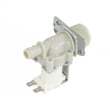
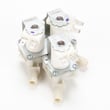
| Water inlet valve | Slow fill, no fill, wrong water temp | Proper fill prevents cycle errors and poor wash results |
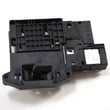
| Door lock | Door won’t lock/unlock, won’t start | Safety interlock must work for the washer to run |
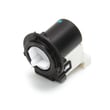
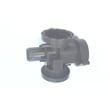
If your WM9500HKA is not draining consistently, the drain pump motor (4681EA2001T) - washer part by LG electronics 4681EA2001T is one of the first components we check after cleaning the filter and verifying the drain hose is not kinked.
A washer that is maintained and repaired early usually reaches the full 10 to 15-year range; ignoring small issues (like slow draining or leaks) can turn a simple part replacement into major tub, bearing, or electrical damage.
Last updated: January 2026
What is the most common problem with the LG washing machine?
For the LG WM9500HKA washer, the most common service issue we see is a drain and spin problem: the washer won’t fully drain, won’t spin, or stops with water left in the tub. In many cases, the root cause is a blocked drain path, especially a clogged pump filter.
Before replacing parts, we suggest these basic checks (they solve a lot of “won’t drain” calls):
- Unplug the washer for safety.
- Drain any standing water using the small drain hose at the pump access area.
- Clean the pump filter and remove lint, coins, and small items.
- Check the drain hose for kinks, pinches, or a clogged standpipe.
- Run a Drain/Spin cycle to confirm normal draining and high-speed spin.
For model-specific access and cleaning steps, follow the procedure in the WM9500HKA manual.
If the filter is clean and the drain hose is clear, the issue often shifts from “blocked” to “failed component.” Here are the most common next suspects on this model:
- Drain pump motor not running or humming
- Tub-to-pump hose partially blocked (sock, lint wad)
- Drain pump filter drain hose leaking or not sealing
- Control not sending power to the pump (less common)
| Symptom | What it usually points to | Example compatible part for WM9500HKA |
|---|---|---|
| Hums but won’t drain | Pump jammed or failing | Drain pump motor (4681EA2001T) - washer part by LG electronics 4681EA2001T |
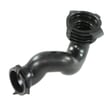
| Drains slowly | Restriction between tub and pump | Washer tub-to-pump hose 4738ER1002A |
| Water leaks during filter cleaning/draining | Drain hose/plug issue at filter area | Washer drain pump filter drain hose plug 5006EN3015A |
A washer that can’t drain properly usually can’t spin properly either. That means wetter clothes, longer cycle times, and extra strain on the pump and motor system. Keeping the drain pump filter clean is one of the best maintenance steps for front-load LG washers.
Last updated: January 2026
Is LG WM9500HKA stackable?
Yes. The LG WM9500HKA washer is designed to be stackable when it’s paired with a compatible LG dryer and the correct stacking kit for that specific dryer model. For model-specific stacking steps and clearance guidance, use the WM9500HKA user manual.
- A compatible LG dryer (stacking is dryer-on-washer)
- The correct LG stacking kit that matches the dryer model
- A solid, level floor (stacking can amplify vibration if the washer isn’t level)
- Proper clearances for door swing, venting (dryer), and service access
- Two people to lift and position the dryer (do not lift alone)
| Item to verify | What “correct” looks like | Why it matters |
|---|---|---|
| Dryer model | LG dryer approved for stacking with a front-load washer | Prevents fit and stability issues |
| Stacking kit | Kit specified for the dryer model (not a generic guess) | Ensures brackets align and lock in |
| Leveling | WM9500HKA is level before stacking | Reduces walking, noise, and out-of-balance issues |
| Location | Closet or alcove meets clearance requirements | Helps prevent overheating and improves service access |
- Level the washer first; then re-check level after the dryer is secured.
- Tighten all stacking brackets fully; do not substitute hardware.
- Run a small test load and a spin cycle after stacking to confirm stability.
- If vibration is excessive, stop and correct leveling before continued use.
A properly stacked washer and dryer saves floor space, but the washer’s high-speed spin can transfer vibration upward. Using the correct stacking kit and leveling the WM9500HKA helps prevent noise, movement, and out-of-balance conditions.
Last updated: January 2026
How do you fix an unbalanced LG washer?
On our LG WM9500HKA washer, most unbalanced spin problems are fixed by stopping the cycle, redistributing the load, and making sure the washer sits solidly level on the floor. If it still shakes or shows a UE-type imbalance condition, we focus next on leveling hardware and vibration-control parts.
- Pause the cycle and spread items evenly around the drum (avoid one bulky item by itself).
- Wash bulky items with a few smaller items to help balance.
- Reduce spin speed for heavy or absorbent loads.
- Make sure the washer is not touching a wall, cabinet, or pedestal.
- If the washer was recently installed or moved, confirm shipping bolts were removed.
For model-specific operating guidance and any imbalance or UE-related notes, use the WM9500HKA manual.
Even a slight tilt can make a front-load washer shake during high-speed spin.
- Push on opposite corners; the cabinet should not rock or wobble.
- Adjust the leveling legs until all four feet are firmly planted.
- Recheck level after a few loads because floors can flex.
- Verify the washer is on a solid surface (not soft flooring that compresses).
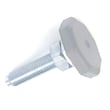
If a leg is bent, stripped, or will not stay adjusted, replacing the correct leveling component for this model can help; see washer leveling leg AFC72755401.
If the washer is level and you are loading correctly but it still bangs or repeatedly stops during spin, we treat it as a vibration-control issue and inspect the tub support and suspension system.
| What you notice | Most likely category | What we check next |
|---|---|---|
| Only happens with one bulky item | Loading pattern | Add items, lower spin |
| Happens with most loads | Leveling or floor stability | Re-level, stabilize floor |
| Loud banging and excessive tub movement | Suspension/tub support wear | Inspect support components |
Running the WM9500HKA while it is severely unbalanced can interrupt cycles, leave clothes wetter, and add stress to the tub support and cabinet.
Related troubleshooting: LG front load washer ue error code
Last updated: January 2026