 Error Codes





How long should a Kenmore gas stove last?
A Kenmore gas range like model 2783128890 typically lasts 15 years with normal household use. Consistent cleaning, proper burner flame, and fixing small issues early (like a failed oven light) help you reach that lifespan.
Typical lifespan and what affects it
Most gas ranges land in the same general range, but these factors make the biggest difference:
- Cooking frequency and high-heat use (daily baking and broiling shortens life)
- Keeping burner ports and the oven cavity clean (less corrosion and better combustion)
- Door seal and door alignment (heat stays in the oven, parts run less)
- Ventilation and grease control (less buildup on internal components)
- Replacing wear items promptly (light bulbs, springs, fasteners)
Quick maintenance checklist (monthly or as needed)
- Wipe spills quickly to prevent baked-on residue and odors
- Clean burner caps and ports so the flame stays steady and blue
- Check that the oven door closes evenly and does not slam
- Keep the area around the range clear so airflow is not restricted
- Replace a burned-out oven lamp with the correct appliance-rated bulb, such as the range oven light bulb 40A15
Common “end-of-life” symptoms vs. fixable issues
| Symptom | Often fixable? | What to check first |
|---|---|---|
| Oven light out | Yes | Bulb and socket condition |
| Door drops or won’t stay closed | Often | Door spring tension and hinges |
| Weak/uneven burner flame | Often | Clogged ports, improper air mix |
| Persistent gas odor | Stop using | Shut off gas, ventilate, inspect connections |
Why it matters
A gas built-in oven that is burning cleanly and sealing heat properly cooks more evenly, uses less fuel, and puts less stress on ignition and oven components. That is the difference between replacing a few small parts over time and replacing the entire range early.
Last updated: February 2026
Where to find Kenmore gas range model number?
For your Kenmore gas built-in oven model 2783128890, the model number is printed on a rating label attached to the appliance. On most Kenmore ranges and built-in ovens, you will find it around the oven door opening or on the frame behind the lower drawer area.
Most common places to check
Look for a paper or metal tag that lists the model and often the serial number. Check these spots:
- Inside the oven door jamb (open the oven door and look along the frame)
- Behind the storage or warming drawer (pull the drawer out and look on the frame)
- On the back panel near the vent area
- Along the side frame of the unit (especially on slide-in or built-in installations)
- Under the cooktop edge (less common, but possible on some configurations)
What the label looks like (and what to write down)
The tag usually includes several identifiers. Use this quick guide:
| Label item | What it’s used for | Example format |
|---|---|---|
| Model number | Matching parts diagrams and fit | 2783128890 |
| Serial number | Production run details | Letters and numbers |
| Type / rating | Gas and electrical specs | BTU, volts, amps |
Why it matters
We use the exact model number to match the correct Kenmore range parts, diagrams, and hardware for your appliance. Even one digit off can point to a different burner setup, door style, or ignition configuration.
If the label is hard to read
- Wipe gently with a damp cloth and mild soap; dry completely
- Use your phone camera and zoom in for clearer text
- Copy the model number exactly, including any dashes or suffixes
- If you are replacing a common item while you locate the label, you can start with basics like the range oven light bulb 40A15
Last updated: February 2026
How to change Kenmore spark electrode igniter?
To change the spark electrode igniter on your Kenmore gas built-in oven model 2783128890, we remove power and gas, access the burner area, swap the electrode and wire connection, then reassemble and test for reliable sparking and proper ignition.
Safety first (do this every time)
- Turn off electrical power to the range at the breaker.
- Shut off the gas supply valve.
- Let all surfaces cool completely.
- Work in a well-ventilated area.
- If you smell gas at any point, stop and keep the gas off until the source is corrected.
Steps to replace the spark electrode igniter
- Access the burner area: Remove grates, burner caps, and burner heads (or open the oven/broiler compartment if the electrode is for an oven burner).
- Locate the electrode: It is a small ceramic-insulated probe positioned near the burner where the spark jumps to the metal burner.
- Disconnect the wire: Pull the connector straight off the electrode terminal (do not yank the wire).
- Remove the electrode: Take out the mounting screw(s) and lift the electrode out of its holder/bracket.
- Install the new electrode:
- Insert the electrode into the holder/orifice holder.
- Secure it with the mounting screw.
- Reconnect the wire connector firmly.
- Reassemble and test: Reinstall burner parts, restore gas and power, then test ignition. The spark should be strong and consistent, and the burner should light quickly.
Quick checks if it still will not spark
- Dirty or wet burner area: Dry everything and clean ports; moisture blocks spark.
- Cracked ceramic on the new electrode: Replace again if damaged.
- Loose connector: Reseat the wire terminal.
- Pinched/broken wire: Repair or replace the damaged section (see how to repair broken or damaged wires video).
- Weak spark on multiple burners: The spark module or wiring harness is often the cause.
Electrode gap and positioning guide
| What to look for | What “good” looks like | What to fix |
|---|---|---|
| Spark location | Spark jumps to burner metal | Reposition electrode tip closer to the burner edge |
| Alignment | Tip points toward burner | Loosen screw, align, retighten |
| Clearance | Not touching burner | Ensure the tip does not contact metal directly |
Why it matters
A properly mounted electrode creates a clean spark path; that prevents delayed ignition, reduces gas odor during lighting, and helps your Kenmore 2783128890 ignite consistently.
Last updated: February 2026
What are the most common stove parts to replace?
For the Kenmore 2783128890 gas built-in oven, the most commonly replaced parts are the ones that take the most heat and wear: oven light bulbs, door springs, burner fuel orifice parts, and small mounting hardware (screws, brackets, supports) that can loosen or corrode over time.
Common replacement parts (and what they affect)
- Oven light bulb: if the oven light is out or flickers, start with the range oven light bulb 40A15.
- Door spring: if the oven door drops, won’t stay closed, or feels “heavy,” the door spring WB9X262 is a common fix.
- Orifice assembly: if a burner flame is uneven, too high/low, or won’t adjust properly, the orifice assembly WB1X1117 is often involved.
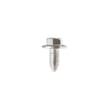
- Fasteners and small hardware: stripped or missing screws can cause loose panels, trim, or brackets.
- Insulation: damaged insulation can contribute to heat loss and longer preheat times.
Quick symptom-to-part guide
| Symptom | Most likely part type | Example part on this model page |
|---|---|---|
| Oven light doesn’t work | Light bulb | Range Oven Light Bulb (40A15) |
| Door won’t stay up/closed smoothly | Door spring | Door Spring (WB9X262) |
| Flame looks wrong or won’t adjust | Gas orifice | Orifice Assembly (WB1X1117) |
| Panel/trim feels loose or rattles | Screws, bracket, support | Screw (WB1X1130), Bracket (327977), Support (323446) |
Before you order: fast checks that prevent wrong parts
- Confirm the model number is 2783128890 on the appliance ID label.
- For flame issues, clean burner ports and caps first (when cool).
- For door issues, inspect both left and right spring areas for damage.
- For loose trim/panels, match screw length and head style to what you remove.
- Shut off power to the range before any inspection near wiring or the light socket.
Why it matters
Replacing the right wear item restores safe operation, consistent baking temperatures, and proper burner performance. It also prevents secondary damage, such as a slamming door stressing hinges or loose panels rubbing wiring.
Last updated: February 2026
What is the code F1 on a Kenmore gas range?
On the Kenmore gas built-in oven model 2783128890, an F1 error code typically points to a problem in the oven’s electronic control system. Most often, it involves the electronic oven control (clock/control board), but a shorted temperature sensor circuit or damaged wiring can also trigger F1.
What F1 usually means
F1 is commonly caused by one of these conditions:
- A failing electronic control board (internal fault)
- A stuck or shorted keypad/touch panel (if your model uses one)
- A shorted oven temperature sensor circuit (sensor or harness)
- Pinched, burned, or loose wiring between the sensor and control
- Moisture or heat damage at connectors
Quick checks you can do safely
Before replacing parts, we recommend these basic checks:
- Reset power: turn off the breaker for 1 minute, then restore power and see if F1 returns.
- Check for heat-related timing: note whether F1 appears only when the oven is hot (often wiring or sensor circuit related).
- Inspect visible wiring: with power off, look for melted insulation or loose connectors near the rear access area.
- Look for signs of arcing: darkened terminals or a burnt smell near connectors.
- Confirm the oven light is not the issue: an oven light problem will not cause F1, but if you are already servicing the unit, you can replace a failed bulb with the range oven light bulb 40A15.
What to repair first (common approach)
Because F1 is an electronic fault code, the most efficient path is usually:
| Step | What you’re checking | Why it matters |
|---|---|---|
| 1 | Power reset and visual inspection | Rules out a temporary glitch or obvious wiring damage |
| 2 | Sensor circuit and harness condition | A short/open can mimic a control failure |
| 3 | Control board or keypad/touch panel | Most frequent root cause when wiring checks out |
Why it matters
When the control detects an unsafe or invalid signal, it can disable baking for safety and to prevent overheating. Addressing F1 quickly helps restore reliable temperature control and prevents repeat shutdowns.
Last updated: February 2026




