 Installation guide
 Owner’s manual
 Error Codes





What is Sabbath mode on a KitchenAid oven?
Sabbath mode on the KitchenAid KEBS277SBL04 sets the oven to stay in a Bake setting until you turn it off (or for a timed portion, if you set it that way). While it’s on, tones are muted and the display does not show messages or temperature changes; see the KEBS277SBL04 owner’s manual.
- Only the number keys and START work for most actions.
- No beeps or tones will sound.
- The display will not show messages or temperature changes.
- Heat source icons stay lit on the display during Sabbath mode.
- Opening or closing the door will not turn the oven light on or off.
- Heating elements will not switch on or off immediately when the door is opened or closed.
| Setting type | What it does | Best for |
|---|---|---|
| Untimed | Keeps the oven baking until you manually turn it off | All-day observance needs |
| Timed | Keeps the oven on for only part of the Sabbath | A planned cooking window |
If there is a power failure while Sabbath mode is set, the oven will remain in Sabbath mode but it will stop actively cooking. That means you should check food safety and oven operation once power is restored.
Sabbath mode is designed to reduce audible tones and visible display updates, and to prevent immediate responses to door movement. This helps you keep a steady bake cycle running with fewer automatic changes during observance.
Last updated: January 2026
How many amps is a double wall oven?
For the KitchenAid KEBS277SBL04 double wall oven, the required amperage depends on the oven’s kW rating on the model/serial rating plate: models rated 7.3 to 9.6 kW at 240V use a 40-amp dedicated circuit, and models rated 7.2 kW and below at 240V use a 30-amp dedicated circuit. Confirm the exact rating in the installation guide.
Use the rating plate because it tells you the actual electrical load for your specific unit.
- Turn power off at the breaker before inspecting anything around wiring
- Locate the model/serial rating plate (on this style of double oven, it’s at the bottom of the right-hand mounting rail)
- Note the kW rating and voltage (typically 240V or 208V)
- Match the kW rating to the circuit size (30A vs 40A)
- Use a time-delay fuse or circuit breaker as recommended
| Oven rating on the plate | Supply voltage | Typical dedicated circuit |
|---|---|---|
| 7.3 to 9.6 kW | 240V | 40 amps |
| 7.2 kW and below | 240V | 30 amps |
| 5.5 to 7.2 kW | 208V | 40 amps |
| 5.4 kW and below | 208V | 30 amps |
Using the correct breaker size and wiring helps prevent nuisance breaker trips, slow preheat, and overheating at the junction box. It also ensures your KitchenAid 27-inch electric built-in double oven can run both cavities safely under load.
Last updated: January 2026
How to reset a KitchenAid wall oven?
To reset your KitchenAid KEBS277SBL04 wall oven, turn the power off at the breaker (or unplug if accessible) for about 1 minute, then restore power and set the clock. This clears many control glitches and returns the oven to normal operation.
- Turn the oven off at the household circuit breaker.
- Wait about 60 seconds.
- Turn the breaker back on.
- When the display shows the clock prompt, set the time.
- Test a simple function like BROIL for a few seconds, then press OFF.
Use these checks from the installation and operation guidance:
- Confirm the household fuse is intact or the circuit breaker has not tripped.
- Verify the electrical supply is connected and stable.
- If an error code appears (an “F” followed by numbers, sometimes with an “E”), turn the oven off and stop using it until it’s diagnosed.
- If the oven runs but does not heat, suspect a heating or sensing issue.
| Symptom after reset | Common cause | Part to consider |
|---|---|---|
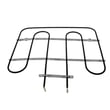
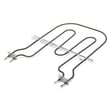
| Oven runs but no heat | Failed bake circuit | Bake element WPW10207398 |
| Temps are erratic or inaccurate | Sensor out of range | Wall oven temperature sensor WPW10131825 |
| Oven dead or shuts down after overheating | Open safety device | Wall oven thermal fuse |
If the oven seems “stuck” in a special operating mode, check the Sabbath feature in the KEBS277SBL04 owner’s manual. On this model family, Sabbath Mode can be enabled or disabled using a door-open and keypad sequence, and you can return to normal operation by touching OFF.
A breaker reset restores the electronic control to a known good state, which helps separate a temporary control glitch from a real failure in a component like the bake element, temperature sensor, or thermal fuse.
Last updated: January 2026
Why is my Kitchenaid electric oven not working?
If your KitchenAid KEBS277SBL04 double wall oven is not working, the most common causes are a tripped breaker/blown fuse, control settings that prevent operation (Control Lock, Delay Start, Sabbath Mode), or a wiring/power supply issue. Start with the checks in the KEBS277SBL04 owner's manual.
- Reset the home circuit breaker (or replace the household fuse) and try Bake or Broil again.
- Confirm the oven control is set correctly (select UPPER OVEN or LOWER OVEN first).
- Make sure Delay Start is not set.
- Make sure Control Lock is off.
- Make sure Sabbath Mode is off.
- If one oven is in Self-Clean, the other oven cannot be started.
If the control panel powers up but you do not feel heat after several minutes, focus on heat-producing and safety components.
Common parts to check:
- Bake element WPW10207398 (burned, cracked, or electrically open)
- Wall oven thermal fuse WP8304452 (opens if the oven overheats)
- Wall oven temperature sensor WPW10131825 (can cause no-heat or incorrect heating)
Use a multimeter to check for continuity on suspect parts.
| Symptom | Most likely area | Typical next step |
|---|---|---|
| No heat in either oven | Power supply, thermal fuse, control issue | Verify breaker, then test fuse and wiring |
| One oven heats, the other does not | Element or sensor in that oven | Test the element and sensor for that cavity |
| Fan runs but no heat | Element, relay, or fuse | Test element first, then fuse |
A double wall oven like the KEBS277SBL04 can appear “dead” from a simple setting (Control Lock or Delay Start), but a true no-heat condition often points to an electrical safety part (thermal fuse) or a failed heating element. Checking the easy items first saves time and avoids unnecessary parts.
Last updated: January 2026







