 Owner’s manual










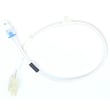
What is the thermistor problem on my LG dryer?
On an LG DLE0442G electric dryer, a “thermistor problem” usually means the dryer is not reading temperature correctly, so it may stop heating, overheat, or end cycles early. The thermistor is a temperature sensor; when it fails, the control can’t regulate the heating circuit properly (see the owner's manual).
Common symptoms of a bad dryer thermistor
- Dryer tumbles but doesn’t heat
- Heat is inconsistent (hot, then cool)
- Cycles end too soon or clothes stay damp
- Dryer overheats and shuts down mid-cycle
- Error code related to temperature sensing (if your model displays codes)
Quick checks we recommend first (before replacing parts)
- Reset power: Unplug the dryer or switch off both breakers for 1 minute, then restore power.
- Confirm full power: Electric dryers typically need two breakers/fuses; if one trips, the dryer can run but not heat (noted in the manual troubleshooting section).
- Check airflow: A crushed vent, lint buildup, or a blocked exhaust can cause overheating and temperature-sensing complaints.
- Clean the lint filter and housing: Pull the filter straight up, clean it, and wipe the door opening as described in the manual.
How the thermistor fits into the heating system
The thermistor works with safety thermostats and the heating element to keep drum temperature in range. If the thermistor reading is out of range, the control may limit or stop power to the heater.
| Symptom | More likely cause | Parts often involved |
|---|---|---|
| Tumbles, no heat | Power supply issue or open heater circuit | Heating element, thermostats, wiring |
| Overheats, shuts off | Restricted venting or bad temperature control | Thermistor, blower thermostat |
| Long dry times | Poor airflow first, then heat control | Venting, blower wheel, thermistor |
Parts that commonly solve thermistor-related complaints
If your checks point to temperature sensing (not venting or power), these model-matched parts are common fixes:
Why it matters
A working thermistor helps your LG dryer heat efficiently and safely. When temperature feedback is wrong, you can get poor drying performance, nuisance shutdowns, or overheating that stresses the heating element and thermostats.
Last updated: February 2026
How do I reset the error code on my LG dryer?
To clear many error codes on your LG DLE0442G electric dryer, we reset power to the control by turning the dryer off and unplugging it (or switching the breaker off) for about 5 minutes, then restoring power and starting a new cycle. Use the owner's manual for model-specific code meanings.
Quick reset steps (works for most display codes)
- Press POWER to turn the dryer off.
- Unplug the dryer (or turn both dryer breakers off at the panel).
- Wait 5 minutes.
- Restore power.
- Select a cycle and press START/PAUSE.
- If the code returns immediately, stop the cycle and troubleshoot the cause (airflow, heat, door, or wiring).
What to check first (common causes that trigger codes)
Many LG dryer codes are symptoms, not the root problem. These checks fix a large share of repeat codes:
- Clean the lint screen and make sure it is seated correctly.
- Check the exhaust vent for kinks, crushing, or heavy lint buildup.
- Do not overload; load size affects sensor drying and can trigger moisture-related behavior.
- Make sure the door closes and latches firmly.
- If the dryer tumbles but does not heat, check the home breaker; electric dryers typically use two breakers.
If the code relates to heat or temperature
On an electric dryer like the DLE0442G, repeated heat-related codes often point to a heating or sensing issue.
| Symptom you notice | What it usually points to | Example part for this model |
|---|---|---|
| No heat, drum turns | Heating circuit problem | Dryer heating element 5301EL1001J |
| Overheating, shuts down | Restricted airflow or thermostat issue | Dryer blower thermostat 6931EL3002M |
| Erratic temps, long dry times | Temperature sensing issue | Dryer thermistor AGM30045804 |
Why it matters
Resetting clears the display, but the dryer will post the code again if the underlying issue remains. Fixing airflow (lint screen, ducting, blower path) protects the heater, thermostats, and motor, and helps clothes dry faster.
Last updated: February 2026
What is the most common problem with LG dryers?
The most common problem we see with LG electric dryers like model DLE0442G is long dry times caused by restricted airflow (lint buildup or a clogged exhaust vent). Poor airflow can also lead to overheating symptoms, shutoffs, and heat-related part failures over time; check maintenance steps in the owner's manual.
Quick checks that fix the most common issue (airflow)
- Clean the lint filter before every load; wash it in warm, soapy water occasionally and dry it thoroughly before reinstalling.
- Wipe out the door opening so debris does not damage the door seal.
- Inspect the vent hose behind the dryer for kinks, crushing, or loose connections.
- Clean lint from the exhaust duct and outside vent hood; confirm the damper opens freely.
- Avoid overloading; packed loads restrict tumbling and airflow.
Other frequent LG dryer problems (and the parts that often solve them)
Airflow problems can trigger or worsen these common symptoms:
- No heat or weak heat: heating circuit issues (often after overheating)
- Noisy operation (squeal, thump): worn belt, idler pulley, or drum support components
- Stops mid-cycle or temperature swings: temperature sensing or thermostat issues
If you are diagnosing heat or temperature problems on this model, these parts are commonly involved:
Symptom-to-cause guide
| Symptom | Most likely cause | What to do first |
|---|---|---|
| Takes too long to dry | Restricted venting or lint buildup | Clean lint filter and venting path |
| Tumbles but no heat | Power supply issue or failed heating circuit part | Check both breakers, then test heater/thermostats |
| Loud squeal or chirp | Belt or idler pulley wear | Inspect belt and idler for wear |
| Dryer shuts off early | Overheating from poor airflow | Clear venting, then re-test |
Why it matters
Good airflow is the foundation of dryer performance. When the venting is restricted, the dryer runs hotter and longer, which increases wear on the heating element, thermostats, motor, and drum drive parts.
For error-code help during troubleshooting, use our LG dryer error codes reference alongside the owner's manual.
Last updated: February 2026
What does code D mean on an LG dryer?
On LG dryers like model DLE0442G, a D (often shown as D90 or D95) airflow-related code means the dryer is not exhausting air well enough. Cleaning the lint filter and fixing vent restrictions usually clears the code and restores normal drying.
What to check first (fast fixes)
- Clean the lint screen completely; wash it with warm water if you see residue, then dry it.
- Run the dryer and confirm strong airflow at the outside vent hood.
- Straighten crushed or kinked venting behind the dryer.
- Clear lint buildup from the vent duct and the outside hood flap.
- Avoid long vent runs and too many elbows; shorter and straighter vents move air better.
If drying is still slow: likely causes inside the dryer
Restricted airflow can also cause overheating and long dry times. If the venting is clear, check common internal airflow and heat components:
| Symptom | Most common cause | Related parts for DLE0442G |
|---|---|---|
| Long dry times, weak airflow | Lint restriction in ducting or blower area | Dryer exhaust duct 5209EL1006A, dryer blower wheel 5835EL1002A |
| Runs but no/low heat | Heating circuit problem | Dryer heating element 5301EL1001J |
| Overheats, shuts down, or repeats airflow codes | Temperature sensing/limit issue | Dryer thermistor AGM30045804, dryer blower thermostat 6931EL3002M |
Why it matters
Good exhaust airflow keeps temperatures stable, prevents repeated error codes, and helps your electric dryer dry clothes in one cycle instead of multiple cycles.
Helpful reference
For venting requirements, maintenance, and troubleshooting steps specific to your dryer series, use the owner's manual.
Last updated: February 2026








