Installation guide
 Owner’s manual
 Error Codes


How to reset a GE wall oven?
To reset your GE PT7550SF4SS electric wall oven, turn OFF power at the home circuit breaker (or remove the fuse) for about 1 minute, then restore power. After a power outage or surge, press Cancel/Off, set the clock, and reselect your cooking mode as needed (see the PT7550SF4SS owner's manual).
- Set the oven controls to Off.
- Turn the wall oven circuit breaker OFF (or remove the fuse).
- Wait 1 minute.
- Turn the breaker ON (or reinstall the fuse).
- Press Cancel/Off to clear any stuck cycle.
- Set the clock, then start a new bake or broil cycle.
A blank display is usually a power supply issue at the breaker, fuse, or wiring connection.
- Confirm the breaker is fully reset (switch OFF, then ON).
- Check for a blown fuse if your home uses fuses.
- If the oven is hard-wired, check the junction box connection (power must be OFF first).
- If the oven is in Sabbath mode, exit that mode and try again.
| Symptom | What it usually indicates | What we recommend |
|---|---|---|
| Display blank | Breaker tripped or fuse blown | Reset breaker or replace fuse |
| Clock flashing | Power outage or surge | Press Cancel/Off, set clock, restart cooking |
| Fan keeps running after shutoff | Normal cooling operation | Let it run; it can run up to about 1-1/2 hours |
A proper power reset clears the electronic control logic and can resolve issues like an unresponsive keypad, a stuck cooking cycle, or a clock flashing after an outage. It also helps you confirm whether the problem is control-related or power-supply related.
If the oven still will not heat or behaves erratically after a reset, these model-matched parts are commonly involved in temperature sensing and control:
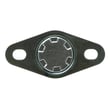
- Wall oven temperature sensor WB21X10165 (helps regulate oven temperature)
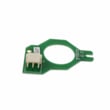
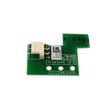
- Board sensor WB27X28659 (supports control feedback)
You can order replacement parts for your PT7550SF4SS from the parts list for this model, or search by model number on Sears PartsDirect.
Last updated: February 2026
Are all 24 inch wall ovens the same size?
No. Even when a wall oven is marketed as “24-inch,” the actual cabinet cutout width, cutout height, and cutout depth can vary by brand and model. For a GE wall oven installation, we recommend measuring your existing cutout and matching it to the dimensions listed in the installation guide.
“24-inch” is a nominal size category, not a guarantee that every oven shares the same cutout requirements. Differences show up in trim overlap, required clearances, and the exact cutout opening.
Common variables that change fit:
- Cutout width and height (the opening in the cabinet)
- Cutout depth (how far back the cabinet opening must be)
- Trim/face overlap (how much the oven covers the cutout edges)
- Door clearance (space needed when the door is open)
- Junction box location (where the electrical connection must be)
Your GE PT7550SF4SS is a 30-inch double wall oven model family, so it will not use 24-inch cutout dimensions. The installation instructions call out model-specific cutout requirements and clearances, including minimum opening width and depth, plus junction box placement.
- Measure the inside width between cabinet walls
- Measure the cutout height from the cabinet floor to the top of the opening
- Measure the usable depth to the back wall (account for wiring)
- Confirm door swing clearance to nearby drawers and corners
- Verify the junction box can be placed where the guide specifies
These are common industry ranges; always use the installation specs for the final decision.
| Nominal oven size | Typical cutout width range | Typical capacity range |
|---|---|---|
| 24-inch class | About 22 to 24 inches | About 2.0 to 3.5 cu. ft. |
| 27-inch class | About 25 to 28 inches | About 4.0 to 5.0 cu. ft. |
| 30-inch class | About 28 to 30 inches | About 4.0 to 5.0 cu. ft. |
A wall oven that is even slightly mismatched to the cabinet cutout can lead to installation problems such as gaps around the trim, door interference, or an unsafe electrical connection location. Using the exact cutout specs prevents costly cabinet modifications.
You can also search parts and model details on Sears PartsDirect.
Last updated: February 2026
When was the General Electric PT7550SF4SS oven made?
GE PT7550SF4SS wall ovens were produced across multiple years, and the exact build date is determined by the serial number on your specific unit, not the model number alone. For this model, the serial label is typically on the side trim or on the front of the lower oven behind the oven door; see the PT7550SF4SS owner's manual for the label location.
Use your oven’s serial number to identify the production date range.
- Open the lower oven door and look along the front frame area behind the door
- Check the side trim area if you do not see a label at the front
- Write down the full model number (PT7550SF4SS) and the complete serial number
- Match the serial number format to the date-coding chart in your documentation
- If you are ordering parts, use the full model and serial to ensure the best match
The model number PT7550SF4SS identifies the design family and features (such as a double electric wall oven with convection), but GE uses the serial number to encode when your specific unit was built. That is why two PT7550SF4SS ovens can have different manufacture dates.
| What you need | Where to find it on PT7550SF4SS | What it’s used for |
|---|---|---|
| Model number | Serial tag on side trim or lower-oven front frame | Identifies the correct parts list |
| Serial number | Same tag as model number | Determines the manufacture date |
| Electrical specs | Installation documentation | Confirms 120/208V or 120/240V hookup requirements |
Knowing the manufacture date helps when you are comparing revisions, confirming compatibility for electrical components, and selecting the right replacement parts (for example, a temperature sensor or cooling fan components). You can order PT7550SF4SS replacement parts from the parts list for this model, or search by model number on Sears PartsDirect.
Last updated: February 2026
What does F4 mean on a GE oven?
On your GE PT7550SF4SS electric wall oven, F4 is a function error code (the display shows an “F- and a number or letter”). The manual’s fix is to cancel the cycle, let the oven cool, then reset power; if the code repeats, a sensor, wiring, cooling, or control issue needs attention.
Follow the reset procedure in the PT7550SF4SS owner’s manual:
- Press Cancel/Off.
- Allow the oven to cool for 1 hour.
- Put the oven back into operation.
- If the code repeats, disconnect power for at least 30 seconds, then restore power.
- If the code repeats again, move to the checks below.
F-codes are triggered when the control sees an unsafe or out-of-range condition. The most common areas to check are:
- Oven temperature sensor circuit: sensor resistance out of range, loose connector, damaged harness
- Overheating near the control: cooling fan not running, blocked airflow
- Control monitoring: control board or related sensing components misreading inputs
| What you notice | What we check | Part that may be needed |
|---|---|---|
| Erratic temps, long preheat, code during baking | Sensor and sensor wiring | Wall oven temperature sensor WB21X10165 |
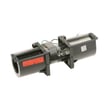
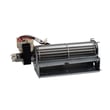
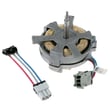
| Control area gets very hot, fan noisy or not running | Cooling fan and connections | Wall oven cooling fan assembly WB26X24020 |
| Intermittent F-codes after heat cycles | Control sensing components and connections | Board sensor WB27X28659 |
When the oven cannot reliably confirm temperature feedback or safe cooling, it stops heating to prevent overheating and poor cooking results. Addressing the sensor, wiring, or cooling fan prevents repeat shutdowns and protects the control area.
You can order replacement parts for PT7550SF4SS from the parts list for this model, or search by model number on Sears PartsDirect.
Last updated: February 2026