 Installation guide
 Owner’s manual
 Error Codes









How do you reset a Kenmore electric stove?
To reset your Kenmore electric range model 79092413201, turn the range off, cut power at the breaker (or unplug it) for about 1 minute, then restore power and reset the clock and any oven settings. This clears many control glitches after a power interruption.
- Turn all surface element knobs to OFF.
- If the oven is running, cancel the cycle and let the oven cool.
- Switch the range circuit OFF at the home breaker panel (preferred) or unplug the cord.
- Wait 60 seconds.
- Restore power.
- Set the clock, then test Bake and a surface element.
| Situation | What a reset helps | What to check next |
|---|---|---|
| Display frozen or beeping | Clears a temporary control fault | If it returns, check for error codes in the manual |
| Oven not heating after outage | Restores normal operation after power returns | Confirm correct settings; test bake element and sensor |
| Surface element not heating | Sometimes clears a stuck control state | Check the element, switch, and wiring |
These are the most common next checks on an electric range like the 79092413201:
- Confirm the range has full power (a tripped breaker can leave you with partial power).
- If the oven will not heat, inspect the frigidaire range bake element 316202200 for visible damage.
- If temperatures seem off, the oven temperature sensor can be the cause; see 79092413201 owner's manual for testing and operating guidance.
- If a surface burner will not regulate heat, the control switch can fail (for example, range surface element control switch 316436001).
The manual warns not to operate the range during a power failure; when power returns, the range can resume operation. Resetting power and then resetting the clock and oven function helps you start from a known-safe state.
Last updated: February 2026
What causes a Kenmore oven to stop working?
On the Kenmore 79092413201 electric range, an oven that stops working is usually caused by a power interruption, an electronic control fault (often with beeping and an F-code), or a failed heating or sensing component such as the bake element or oven temperature sensor.
- Confirm the range has power; check the house breaker(s) for a tripped condition.
- If the control is beeping continuously, press CANCEL to stop the beeping and clear the display.
- Reset the clock and reselect a bake or broil function after any outage (the range should not be operated during a power failure).
- If the oven heats unevenly or not at all, inspect for obvious damage to the bake element.
- If the oven temperature seems inaccurate, suspect the sensor circuit.
| Symptom | Likely cause | What to do next |
|---|---|---|
| Entire range dead | No power to appliance | Reset breaker, verify outlet power, then re-test |
| Beeping with F1, F3, or F9 | Electronic oven control detected a fault | Press CANCEL, reprogram; if it returns, service is needed |
| Oven will not heat but cooktop works | Failed bake element or wiring | Check element for blisters/breaks; test continuity |
| Oven heats but temperature is off | Temperature sensor issue | Test/replace the sensor |
- Frigidaire range bake element 316202200 (primary heat source for baking)
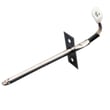
- Oven probe 316233903 (monitors oven temperature for the control)
When the control detects a fault, it can stop operation to protect the range and prevent unsafe heating. After a power outage, the oven can resume operation if it was left on, so turning the range off and resetting functions helps prevent unintended heating.
For model-specific operating steps, error indications, and reset procedures, follow the 79092413201 owner’s manual.
Last updated: February 2026
Where can I find a Kenmore oven model?
On Kenmore electric range model 79092413201, the model number is printed on the serial plate located on the right side of the oven front frame, typically behind the storage drawer (or warmer drawer) or behind the lower panel. Use the same plate to record the serial number for parts ordering.
- Pull out the storage drawer fully and look at the right-hand front frame
- If your range has a lower panel instead of a drawer, remove the lower panel and check behind it
- Look for a metal or foil identification plate with model and serial information
- Write down the model number, serial number, and any lot number/letter shown
- Keep the information with your paperwork for future service and parts lookup
| What you see | Most likely location | What to do |
|---|---|---|
| Storage drawer at the bottom | Right side of oven front frame behind the drawer | Open or remove the drawer and inspect the right frame |
| Solid lower panel (no drawer) | Right side of oven front frame behind the panel | Remove the lower panel and inspect the right frame |
| Plate is hard to read | Same area | Clean gently and use a flashlight to read the characters |
We use the exact model and serial information to match the correct Kenmore range parts (for example, a bake element, oven temperature sensor, or surface element control switch) because similar-looking ranges can use different wiring, controls, and heating components.
For the illustration and the exact wording used for this model, check the 79092413201 owner’s manual.
Last updated: February 2026






