Owner’s manual
 Error Codes




How do I clear the error code on my Samsung stove?
To clear an error code on your Samsung FER300SX electric range, first reset power to the range (turn the breaker OFF, wait 1 minute, then turn it back ON). If the code returns right away, the problem is still present and needs troubleshooting using the FER300SX owner's manual.
- Turn the range breaker OFF (or unplug if accessible).
- Wait 60 seconds.
- Restore power and watch the display for 2 to 5 minutes.
- If the code clears, test Bake and a surface element briefly.
- If the code returns, stop using the affected function and troubleshoot the likely cause.
Most Samsung range error codes fall into one of these groups:
- Touchpad/control panel input issue (stuck key, moisture, heat damage)
- Oven temperature sensing/heating problem (bake or broil circuit)
- Door/lock circuit issue (door switch or latch feedback)
- Power/wiring issue (loose connection at the terminal block)
| What you notice | Most likely area | What we do next |
|---|---|---|
| Code returns immediately after reset | Control or keypad input | Check for stuck keys; if persistent, test control components |
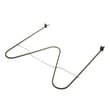
| Oven will not heat, code appears during Bake | Bake circuit | Inspect and test the range bake element DG47-00038B |
| Broil fails or code appears during Broil | Broil circuit | Inspect and test the Samsung range broil element DG47-00037A |
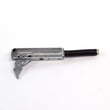
| Code appears when opening/closing door | Door feedback | Check the range oven door switch DG34-00006A |
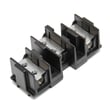
| Display flickers, burning smell, intermittent power | Power connection | Inspect the range terminal block DG96-00173A and cord wiring |
An error code is the range telling us it detected an unsafe or out-of-range condition. Resetting clears the display, but if the code returns, continuing to run the oven or cooktop can overheat wiring, damage the control, or cause repeated shutdowns.
- Let the control panel cool; heat can trigger touchpad faults.
- Make sure the cooktop and control area are dry and free of cleaner residue.
- If you have a multimeter, test heating elements for continuity.
- Inspect wiring connectors for discoloration or looseness.
- If you need parts, order from the parts list for FER300SX on this page or search by model at Sears PartsDirect.
Last updated: February 2026
How do I find the model number on my FER300SX?
On a Samsung electric freestanding range like FER300SX, the model number is printed on the appliance’s rating label; it’s usually visible when you open the oven door and look around the door frame area. For label locations and how Samsung formats model numbers, check the FER300SX owner's manual.
- Along the oven door frame (left or right side) when the door is open
- On the front frame behind the storage drawer (remove the drawer to look inside)
- On the back panel of the range near the power cord/terminal block cover
- Occasionally on the lower side panel near the front edge
- Model number (example: FER300SX)
- Version code or suffix (often shown after a slash, such as XAA)
- Serial number (helps confirm production run)
| You see on the label | What it means | Why we need it |
|---|---|---|
| FER300SX | Base model | Identifies the correct diagrams and parts groupings |
| /XAA (or similar) | Version/market code | Prevents ordering a look-alike part that won’t fit |
| Serial number | Unique unit ID | Helps narrow variations across production |
Samsung ranges can share similar styling across multiple versions, but internal parts like a control board, surface switch, or wire harness can differ by version code. Using the full label information helps ensure the replacement part fits and works correctly.
Last updated: March 2026
What is the average lifespan of FER300SX?
A Samsung electric freestanding range like model FER300SX typically lasts 13 to 15 years with normal use and basic maintenance (keeping vents clear, using the right cookware, and avoiding repeated overheating). For care and operating tips specific to your range, use the FER300SX owner's manual.
- Heat stress from frequent self-clean cycles or repeated high-heat broiling
- Loose or overheated power connections at the terminal block
- Worn heating components (bake, broil, or radiant surface elements)
- Door seal and hinge wear that lets heat escape
- Spills and moisture reaching switches, wiring, or the control area
| Symptom | Most common cause | Typical fix path |
|---|---|---|
| Oven won’t heat or heats unevenly | Failed bake element | Replace range bake element DG47-00038B |
| Broil doesn’t work | Failed broil element | Replace Samsung range broil element DG47-00037A |
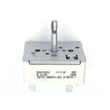
| Burner stays on or won’t regulate | Bad infinite switch | Replace Samsung range surface element control switch DG44-01002A |
| No power or intermittent power | Loose/burned connection | Inspect/replace range terminal block DG96-00173A |
- Keep the rear vent area clear so heat can escape properly.
- Wipe up boilovers quickly to protect knobs, switches, and wiring.
- Avoid slamming the oven door; it stresses hinges and the door alignment.
- If a burner cycles erratically, address it early to prevent overheating damage.
- Periodically confirm the range is stable and secured (anti-tip hardware matters).
A range can often run well past 10 years, but small electrical issues (like a failing surface switch or a heating element that’s starting to short) can accelerate wear on wiring and the control system. Catching symptoms early usually keeps repairs simpler and less expensive.
Last updated: March 2026