 Owner’s manual
 Error Codes




Is the NE58F9500SS a freestanding range?
No. The Samsung NE58F9500SS is an electric slide-in range, not a freestanding range. Slide-in ranges are designed to sit flush with the countertop edges for a built-in look, while freestanding ranges typically have finished sides and a backguard.
- Backguard present? Freestanding ranges usually have a tall back control panel; slide-in models often do not.
- Side panels finished? Freestanding models typically have finished sides; slide-in models are meant to be flanked by cabinets.
- Countertop fit: Slide-in ranges are intended to align closely with countertops for a seamless look.
- Installation requirements: Slide-in models often have more specific spacing and anti-tip requirements.
- Control location: Many slide-in ranges place controls on the front edge or angled front panel.
A slide-in range like the NE58F9500SS is chosen for fit and appearance. If you replace it with a freestanding model, you can end up with visible gaps at the sides or back, and the countertop alignment may look different.
| Feature | Slide-in range (NE58F9500SS) | Freestanding range |
|---|---|---|
| Look with countertops | Flush, built-in style | More standalone |
| Backguard | Often none | Common |
| Cabinet-side fit | Designed to be between cabinets | More forgiving |
Correctly identifying slide-in vs. freestanding helps you avoid fit issues, ensures proper clearances, and makes it easier to choose compatible parts and accessories.
For model-specific installation clearances and placement details, use the NE58F9500SS owner's manual.
Last updated: February 2026
How to change a control board on a Samsung stove?
On the Samsung NE58F9500SS electric slide-in range, replacing a control board is mainly a careful disconnect-and-reconnect job: shut off power, document every wire location, swap the board, then restore power and test oven and cooktop functions. Use the wiring diagram and access steps in the NE58F9500SS owner's manual.
- Turn off the range at the circuit breaker (240V); confirm the display is off.
- Let the range cool completely.
- Protect the floor and stainless surfaces; use a towel or cardboard.
- Take clear photos of every connector before you unplug anything.
- Label wire connectors with tape (example: “P3”, “L1”, “door switch”).
- Use an anti-static precaution when handling electronic boards.
Samsung ranges commonly use more than one board. Here is a quick guide:
| Symptom | Most likely board area | Example part from this model’s parts list |
|---|---|---|
| Dead or scrambled display, buttons not responding | Display/control panel electronics | Range display board DE96-01027A |
| Oven not heating correctly, elements not switching on/off | Oven relay/control board area | Range oven relay control board DE92-02439G |
- Kill power at the breaker.
- Access the board: typically from the rear control panel cover (remove screws, lift cover off).
- Document wiring: photos plus labels; do not rely on memory.
- Move one connector at a time from the old board to the new board to avoid mix-ups.
- Reinstall mounting screws and any insulating shields exactly as found.
- Reassemble covers, restore power, then test Bake, Broil, Convection, and surface elements.
A single miswired connector can cause error codes, no-heat conditions, or blown fuses/breakers. Careful labeling and using the correct board for the symptom prevents repeat failures and protects the wire harness.
Last updated: February 2026
How much does it cost to replace a Samsung oven control board?
For the Samsung NE58F9500SS electric slide-in range, replacing the oven control board typically costs about $250 to $600 total (part plus labor). The control board itself commonly runs about $200 to $400, and professional installation often adds $150 to $250 depending on service rates.
Costs vary by which board your range uses (display board vs. relay/control board) and whether you DIY.
- Control board part price: commonly $200 to $400
- Labor (service call + install): commonly $150 to $250
- DIY install: usually $0 labor, but allow time for safe disassembly and wiring checks
- Extra costs: wire harness repair, burnt connectors, or a cooling fan issue can add cost
| Scenario | Typical total cost | Best for |
|---|---|---|
| DIY board replacement | $200 to $400 | Confident DIYers with electrical safety skills |
| Pro replacement (most common) | $350 to $650 | Fast, lower risk of wiring mistakes |
| Board plus wiring repair | $450 to $800 | When connectors are heat-damaged |
Samsung ranges often have more than one electronic board. For NE58F9500SS, common board-related parts include:
- Samsung range display board DE96-01027A (user interface and display functions)
- Samsung range oven relay control board DE92-02439G (switches power to bake, broil, convection circuits)
- Wiring and connectors (a loose or overheated connector can mimic a bad board)
Use the wiring diagram and troubleshooting steps in the NE58F9500SS owner's manual before ordering parts.
- If the display is dead or buttons do not respond, suspect the display/user interface side
- If the oven will not heat but the display works, suspect relay/control side, sensor, or element
- Check for error codes and verify the oven temperature sensor connection
- Inspect for burnt terminals at the board and at the wire harness connectors
Replacing the wrong board is the most expensive mistake on an electric range. A quick diagnosis (sensor, element, wiring, then board) keeps repair costs down and gets baking and broiling back to normal faster.
Last updated: February 2026
How do I reset my Samsung oven control board?
To reset the control board on your Samsung NE58F9500SS electric slide-in range, we recommend doing a power reset: shut the range off, remove power for a few minutes, then restore power and re-set the clock. This clears many temporary control glitches.
- Turn the oven off and make sure no cooking cycle is running.
- Unplug the range from the wall outlet.
- Wait 3 to 5 minutes.
- Plug the range back in.
- Set the clock and test Bake and Broil.
If your range is hardwired (no plug), turn the range circuit OFF at the home breaker panel, wait 3 to 5 minutes, then turn it back ON.
A reset helps with software-like lockups, but it will not correct a failed board, keypad issue, or wiring problem.
Try these checks:
- If the display is blank or flickers, confirm the breaker is fully on (flip OFF then ON).
- If buttons do not respond, cancel the cycle and try a reset again.
- If the oven heats incorrectly or shows odd behavior after reset, inspect for loose connections.
- If the display is dead but power is good, the display/control may need service.
If symptoms point to an electronic control problem, these model-matched parts are commonly checked or replaced:
| Symptom | Common suspect | Example part for NE58F9500SS |
|---|---|---|
| Display dead, missing segments, or erratic | Display board | Samsung range display board DE96-01027A |
| Oven functions not switching correctly (heating circuits) | Oven relay control board | Samsung range oven relay control board DE92-02439G |
| Random beeping or intermittent operation | Loose/burned wiring | Range wire harness (inspect connections) |
A proper reset is the safest first step because it restores normal operation after a power surge or control glitch without replacing parts. If the problem returns quickly, it usually points to a failing electronic board, a connection issue, or a component short.
For model-specific control and display behavior (including clock setting and lock features), follow the steps in the NE58F9500SS owner's manual.
Last updated: February 2026
How long do Samsung electric ranges last?
Most Samsung electric ranges, including the Samsung NE58F9500SS electric slide-in range, last 10 to 15 years with normal household use. Consistent cleaning, avoiding overheating, and fixing small issues early (like a weak bake or broil) helps you reach the full lifespan; see the NE58F9500SS owner's manual for care and operating guidance.
A range’s life is mostly driven by heat stress, electrical load, and how often the oven and radiant elements run.
- Heavy daily cooking shortens lifespan compared to light weekly use
- Self-clean cycles add extreme heat that can stress wiring and controls
- Power surges can damage the display board or relay control board
- Spills and boilovers can damage surface element switches
- Poor airflow around the control area can overheat electronics
These are common wear points on electric slide-in ranges.
| Symptom | Likely area | Example part for NE58F9500SS |
|---|---|---|
| Oven temperature swings, underbakes | Temperature sensing | Range oven temperature sensor DG32-00004C |
| No broil or weak broil | Upper heating circuit | Samsung range broil element DG47-00058A |
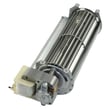
| Convection not working, noisy fan | Convection fan motor | Samsung range convection fan motor assembly DG96-00110E |
| Burner won’t regulate heat | Surface element control | Range surface element control switch DG44-01006A |
We recommend these practical steps to keep the cooktop, oven cavity, and controls in good shape.
- Wipe up spills quickly so they do not bake onto the cooktop or oven floor
- Use cookware that matches the element size to reduce overheating
- Keep the control panel area clear so the cooling fan can move air
- Run self-clean only when needed; use manual cleaning more often
- If you notice slow preheat or uneven baking, troubleshoot early instead of increasing temperature
A range that is maintained and repaired early typically avoids expensive control failures and keeps baking temperatures accurate. That protects cooking results and reduces the chance of repeated overheating that shortens component life.
Last updated: February 2026
Why is my Samsung oven touchpad not working?
On the Samsung NE58F9500SS electric slide-in range, a touchpad that will not respond is usually caused by a control reset issue, moisture or residue on the panel, a loose ribbon connection, or a failing display/control board. Start with a power reset and a careful cleaning, then move to connection and part checks.
- Turn off power at the breaker (or unplug if accessible) for 5 minutes, then restore power to reset the control.
- Wipe the control panel with a barely damp microfiber cloth, then dry it fully (avoid spraying cleaner directly on the panel).
- Confirm the control lock feature is not enabled (check the lock indicator and unlock steps in the NE58F9500SS owner’s manual).
- If the panel works intermittently, note whether it fails more when the oven is hot; heat can aggravate weak connections.
- If the display is blank or flickering, focus on the display/control electronics rather than the touch surface.
| Symptom | Most likely cause | What to do next |
|---|---|---|
| Some keys work, others do not | Touch panel area contamination or failing touch circuit | Clean and dry; if unchanged, plan for control/display diagnosis |
| No response from any key, display still on | Locked control, ribbon connection issue, or failing board | Verify lock; check connections; test/replace control as needed |
| Display glitches, random beeps, resets | Failing display/control electronics or wiring | Inspect harness connections; consider board replacement |
If basic reset and cleaning do not restore normal operation, these model-listed parts are common suspects:
- Samsung range display board DE96-01027A (touch input and display functions are often integrated)
- Range display wire harness DG96-00326A (loose or damaged connection can cause dead keys)
- Range wire harness DG96-00325A (wiring issues can interrupt control signals)
A non-working touchpad can prevent safe temperature setting, disable bake/broil functions, or leave features stuck on. Addressing it early helps avoid overheating, incomplete cooking, and repeated control resets.
Last updated: February 2026




