Installation guide
 Owner’s manual
 Error Codes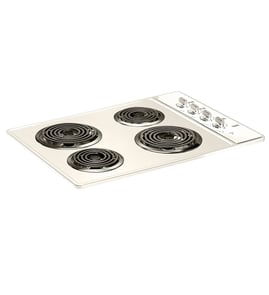





Does anyone make a 32 inch electric cooktop?
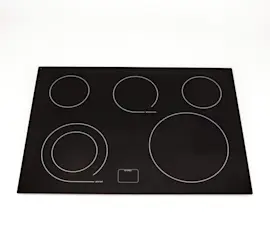
Yes. While the Kenmore 79042739403 is designed around standard 30-inch or 36-inch cooktop sizing, some brands sell electric cooktops marketed as “32-inch” (often around 32.25 inches actual width). Always match the cutout size and electrical requirements, not just the advertised width; see the 79042739403 installation guide.
Manufacturers often label a cooktop by a “common” size, but the cabinet cutout is what determines fit.
- Measure your existing countertop cutout width and depth (not the glass top).
- Confirm the cooktop’s overall width and the required cutout range.
- Verify minimum clearances to cabinets and overhead surfaces.
- Check electrical supply: most electric cooktops use 120/240V or 120/208V single-phase wiring.
- Plan space below the cooktop for the junction box and cable routing.
The installation specs for this Kenmore family call out 30-inch and 36-inch ceramic cooktop configurations, with specific cutout ranges for each. Use these as your baseline when deciding whether a “32-inch” unit will fit your opening.
| Cooktop class | Typical overall width | Typical cutout width range | Best use case |
|---|---|---|---|
| 30-inch electric cooktop | ~30 in | ~28 1/2 to 29 in | Replacing most standard cooktops |
| 32-inch (marketed) electric cooktop | ~32 to 32 1/4 in | Varies by brand/model | When your cutout is wider than 30-inch spec |
| 36-inch electric cooktop | ~36 in | ~34 7/8 in and up | Larger countertop openings |
If the cutout is too small, the cooktop will not drop in safely; if it’s too large, the cooktop may not be supported correctly. Matching the cutout dimensions and clearances also helps prevent heat damage to cabinets and wiring.
- Compare your cutout measurements to the ranges listed in the 79042739403 installation guide.
- If your opening is between standard 30-inch and 36-inch cutouts, shop by cutout specs first.
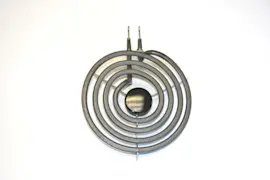
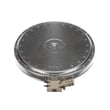
- If you are replacing a failed burner on this model instead of swapping cooktops, check the element 316555800 for a compatible radiant surface element option.
Last updated: February 2026
How big is the Kenmore 79042739403?
The Kenmore 79042739403 is a 30-inch class electric cooktop. For installation, plan for a countertop cutout that’s roughly 28 1/2 to 29 inches wide by 19 7/8 to 20 1/4 inches deep, with about 5 inches of box depth below the counter (allow extra clearance for wiring). See the 79042739403 installation guide for the exact cutout and clearance requirements.
Use these measurements when you’re checking cabinet space, countertop cutout, and clearance to overhead cabinets:
- Cooktop size class: 30-inch ceramic (radiant) cooktop
- Cutout width (A): 28 1/2" to 29"
- Cutout depth (B): 19 7/8" to 20 1/4"
- Box depth below counter (C): 5"
- Minimum clearance to overhead cabinetry: 30" to an unprotected cabinet bottom
- Allow space below cooktop: about 2" for the electrical cable and junction box placement
| What you’re measuring | Typical spec for this 30-inch class cooktop | What to do |
|---|---|---|
| Countertop cutout width | 28 1/2" to 29" | Measure twice before cutting; confirm your template/cut lines |
| Countertop cutout depth | 19 7/8" to 20 1/4" | Verify front-to-back clearance in the cabinet |
| Clearance to overhead cabinet | 30" minimum | Avoid heat damage and meet safety spacing |
| Space below cooktop | 2" minimum recommended | Prevent pinched wiring and allow junction box access |
Cooktops are sized by the nominal top width (30-inch class), but installation depends on the cutout range and clearances. Using the correct cutout width and depth helps the cooktop sit flat, prevents stress on the glass top, and keeps wiring from being cramped.
Last updated: February 2026
How to lift a Kenmore stove top?
For the Kenmore 79042739403 electric cooktop, you lift the cooktop out of the countertop cutout by shutting off power, then loosening the underside retainer brackets so the unit can be raised straight up for service. Use the 79042739403 installation guide for the exact bracket locations and removal sequence.
- Turn all surface controls to OFF and let the glass cool completely.
- Switch OFF the cooktop circuit at the breaker (many cooktops are hard-wired).
- Clear the cooktop surface; remove cookware and anything that can slide.
- Protect the countertop edge with a towel to prevent chips and scratches.
- Plan to lift with two people to avoid twisting the frame or glass.
- Shut off power at the breaker.
- Open the cabinet below the cooktop.
- Locate the retainer brackets that clamp the cooktop to the underside of the countertop.
- Remove or loosen the bracket screws until the cooktop is free.
- From above, lift the cooktop straight up a few inches; support it so it does not hang by wiring.
The installation instructions for this cooktop specify:
- Do not use caulking compound; the cooktop should be removable for service.
- The retainer brackets must be installed to secure the cooktop to the countertop.
| What you see underneath | What it means | What to do |
|---|---|---|
| Retainer brackets tight to countertop | Cooktop is clamped in place | Loosen/remove bracket screws first |
| Cooktop will not lift after brackets are loose | Binding in cutout or debris | Lift evenly, check edges for sticking |
| Wiring feels tight when lifted | Limited slack in junction box | Stop and support cooktop; avoid pulling wires |
Lifting the cooktop by releasing the retainer brackets prevents cracked glass, bent frames, and damaged wiring. Keeping the unit removable also makes future radiant element or switch service much safer.
Last updated: February 2026
How to reset Kenmore electric stove?
To reset a Kenmore electric cooktop like model 79042739403, we restore power to clear a control glitch: turn the cooktop off, shut off power at the breaker for 1 minute, then turn power back on and test a surface element.
- Turn all surface controls to OFF.
- Switch the cooktop circuit breaker OFF (or remove the fuse).
- Wait 60 seconds.
- Switch the breaker ON.
- Test each burner on LOW, then MED, then HIGH.
- If the cooktop still will not operate, check for a tripped breaker again (a common cause).
The manual’s “Before You Call” checklist points to a few common causes: no power to the appliance, an incorrect control setting, using the wrong control for the element, or incorrect supply voltage. Use the checks below before replacing parts.
| Symptom | Most likely cause | What we do next |
|---|---|---|
| Entire cooktop dead | Breaker tripped, blown fuse, power outage | Reset breaker, confirm house power |
| One element dead | Element or control switch issue | Test that element and its switch |
| Heat too low/high | Control setting or cookware issue | Adjust setting, use flat cookware |
If only one burner fails after the reset, these model-compatible parts are common fixes:
- Element 316555800 (radiant surface element)
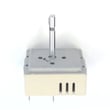
- Switch 318293824 (surface element control switch)
- Switch 318191000 (surface element control switch)
- Indicator light 318044827 (hot surface/on indicator)
A reset clears minor electrical or control-state issues, but it also confirms whether the problem is a simple power supply issue (breaker/fuse) versus a failed radiant element or control switch.
For model-specific operating details and the “Before You Call” troubleshooting chart, use the 79042739403 owner’s manual.
Last updated: February 2026
How to unlock a Kenmore Elite cooktop?
To unlock the controls on your Kenmore electric cooktop model 79042739403, use the Control Lock (child lock) procedure listed for your exact control panel. The correct button name and hold time vary by version, so we recommend following the steps in the 79042739403 owner’s manual.
These steps work on most Kenmore ceramic-glass radiant cooktops with touch controls:
- Make sure the cooktop is not actively heating; turn all elements off.
- Press and hold the Control Lock or Lock pad until the lock indicator turns off.
- If your panel uses a key icon, press and hold that key.
- If the panel is unresponsive, wipe the control area dry and remove any objects resting on the glass.
- If it still stays locked, reset power at the breaker for 1 minute, then try the lock pad again.
| What you see | What it usually means | What to do |
|---|---|---|
| “LOC” or a lock light | Control Lock is enabled | Hold the lock pad until it clears (see manual) |
| No response from any pad | Moisture, residue, or a stuck touch area | Clean and dry the control area; power reset |
| Only one element misbehaves | Heating circuit issue, not Control Lock | Troubleshoot that element and its wiring |
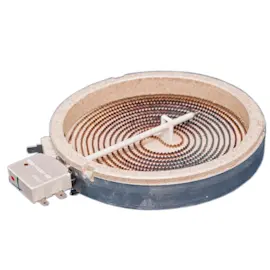
On model 79042739403, a “won’t heat” complaint is often a surface heating issue rather than a lockout. If one radiant burner will not heat after unlocking, a failed radiant element is a common cause; for example, the element 316555800.
Control Lock prevents accidental burner activation during cleaning. Using the correct unlock sequence restores normal operation and helps you avoid unnecessary part replacement.
Last updated: February 2026
Why is my Kenmore electric stove burner not working?
On Kenmore electric cooktop model 79042739403, a burner usually stops heating because it is not getting power (tripped breaker, loose wiring), the wrong control is being used, the heat setting is too low, or the surface element or control switch has failed. Start with power and control checks, then test parts.
- Reset the house circuit breaker (or replace the fuse) and try the burner again.
- Confirm you are turning the correct knob for that burner.
- Turn the control slightly higher; some elements cycle and may not glow immediately.
- If the entire cooktop is dead, check for a power outage and verify other kitchen lights/outlets.
- If heat is weak or erratic on all burners, have the supply voltage and wiring checked per the 79042739403 installation guide.
If only one burner will not heat and power is good, the problem is typically in the element or its control.
| Symptom | Most likely cause | What to check next |
|---|---|---|
| One burner never heats | Burned-out radiant element | Inspect element for damage; replace the element if open |
| Burner heats only on high or is inconsistent | Surface element control switch | Check for a worn switch; replace if it will not regulate |
| Burner works but indicator behavior is odd | Indicator light circuit | Check the indicator light and related wiring |
Model-matched parts to consider:
- Radiant element: element 316555800
- Control switch: switch 318293824
- Shut off power at the breaker before removing the cooktop from the counter or opening the control area.
- Let the glass top and elements cool completely before touching them.
- If you see burned wires, melted connectors, or arcing marks, replace damaged terminals and correct the connection issue before installing a new element.
A burner that is not heating is often a simple power or control issue, but a loose or overheated connection can damage the wiring harness and switches over time. Fixing the root cause helps prevent repeat failures and nuisance breaker trips.
Last updated: February 2026