 Error Codes




Where to find model number on GE wall oven?
On the GE JK3500SF6SS electric wall oven, the model number is typically on a rating label along the oven’s front frame, visible when you open the oven door. Check the frame on the left or right side, and also look just under the control panel area.
Common places to check on a GE wall oven
- Open the oven door and inspect the front frame (the face of the oven cavity).
- Look along the left and right vertical frame rails.
- Check the lower oven door frame area if it is a double wall oven.
- Look just under the control panel lip (some labels sit slightly above the door opening).
- If the label is hard to see, use a flashlight and wipe the area with a damp cloth.
What the label helps you do
The model number is what we use to match the correct GE wall oven parts, diagrams, and fit-verified replacements for JK3500SF6SS.
Model number vs. serial number
| Item | What it tells you | When we use it |
|---|---|---|
| Model number (JK3500SF6SS) | Exact design and parts fit | Always, for parts lookup |
| Serial number | Production run details | Sometimes, for revisions |
Why it matters
GE wall ovens can look nearly identical across model series, but small differences (sensor style, control board version, door parts) change which replacement part fits. Using the exact model number prevents ordering the wrong component.
If you are already troubleshooting a problem
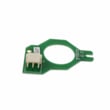
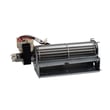
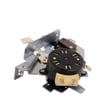
Once you confirm the model number, common parts customers look up for heating or temperature issues include the wall oven temperature sensor WB21X10165 and, for cooling or overheating symptoms, the wall oven cooling fan assembly WB26X31060.
Last updated: January 2026
What does F96 mean on my GE oven?
On the GE JK3500SF6SS electric wall oven, an F96 error points to a cooling or airflow problem that can cause the oven to shut down to protect the control electronics. In most cases, we focus on the cooling fan circuit, its sensor inputs, and related wiring.
What you can do right now
- Turn the oven off and let it cool completely; then restore power and see if the code returns.
- Confirm the cooling fan runs when the oven is heating; no fan operation is a strong clue.
- Check that the vent area is not blocked by foil, insulation, or cabinet debris.
- If the code appears during self-clean, stop the cycle and let the oven cool; self-clean creates the highest heat load.
- If the fan runs but the code returns, suspect a sensor, control, or wiring issue.
Parts that commonly relate to F96 on this model
These parts are commonly involved when the oven cannot cool the control area properly:
| Symptom you notice | Most likely area | Example part for JK3500SF6SS |
|---|---|---|
| Fan never runs during bake/broil | Cooling fan motor or power feed | Wall oven cooling fan WB26X35089 |
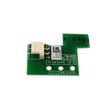
| Fan runs but code returns | Cooling fan sensing/control | Wall oven cooling fan sensor board WB27T11463 |
| Random shutdowns, intermittent code | Loose/burned connections | Wire harness WB18X24041 |
Quick troubleshooting checklist (safe, visual first)
- Verify the oven door closes fully; heat escaping can overheat the control area.
- Look for pinched, melted, or discolored wires near the fan and control compartment.
- Listen for the fan changing speed or surging; that can indicate a failing motor or control.
- Make sure the oven is installed with proper clearance and ventilation around the cabinet cutout.
Why it matters
The cooling fan system protects the electronic control and touch panel from overheating. When the oven senses it cannot cool correctly, it may disable one or both cavities to prevent damage and unsafe temperatures.
Last updated: January 2026
What is the best electric wall oven to buy?
The best electric wall oven to buy is the one that fits your cabinet cutout, power supply (typically 240V), and cooking needs (single vs. double, convection, self-clean). If you already own a GE JK3500SF6SS, replacing worn parts often restores performance for far less than replacing the oven.
How we recommend choosing the “best” wall oven
- Fit first: match the existing cutout size and door swing clearance.
- Configuration: single oven for simplicity, double oven for capacity and flexibility.
- Cooking features: true convection, probe cooking, air fry (if you will use it).
- Cleaning: self-clean vs. steam clean; choose what you will actually run.
- Controls and reliability: look for clear controls and readily available replacement parts.
Quick comparison: what “best” means for most shoppers
| If you care most about... | Look for | Why it helps |
|---|---|---|
| Even baking | Convection fan system | Improves heat circulation and browning |
| Fast preheat | Higher wattage bake system and good insulation | Reduces wait time |
| Long-term ownership | Common parts availability (sensor, control, fan) | Repairs stay practical |
| Quiet operation | Well-designed cooling fan | Less noise during and after baking |
When repairing your JK3500SF6SS is the better buy
If your GE JK3500SF6SS is not heating correctly, runs hot/cold, or throws temperature-related errors, the fix is often in the temperature sensing or control system.
Common repair paths:
- Replace a failed oven temperature sensor: wall oven temperature sensor WB21X10165
- Address cooling issues that can affect electronics: wall oven cooling fan assembly WB26X31060
- Resolve control or sensing faults tied to temperature regulation: board sensor WB27X28659
Why it matters
A wall oven is one of the hardest appliances to swap because cabinet fit and electrical requirements are non-negotiable. Choosing based on fit and features you will use prevents expensive remodel work, and keeping a solid unit running with the right GE parts can be the most cost-effective “best” option.
Last updated: January 2026
How to disable control lock on GE wall oven?
On the GE JK3500SF6SS electric wall oven, Control Lock is turned off by using the oven’s touch controls to exit the locked state. On most GE wall ovens, you press and hold the Control Lock (or Lock Controls) pad for about 3 seconds until the lock indicator turns off.
Quick steps to turn Control Lock off
- Touch the Control Lock or Lock Controls pad on the control panel.
- Press and hold for about 3 seconds.
- Wait for a beep or for the lock icon/message to clear.
- Try a simple function (like setting the clock or starting Bake) to confirm controls respond.
- If the oven is in a cleaning cycle or still hot, let it cool and try again.
If your control panel uses a touchscreen
Some GE wall ovens use a touchscreen-style lock.
- Wake the display (tap the screen once).
- Look for a lock icon or Control Lock area.
- Press and hold the lock icon, or follow the on-screen prompt to unlock.
Common reasons Control Lock will not turn off
| What you see | What it usually means | What to do |
|---|---|---|
| Lock icon stays on | Lock command not held long enough | Press and hold Control Lock for a full 3 seconds |
| Controls beep but stay locked | Oven is in a restricted mode (often during/after self-clean) | Wait for the cycle to end and the oven to cool |
| Display is blank/unresponsive | Power issue or control not waking | Reset power at the breaker for 1 minute, then retry |
| Random beeping or erratic response | Keypad/control issue | Inspect wiring connections; consider control-related parts |
Parts that can be involved if the lock feature acts up
Control Lock is a software feature, but if the panel will not respond, these parts are commonly involved in diagnosis:
- Wall oven relay control board WB27X25594 (if the oven is not responding to commands)
- Wire harness WB18X24041 (if the control signals are not reaching components)
- Wall oven temperature sensor WB21X10165 (if overheating behavior is triggering protective operation)
Why it matters
Control Lock prevents accidental starts and button presses, especially during cleaning or when kids are nearby. If it will not unlock, the issue is usually a control input problem (touch panel) or a power reset need.
Last updated: January 2026





