 Owner’s manual



Can you replace the door on a GE microwave?
Yes. On a GE JVM1339BW02 microwave/hood combo, the door can be replaced as an assembly, but it must close and latch perfectly afterward because the door and interlock system are a key safety feature. Use the owner's manual for model-specific safety and handling guidance.
What to check before replacing the door
- Confirm the door is actually damaged (bent door, damaged seal area, loose hinges, or latch issues).
- Make sure the microwave is unplugged before any inspection or disassembly.
- Inspect the latch area for broken or loose parts; a latch problem can look like a “bad door.”
- Check for residue on the sealing surfaces; buildup can prevent a proper seal.
- If the door does not close squarely, do not use the microwave until it’s corrected.
Basic door removal and installation overview
Most GE over-the-range microwave doors lift off the hinge pins when opened to about a 90-degree angle, then lift up and away. When installing the replacement door, align it on the hinge pins and verify smooth movement and full closure.
After installation, verify these items
- Door closes evenly with no rubbing
- Door latches engage firmly
- No visible gaps at the seal area
- Control panel allows cooking only when the door is fully shut
Why the latch and interlock system matters
The microwave must be securely latched to operate; the door latches and interlock switches help prevent operation with the door open. If the door is misaligned, the unit may not run, or it may run intermittently.
| Symptom after door replacement | Most likely area to re-check | Related part on this model |
|---|---|---|
| Won’t start, acts like door is open | Door alignment and latch engagement | Switch WB24X830 |
| Starts then stops when you touch the door | Loose latch, hinge play, or switch mounting | Switch WB24X829 |
When to replace parts instead of the whole door
If the door itself is fine but the microwave will not recognize it as “closed,” the issue is often in the latch or interlock switch circuit.
Common related parts for JVM1339BW02 include:
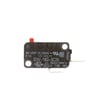
- Switch WB24X830 (door interlock switch)
- Switch WB24X829 (micro-switch)
- Latch pin WB6X480 (latch hardware)
Last updated: February 2026
Are all GE microwave mounting brackets the same?
No. GE over-the-range microwaves (including model JVM1339BW02) do not all use the same mounting bracket; brackets, top-cabinet bolt locations, and venting cutouts can change by model and generation. For a safe fit, we recommend installing the bracket and hardware that came with the replacement microwave and following the owner's manual.
What’s usually interchangeable (and what isn’t)
Even when two GE units are both “30-inch over-the-range” microwaves, only the cabinet opening is typically consistent; the mounting system often is not.
- Usually consistent: overall cabinet space for common 30-inch OTR microwaves
- Often different: wall bracket shape and hole pattern
- Often different: top cabinet mounting bolt locations
- Often different: rear wall vent opening alignment and damper position
- Often different: cord exit location and routing
Quick compatibility checklist before you reuse an old bracket
Use this checklist to avoid a crooked install, vibration, or a unit that will not sit flush.
- Compare the wall bracket hole pattern to the new bracket
- Verify top cabinet bolt holes match the new template
- Confirm the venting direction (rear, top, or recirculating) matches your setup
- Check that the microwave sits level and fully engages the bracket lip
- Make sure the door opens freely without cabinet interference
Reuse old bracket vs. install the new one
| Scenario | Best practice | Why |
|---|---|---|
| Same model number replacement (JVM1339BW02 to JVM1339BW02) | Reuse may work, but confirm alignment | Small production changes can still happen |
| Different model number (even same brand/size) | Install the new bracket and hardware | Hole patterns and vent cutouts commonly differ |
| Switching venting method (outside vent to recirculating, etc.) | Follow the new install instructions | Prevents airflow restriction and fit issues |
Why it matters
The mounting bracket carries much of the microwave’s weight and sets the final position. Using the correct bracket helps prevent cabinet damage, poor venting performance, and door alignment problems.
Last updated: February 2026
What's the average lifespan of a GE microwave?
Most GE microwaves average about 7 to 10 years of service life with normal household use. For a GE over-the-range model like JVM1339BW02, lifespan depends most on daily run time, keeping the cavity and vents clean, and avoiding misuse (especially running it empty). See the owner's manual for care and safety practices that help maximize life.
Typical lifespan and what changes it
In real homes, we see a wide spread because usage patterns vary a lot.
- Light use (reheating 1 to 3 times/day): often 9 to 12 years
- Moderate use (multiple cooks/day): often 7 to 10 years
- Heavy use (large family, frequent cooking): often 5 to 8 years
- Poor conditions (grease buildup, blocked airflow, frequent slamming): can shorten life quickly
Signs your microwave is near end of life
These symptoms usually point to a failing high-voltage or door-safety system, or a control issue.
- Runs but does not heat
- Intermittent heating or long cook times for the same food
- Loud humming/buzzing that is new or getting worse
- Door won’t latch or unit stops when the door is touched
- Burning smell, arcing, or repeated tripping of the breaker
If the unit runs but won’t heat, our why is my microwave not heating guide walks through the most common causes.
Repair vs. replace: a quick decision guide
| What you’re seeing | Common cause | Typical fix path |
|---|---|---|
| No heat, but everything else works | High-voltage components | Consider professional service; parts can be significant |
| Dead/no display | Fuse, wiring, control | Check power supply and internal fuse; then diagnose |
| Door won’t start unit | Door interlock switches | Replace a failed switch if testing confirms it |
| Light out under microwave | Lamp or socket | Replace the lamp or socket |
For door-related no-start issues on JVM1339BW02, the door interlock circuit often involves parts like the switch WB24X830 (and related interlock switches).
Why it matters
Microwaves include a door interlock safety system and high-voltage components. When a unit is near the end of its lifespan, small symptoms (like intermittent heating or a finicky door) can turn into no-heat or no-start problems, so early diagnosis helps you decide whether a repair makes sense.
Last updated: February 2026
What are common problems with GE JVM1339BW02 microwaves?
Common problems with the GE JVM1339BW02 microwave/hood combo include no power, no heat, a noisy turntable or fan, sparking/arcing, and light or vent issues. Many “dead” or glitchy symptoms are power related (tripped breaker, blown house fuse, or a power surge reset). See the JVM1339BW02 owner's manual for model-specific operating notes and the “Before you call for service” checks.
Most common symptoms and what they usually point to
- Microwave will not turn on: outlet issue, tripped breaker, loose plug, or a door interlock problem
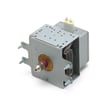
- Runs but does not heat: high-voltage circuit issue (common suspects include the magnetron, diode, or capacitor)
- Starts then stops, or acts intermittent: door switch or latch alignment, overheating protection opening
- Loud humming, grinding, or rattling: turntable tray/roller issues, fan or vent components
- Sparking/arcing inside: food splatter, damaged waveguide cover area, or metal contacting the cavity
- Cooktop light not working: bulb or socket issue (often a simple fix)
Quick checks we recommend before replacing parts
- Reset the house breaker or replace a blown house fuse (the manual calls this out as a common cause).
- Unplug the microwave for about 1 minute, then plug it back in to clear a power-surge glitch.
- Confirm the plug is fully seated in the outlet.
- Check for heavy grease buildup around the door area and bottom intake; clean and retest.
- If the unit runs but heats poorly, test with a cup of water for 1 to 2 minutes to confirm the symptom.
Parts that commonly solve these problems (when symptoms match)
| Symptom | Common part area | Example part for this model |
|---|---|---|
| Won’t start, shuts off when door moves | Door interlock switches | Switch WB24X830 |
| No heat (runs but food stays cold) | High-voltage components | Microwave magnetron WB27X10735 or diode WB27X1160 |
| Cooktop light out | Lamp or socket | Microwave/hood lamp WB36X10003 or lamp socket WB08X10016 |
Why it matters
Microwave/hood combos like the JVM1339BW02 use door interlocks and high-voltage components for safe operation. A “no heat” complaint is often a high-voltage issue, while a “won’t start” complaint is frequently a door-switch or power-supply issue. Matching the symptom to the right circuit prevents repeat failures and unnecessary part swaps.
Last updated: February 2026


