Installation guide
 Owner’s manual
 Error Codes



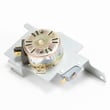
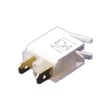
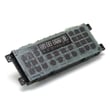
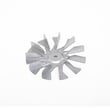
Can I look up Frigidaire parts by model number?
Yes. Looking up parts by model number is the most accurate way to get compatible replacement parts for your Frigidaire LGEF3045KFM electric range because it filters results to the exact configuration (cooktop elements, oven components, and control parts) used on that model. Use the model tag information and cross-check with the LGEF3045KFM owner’s manual.
Where to find the model number on your range
Frigidaire places the serial plate (with model and serial number) where you can access it without moving the range.
- Open the storage drawer (some models) and look for the serial plate
- If your range has a lower front panel instead of a drawer, remove that panel and look for the serial plate
- Record both the model number and serial number for the best match
- Keep the information with your purchase records for future part lookups
How we recommend searching parts by model number
Using the full model number helps avoid ordering a similar-looking part that will not fit or wire correctly.
| What you enter | What it helps you find | Why it’s important |
|---|---|---|
| Model number (LGEF3045KFM) | Model-specific part list | Ensures fit and compatibility |
| Part name (example: “oven temperature sensor”) | Correct part category | Speeds up browsing |
| Part ID/part number | Exact replacement | Prevents wrong revisions |
Common parts customers look up for this model
These are frequent replacements on electric ranges; matching by model number helps confirm the correct version.
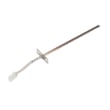
- Frigidaire range oven temperature sensor 316490000 (oven temperature accuracy issues)
- Frigidaire range bake element 316505500 (oven not heating or slow bake)
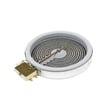
- Frigidaire range surface element control switch 316238201 (burner heat level problems)
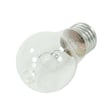
- Appliance light bulb, 40-watt 316538904 (oven light out)
- Universal/multiflex (Frigidaire) range terminal block 5303935271 (power connection damage symptoms)
Why it matters
Electric range parts can look interchangeable, but small differences in wiring terminals, mounting points, and sensor calibration can cause poor performance or repeat failures. Searching by LGEF3045KFM keeps the results aligned to your exact Frigidaire build.
Last updated: February 2026
How do I tell what model my Frigidaire stove is?
Your Frigidaire stove’s model number is printed on a rating label attached to the range. On the Frigidaire LGEF3045KFM electric range, the most common places are the oven door frame area and the storage drawer area; use a flashlight and write the number exactly as shown.
Where to look first (fastest checks)
- Open the oven door and check the door frame/inner front frame around the opening.
- Pull out the storage drawer and look on the frame near the drawer opening.
- Check just behind the control panel area (some labels are visible from the front when you lean in).
- If the label is greasy or faded, wipe gently with a damp cloth and mild dish soap, then dry.
What to record (so parts match)
Write down these items exactly as they appear on the label:
- Model number (example format: LGEF3045KFM)
- Serial number (helps date the unit and confirm revisions)
- Brand (Frigidaire)
- Any electrical rating info (useful when diagnosing power issues)
| Label item | Why we need it | Example |
|---|---|---|
| Model number | Ensures correct diagrams and parts fit | LGEF3045KFM |
| Serial number | Confirms production run and variations | (varies) |
| Electrical rating | Helps troubleshoot no-heat/no-power symptoms | (varies) |
Tips to avoid common mistakes
- Treat 0 (zero) and O (letter O) as different characters.
- Don’t use the number from the control panel styling or marketing name; use the rating label.
- If you are ordering parts for heating or temperature issues, match the model first, then confirm the part.
Why it matters
We use the model number to pull the correct parts list, wiring layout, and control features for your exact range. That prevents ordering the wrong bake element, control board, or sensor for your Frigidaire electric range.
For more label and feature details, use the LGEF3045KFM owner’s manual.
Last updated: February 2026
How to reset a Frigidaire electric range?
To reset your Frigidaire electric range model LGEF3045KFM, turn the range off and cycle power at the breaker (or unplug it) for a few minutes, then restore power and reset the clock. After a power failure, the range can resume operation when power returns, so always confirm all controls are off.
Safe reset steps (recommended)
- Turn all surface element knobs to OFF.
- If the oven is running, press Cancel/Off (if your control panel has it).
- Turn power off at the circuit breaker (preferred) or unplug the range.
- Wait 3 to 5 minutes.
- Restore power.
- Reset the clock and reselect any oven function you were using (bake, broil, convection) per the LGEF3045KFM owner’s manual.
If the display is still acting up
A reset fixes many control glitches, but repeated issues usually point to a heat, sensor, or control problem.
Common next checks:
- Confirm the outlet and breaker are supplying steady power.
- If the oven temperature seems wrong, test the oven with an oven thermometer.
- If you see an error code, use the Frigidaire self-cleaning range error codes guide to match the code to the most likely cause.
Parts that commonly relate to “won’t heat” or temperature problems
| Symptom | Most common suspect | Example part for LGEF3045KFM |
|---|---|---|
| Oven heats inconsistently | Oven temperature sensor | Range oven temperature sensor 316490000 |
| No bake heat | Bake circuit issue | Range bake element 316505500 |
| Random beeping or dead display | Electronic control issue | Range oven control board 5304495520 |
Why it matters
The manual warns that if the range is not turned off during a power failure, it can begin operating again when power resumes. Resetting correctly helps prevent unexpected heating and gets the control back to a known, safe state.
Last updated: February 2026