 Installation guide
 Owner’s manual
 Error Codes





Are Jenn-Air ovens gas or electric?
Jenn-Air ovens can be gas, electric, or dual-fuel depending on the model; the Jenn-Air JES9800CAF01 is an electric range, so its oven uses electric heating elements. For the exact features and operating details for your unit, use the JES9800CAF01 owner's manual.
How to tell what type you have
Use these quick checks to confirm whether a Jenn-Air oven is gas or electric:
- Model number lookup: the model tag (usually on the oven frame or storage drawer area) identifies the exact configuration.
- Power connection: electric ranges typically use a 240V power supply cord or hardwire connection.
- Gas supply: gas or dual-fuel units have a gas shutoff valve and a flexible gas connector.
- Heating system: electric ovens use bake and broil elements; gas ovens use a burner and igniter.
- Installation requirements: electric models focus on electrical hookup and anti-tip mounting; venting requirements vary by design.
What “electric range” means for JES9800CAF01
On an electric range like JES9800CAF01, the oven heat is produced by electric elements. If your oven is not heating correctly, a common repair path is checking the bake circuit and element condition.
| If you see this symptom | Common electric-oven cause | Example part for this model |
|---|---|---|
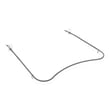
| Oven will not heat in Bake | Failed bake element or wiring issue | Range bake element WPW10310274 |
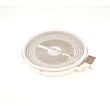
| Cooktop burner not heating | Failed radiant surface element or switch | Range radiant surface element W11171119 |
Why it matters
Gas and electric ovens troubleshoot differently. Knowing your fuel type helps you choose the right diagnostic steps, the right replacement parts (like a bake element vs. an igniter), and the correct installation and safety requirements.
Last updated: January 2026
Why is my Jenn-Air electric oven not heating?
If your Jenn-Air range model JES9800CAF01 isn’t heating, the most common causes are a failed bake element, a control or wiring problem, or a door issue that lets heat escape. Start with basic power checks, then inspect the bake element and related connections.
Quick checks first (no disassembly)
- Confirm the range has full power; many electric ranges need a full 240V supply to heat properly.
- Try Bake and Broil; if broil works but bake does not, the bake circuit is the likely issue.
- Make sure the oven door closes firmly; a damaged gasket can cause weak heating and long preheat times.
- Cancel the cycle and restart a normal Bake cycle using the steps in the JES9800CAF01 owner’s manual.
Parts that commonly cause “no heat”
For JES9800CAF01, these parts are frequent fixes when the oven won’t heat:
- Bake element: if it’s cracked, blistered, or has a burned spot, it typically needs replacement.
- Electronic controls or wiring: loose or overheated connections can stop the element from getting power.
- Door gasket: if torn or flattened, heat loss can make it seem like the oven is not heating.
Common replacement parts for this symptom
| Symptom you see | Most likely part | Example part for this model |
|---|---|---|
| No bake heat, broil still works | Bake element | Range bake element WPW10310274 |
| Oven heats but struggles to reach temp | Door seal leaking | Range oven door gasket WPW10162384 |
Why it matters
An oven that does not heat is usually a power delivery problem to the bake element (element failure, wiring, or controls). Fixing the root cause restores normal preheat time, stable temperatures, and even baking results.
When to stop and schedule service
Stop troubleshooting and arrange service if:
- You smell burning insulation or see arcing.
- The breaker trips repeatedly.
- You’re not comfortable working around high-voltage wiring.
Per the manufacturer guidance, use factory specified replacement parts and have your model and serial number ready when requesting service. Details are in the JES9800CAF01 owner’s manual.
Last updated: January 2026
Why is my Jenn-Air oven not working?
If your Jenn-Air range model JES9800CAF01 oven is not working, the most common causes are a power supply problem (tripped breaker or loose cord), a failed heating circuit (bake element), or an electronic control issue. Start with a safe power reset, then check for heat and error symptoms.
Quick checks we recommend first
- Confirm the range has power; check the double-pole breaker (often 240V) and reset it fully OFF then ON.
- Make sure the oven is not in a timed or delayed-start mode; verify settings in the JES9800CAF01 owner's manual.
- Try a power reset: turn the breaker OFF for 5 minutes, then restore power.
- Test Bake at 350°F and listen for relay clicks; note whether the oven heats at all.
- If the display is dead but cooktop works, suspect a control or internal wiring issue.
Most likely failed parts (symptom-based)
| Symptom | Most common cause | What to check next |
|---|---|---|
| Oven will not heat, but display works | Burned-out bake element | Inspect for blisters or breaks; consider replacing the range bake element WPW10310274 |
| Oven heats unevenly or takes too long | Weak bake element or door heat leak | Check element condition; inspect door seal for gaps |
| Door area leaks heat, long preheat | Worn door gasket | Look for torn, flattened, or loose gasket; replace if needed |
| Oven dead or unresponsive | Control, wiring, or power supply | Verify breaker, terminal block connections, then diagnose controls |
Why it matters
An oven that will not heat is usually a failed heating component or a power/control interruption. Fixing the root cause restores proper temperatures, prevents extended preheat times, and helps avoid overheating nearby components.
When to stop and schedule service
- Breaker trips repeatedly after reset
- You smell burning insulation or see arcing
- The oven will not respond after confirming correct settings in the manual
For model-specific operating checks and troubleshooting steps, use the JES9800CAF01 owner's manual.
Last updated: January 2026
What are common problems with Jenn-Air stoves?
Common problems we see on the Jenn-Air JES9800CAF01 electric range include a cooktop element that will not heat, an oven that will not bake or broil evenly, a worn door seal that leaks heat, and control or switch issues that cause erratic temperatures or dead burners. Use the JES9800CAF01 owner’s manual troubleshooting section to narrow the cause.
Most common symptoms and what they usually point to
- Surface element not heating: failed radiant element, infinite switch, or wiring connection
- Oven not heating: failed bake element, temperature sensor issue, or control problem
- Uneven baking: weak bake element, heat loss at the door gasket, or airflow/insulation issues
- Door not sealing: torn or flattened door gasket
- Noisy or hot control area: cooling fan problem or blocked airflow
Quick checks we recommend before replacing parts
- Confirm the range has power (check the breaker for a tripped double-pole circuit).
- For cooktop issues, test a different burner and try a different knob setting.
- For oven issues, verify you are in the correct mode (Bake vs. Broil) and allow full preheat.
- Inspect the oven door seal for gaps, tears, or hardened spots.
- If the issue persists, use factory specified replacement parts as the manual recommends.
Parts that commonly fix these problems (when symptoms match)
| Symptom | Common fix | Example part for this model |
|---|---|---|
| Oven will not bake | Failed bake element | Range bake element WPW10310274 |
| Single cooktop burner dead | Failed radiant element | Range radiant surface element W11171119 |
| Heat leaking, long preheat | Worn door gasket | Range oven door gasket WPW10162384 |
Why it matters
Heating and sealing problems waste energy, increase preheat time, and can cause undercooked food or temperature swings. Catching a weak element or leaking gasket early also helps protect the control area from excess heat.
Last updated: January 2026






