
Can I put vinegar in my Roomba?
No. We do not recommend putting vinegar (or any liquid cleaner) into an Irobot ROOMBA vacuum. Vinegar can wick into motors, sensors, wiring, and seals, leading to corrosion, odor, and premature failure; use dry cleaning methods and ROOMBA-SAFE cleaning practices instead.
What to do instead (safe cleaning options)
- Empty the bin/canister and tap out debris outdoors.
- Clean filters by tapping out dust; replace filters when airflow stays weak.
- Cut hair and string off the brush/roller and end caps.
- Wipe exterior plastics with a lightly damp cloth (water only), then dry.
- Clean charging contacts with a dry cloth; keep the dock area dust-free.
If you already used vinegar
- Power the unit off and remove it from the charger.
- Remove the bin, filters, and any brush/roller components you can access.
- Let everything air-dry completely in a warm, ventilated area (no heat gun, no soaking).
- If you notice burning smell, repeated error behavior, or weak suction afterward, stop using it and troubleshoot before running again.
Quick guidance: vinegar vs. safer choices
| Cleaning need | Avoid | Use instead |
|---|---|---|
| Deodorizing | Vinegar in airflow path | Replace/clean filters, empty bin, dry wipe bin walls |
| Sticky residue on shell | Vinegar spray | Lightly damp cloth (water), then dry |
| Brush/roller buildup | Liquid soaking | Scissors/comb, dry cloth, remove wrapped hair |
Why it matters
A ROOMBA vacuum pulls air through tight passages around the suction motor and sensors. Liquids like vinegar can leave residue and promote corrosion, which reduces suction and can damage electrical components.
Parts and repair help
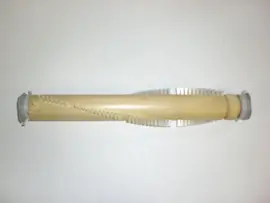
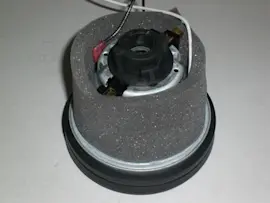
If you need help identifying the right replacement items (filters, brush/roller components, wheels, or a motor-related part) for your Irobot ROOMBA, start with the model-based parts list, or search by model on Sears PartsDirect. For step-by-step troubleshooting and common vacuum fixes, use our vacuum repair-guides landing page.
Last updated: February 2026
How often should I empty my Roomba bin?
For the Irobot ROOMBA canister vacuum, we empty the bin after every cleaning run (or sooner if it fills up). This keeps airflow strong, helps prevent clogs, and reduces strain on the suction motor. For more vacuum care tips, see tips for caring for a vacuum cleaner. You can also look up maintenance items and replacement parts by model on Sears PartsDirect.
Recommended emptying schedule
- After each use: Best for homes with pets, heavy traffic, or lots of carpet.
- Every 1 to 2 runs: Works for light debris on hard floors.
- Immediately: If you notice reduced suction, louder operation, or debris spilling back out.
- Before storage: Emptying prevents odors and keeps dust from compacting.
Quick maintenance checklist (bin and airflow)
- Empty the bin and tap out fine dust.
- Check the bin inlet and air path for packed debris.
- Clean hair and string from any brush or beater bar area.
- Inspect the hose and attachments for clogs (if your setup uses them).
- Keep filters clean; a dirty filter can mimic a “full bin” symptom.
What to do if it seems to fill too fast
| What you notice | Most common cause | What we do next |
|---|---|---|
| Bin fills every run | High debris load (pet hair, litter, tracked-in dirt) | Empty after each run; increase cleaning frequency |
| Suction drops before bin is full | Filter restriction or partial clog | Clean filter and clear air path |
| Debris stays on floor | Brush/roller not working well | Remove hair, check belt/drive system |
Why it matters
A full bin restricts airflow, which reduces pickup and can cause overheating or shutdowns. Keeping the bin empty helps your ROOMBA vacuum clean more consistently and protects key components like the filter and suction motor.
Last updated: February 2026
Is it worth it to get a self-emptying robot vacuum?
Yes, a self-emptying robot vacuum is worth it for most households because it cuts down day-to-day maintenance; instead of emptying a dust bin after many runs, you typically change a bag or empty the base far less often. For an Irobot ROOMBA vacuum setup, it is a strong upgrade if you want more hands-free cleaning.
When a self-emptying base is the best choice
- You have pets or heavy shedding and the bin fills quickly
- You have allergies and want less contact with dust and debris
- You run scheduled cleanings daily or multiple times per week
- You want more consistent suction (a full bin can reduce performance)
- You prefer fewer “stop and empty” interruptions
Trade-offs to expect
Self-emptying systems add cost and a little upkeep at the dock. Plan for:
- Replacing or emptying the base bag/bin on a routine schedule
- Cleaning sensors and air paths if you notice clogs
- More space needed for the dock location
- More noise during the emptying cycle (brief, but louder than normal cleaning)
Quick comparison
| Feature | Standard robot vacuum | Self-emptying robot vacuum |
|---|---|---|
| Emptying frequency | Often (sometimes every run) | Less often (base holds more debris) |
| Best for pet hair | Good | Better for high-volume debris |
| Allergen exposure | Higher (more handling) | Lower (less frequent handling) |
| Ongoing supplies | Minimal | Often uses bags or filters in the base |
Why it matters
A robot vacuum only saves time if it can keep running without you stepping in. If your current robot’s bin fills fast, a self-emptying base usually improves real-world automation and keeps cleaning performance steadier between maintenance cycles.
If you end up needing replacement parts for your Irobot ROOMBA vacuum, start with the parts list for your model, or search by model number on Sears PartsDirect.
Last updated: February 2026