- Kenmore refrigerator water filters
- Whirlpool refrigerator water filters
- Samsung refrigerator water filters
- GE refrigerator water filters
- LG refrigerator water filters
- Frigidaire refrigerator water filters
- KitchenAid refrigerator water filters
- Maytag refrigerator water filters
- Kenmore Elite refrigerator water filters
- Estate refrigerator water filters
- GE Profile refrigerator water filters
- Amana refrigerator water filters
- Bosch refrigerator water filters
- Dacor refrigerator water filters
- Electrolux refrigerator water filters
Top DIY repair help
View All Repair Categories
Appliances
Lawn & Garden
Power Tools
Home Improvement
Sports & Leisure
Heating & Cooling
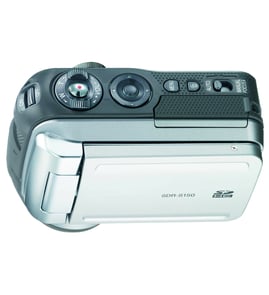
Samsung Digital camcorder Parts — Browse All Models
Samsung digital camcorders are well-known for recording video clearly and accurately. Video recording components inside Samsung digital camcorders capture and store images and action that you can keep and share forever. When your Samsung digital camcorder breaks, find the repair parts you need to fix the camcorder at Sears PartsDirect.
Browse by Category
Digital Camcorders


 Owner’s manual


Frequently bought Samsung parts
Samsung Dryer Drum Support Roller
In Stock
$33.31
15% OFF Phone Price : $39.31

Qty

Refrigerator Auger Motor Assembly
In Stock
$242.47
5% OFF Phone Price : $254.47
Qty
Suspension Rod And Spring Assembly (dc97-16350u) - Washer Support Part By Samsung
In Stock
$63.60
9% OFF Phone Price : $69.60
Qty
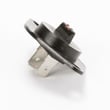
Dryer Thermistor
In Stock
$54.08
10% OFF Phone Price : $60.08
Qty
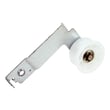
Samsung Dryer Idler Assembly
In Stock
$40.59
13% OFF Phone Price : $46.59
Qty
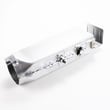
Dryer Heating Element Assembly - Dryer Part By Samsung
In Stock
$251.53
5% OFF Phone Price : $263.53
Qty
Popular maintenance items for Digital Camcorders

Piece F
Part #420877501
This item is not returnable
In Stock
$7.74
Qty
Ic
In Stock
$62.37
Qty
Washer A
Part #420873901
This item is not returnable
In Stock
$3.54
Qty
Piece F
Part #420875001
This item is not returnable
In Stock
$7.22
Qty
Im Rubber,
Part #427728001
This item is not returnable
In Stock
$5.80
Qty
Light
In Stock
$25.27
Qty
Samsung digital camcorder common replacement parts
- Lens cap. The lens cap covers and protects the digital camcorder lens when you're not using the device.
- Power cord. The power cord provides AC electric power to the digital camcorder when using a wall electrical outlet for the power source for the camcorder. The power cord also provides electrical current needed to charge the camcorder battery.
- Battery. The battery provides electrical power to the camcorder so you can use the camcorder when it isn't plugged into a wall electrical outlet.
- Audio/video cable. The audio/video cable connects the camcorder to a television or home theater system so you can watch recorded video.
Playing Samsung digital camcorder video using the audio/video cable
- Connect the audio/video cable to audio/video out jacks on your camcorder. Connect the other end of the audio/video cable to audio/video in jacks on your television.
- Turn on your television and select line input to play video from the camcorder.
- Connect your digital camcorder to a power source such as a battery pack, AC adapter or car battery cord.
- Turn on the camcorder power button and select the VCR or Camera playback mode on the camcorder.
- Start playback or begin recording to send the video signal to the television.
Parts & More
Bottom-Mount Refrigerator
Carpet Cleaner
Dishwasher
Front-Engine Lawn Tractor
Gas Leaf Blower
Gas Snowblower
Gas Walk-Behind Mower
Generator
Lawn & Garden Engine
Microwave
Microwave/Hood Combo
Parts
Treadmill
Water Softener