 Owner’s manual




How to change the belt on a Kenmore vacuum?
To change the belt on your Kenmore upright vacuum model 12510135610, unplug the vacuum, remove the lower plate, lift out the agitator, swap the belt, then reinstall the agitator and plate. Follow the step-by-step belt procedure in the 12510135610 owner's manual.
Belt change steps (model 12510135610)
- Unplug the power cord from the outlet.
- Lay the vacuum cleaner face down so you can access the nozzle bottom.
- Remove the three (3) screws holding the lower plate.
- Release and remove the lower plate (use the plate latch).
- Carefully lift out the agitator.
- Remove the worn or broken belt.
- Loop the new belt around the motor shaft and the agitator, then reinstall the agitator with end caps seated in the grooves.
- Reinstall the lower plate and tighten the three screws.
Quick safety and handling notes
- Unplug first; the agitator area is a moving-parts zone.
- The motor shaft can be hot right after use; let it cool before handling.
- If you smell burning rubber, replace the belt right away; that smell is a common sign of belt slippage.
What to check while you are in the nozzle
Cleaning the agitator helps the new belt last longer.
| Checkpoint | What to do | Why it helps |
|---|---|---|
| Agitator brush roll | Cut away hair, string, and carpet fiber | Reduces drag that overheats belts |
| End caps and grooves | Make sure they seat fully | Prevents misalignment and noise |
| Lower plate fit | Confirm the latch locks and screws are snug | Keeps proper belt tension |
Why it matters
A worn belt reduces brush roll speed, which lowers carpet pickup and can cause a burning rubber smell from slipping. A fresh belt plus a clean agitator restores normal agitation and airflow performance.
If you also need filtration maintenance, the Kenmore vacuum beater bar belt KC28SCZPZ000 and filters such as the vacuum pre-filter KC43KEDCZV0S are common service items for this model.
Last updated: February 2026
How to find Kenmore vacuum model number?
For Kenmore upright vacuum model 12510135610, the model number is printed on the model and serial number plate on the vacuum body. Use the complete model number (and serial number) when ordering parts, checking the use and care instructions, or calling for service; see the 12510135610 use and care guide.
Where to look on the vacuum
We recommend checking these common spots first (the plate is usually a sticker or small label):
- Back of the main vacuum body near the lower housing
- Bottom of the vacuum base (turn the unit over safely)
- Near the dust cup or dust compartment area
- Around the wheel area or rear of the base
- Along the handle or behind the hose routing area
What to write down (and why)
The manual notes you will need the complete model and serial numbers when requesting information or service. Record both so you have them ready.
| Item | What it’s used for | Example format |
|---|---|---|
| Model number | Matching the correct parts and diagrams | 12510135610 |
| Serial number | Service history and support identification | Letters and numbers |
| Date of purchase | Warranty and reference | Month/day/year |
Quick tips to avoid ordering the wrong part
- Copy the model number exactly as shown on the plate (no missing digits)
- Use the model number to match filters and belts to your exact vacuum version
- If you are replacing filtration parts, confirm whether you need a pre-filter or exhaust filter
- Keep the model and serial info with your receipt for future reference
Why it matters
Kenmore vacuums can look similar across multiple versions; the model number ensures you get the correct Kenmore parts (for example, the right filter fit and belt style) for your exact vacuum cleaner.
Last updated: February 2026
What is the list of vacuum cleaner parts?
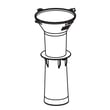
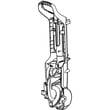
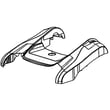
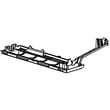
For the Kenmore 12510135610 upright vacuum, the parts list includes the main airflow and cleaning components (filters, hose, nozzle), drive items (belt and brush system), and user-handling pieces (handle, cord, attachments). For the exact component names and diagrams, use the 12510135610 use & care guide.
Common parts you will see on this model
These are the most common vacuum cleaner parts customers replace or service first:
- Filters: pre-filter (primary) and exhaust filter
- Belt and brush drive parts: belt, belt cover, brushroll area covers
- Air path parts: hose, base hose, suction inlet, seals/packings
- Dirt collection parts: dust box components and gaskets
- Handling and structure: handle assembly, frame supports, lower plate
- Electrical: power cord/lead assembly, switches (varies by version)
- Attachments: crevice tool, dusting brush, extension wand, pet tool
Model-specific examples (parts we stock for Kenmore 12510135610)
Use these as a quick reference to the kinds of parts listed for this vacuum:
| Part type | Example part name | Part ID |
|---|---|---|
| Filter | Vacuum pre-filter | KC43KEDCZV0S |
| Filter | Vacuum filter | KC44KEDCZ000 |
| Filter | Vacuum exhaust filter | 561015136 |
| Belt/cover | Kenmore belt cover | KC43SEDFZ000 |
| Belt | Kenmore vacuum beater bar belt | KC28SCZPZ000 |
| Hose | Kenmore vacuum base hose assembly | KC91PEDFZV06 |
| Handle | Kenmore vacuum handle assembly | KC95BEDFZR0K |
Why it matters
When suction drops, the brush stops spinning, or dust leaks, the cause is usually a clogged filter, a worn belt, or an air leak in the hose or seals. Matching the correct part ID to model 12510135610 prevents fit and performance problems.
Quick tips for choosing the right replacement part
- Match your vacuum’s model number (12510135610) first.
- Replace filters on schedule; restricted airflow can overheat the motor.
- If the brush is not turning, check the belt and the belt cover for damage.
- For clogs, inspect the base hose and suction inlet before replacing parts.
- Use the exploded-view diagrams in the 12510135610 use & care guide to confirm placement.
Last updated: February 2026
Why is my Kenmore Elite upright vacuum brush not spinning?
On the Kenmore 12510135610 upright vacuum, the brush (agitator) commonly stops spinning when the floor selector is set to BARE FLOOR/TOOLS, the belt is worn or off, or airflow is restricted. We follow the checks in the 12510135610 use & care guide to restore brush rotation.
Quick checks first (no tools)
- Set the carpet/bare floor selector to CARPET; the agitator does not rotate in BARE FLOOR (TOOLS) mode.
- Turn the vacuum off, unplug it, then clear hair and string from the brush roll area.
- Empty the dust container and confirm it seats fully.
- Check for clogs in the base inlet and hose path.
Most likely causes and what to do
| Symptom | Most likely cause | What we do next |
|---|---|---|
| Brush never spins on carpet | Selector in BARE FLOOR/TOOLS | Switch to CARPET and retest |
| Brush spins, then stops | Belt slipping or stretched | Inspect belt and replace if loose |
| Loud squeal or burning smell | Belt jammed by debris | Clear jam; replace belt if glazed |
| Good suction but no brush | Belt off the motor/brush | Reinstall belt correctly |
| Poor suction and no brush | Clog or dirty filters | Clear blockage; service filters |
Belt and filter items to consider
Belts and filters are normal wear items on this Kenmore vacuum, so replacing them is a standard fix when the brush stops turning.
- Replace the belt if it is cracked, shiny, stretched, or keeps jumping off.
- Clean or replace filters if suction is weak (low airflow can reduce cleaning performance and can contribute to overheating).
Helpful model-matched parts:
- Kenmore vacuum beater bar belt KC28SCZPZ000
- Vacuum pre-filter KC43KEDCZV0S
- Vacuum exhaust filter 561015136
Why it matters
A non-spinning brush roll reduces carpet agitation, leaves debris behind, and can overheat the belt area if the brush is jammed. Correct selector position plus a good belt and clear airflow restores normal carpet cleaning.
Last updated: February 2026


