 Error Codes






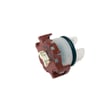

Do GE dishwashers use hot water or heat their own?
GE dishwashers such as model DDT700SGN4BB are designed to use your home’s hot water supply, and they also heat water internally during the cycle when needed. Internal heating helps maintain proper wash temperatures and supports drying performance.
How the water heating works
Most installations feed the dishwasher from the hot water line, then the dishwasher boosts temperature as the cycle runs.
- The dishwasher fills with hot water from your home plumbing
- A built-in heater raises or maintains water temperature during wash and rinse portions
- The same heating system can support drying (depending on cycle and options)
- If incoming water is too cool, cycles can run longer while the unit heats
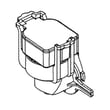
A common part involved in heating performance is the heating element WD05X35098.
Signs your dishwasher is not heating water correctly
If the unit is not reaching temperature, you may notice cleaning or drying issues.
- Dishes come out greasy or with film
- Detergent does not dissolve fully
- Water feels lukewarm during a wash (use caution)
- Poor drying, especially on plastics
- Longer-than-normal cycle times
Quick checks we recommend (safe, no disassembly)
| What to check | What “good” looks like | What it points to if not |
|---|---|---|
| Hot water at sink before starting | Hot within 30 to 60 seconds | Incoming water too cool, longer cycles |
| Cycle selection | Heated options enabled when needed | Normal behavior if heat is off |
| Error indicators | No active fault codes | Possible heater, sensor, or control issue |
For code-related symptoms, use GE electronic dishwasher error codes.
Why it matters
Dishwashers clean best when wash water stays hot enough to activate detergent and break down grease. Heating also improves rinse results and helps the tub and dishes dry more effectively.
Last updated: January 2026
What is a 4 hour delay on a dishwasher?
A 4-hour delay on a dishwasher means we can schedule your GE DDT700SGN4BB to start the wash cycle about 4 hours after you press Start. It is used to run the load later for convenience or to better match off-peak utility hours.
How the 4-hour delay works
When delay start is turned on, the dishwasher waits before beginning the selected cycle. The door must stay fully closed and latched during the waiting period.
- Select your wash cycle first (Normal, Heavy, etc.).
- Choose any options (drying, sanitize, heated dry, etc.).
- Press Delay until the display shows 4 hours (or the 4-hour indicator lights).
- Press Start and close the door to begin the countdown.
- To cancel, press Cancel/Drain (or power off) and reselect the cycle.
What to check if the delay will not start
If the delay counts down but the dishwasher never begins, we focus on the door latch and control inputs first.
- Make sure the door is fully closed and clicking into the latch.
- Confirm the control panel is not locked (Control Lock).
- Verify the unit has steady power (no tripped breaker or loose plug).
- If the Start button is pressed but nothing happens, the latch switch can be the cause.
| Symptom | Most common cause | What we do next |
|---|---|---|
| Delay won’t set at all | Control setting or UI issue | Power reset, then try again |
| Delay sets but won’t run | Door not latched | Inspect latch alignment |
| Starts randomly later | Door opened during delay | Restart delay with door closed |
Parts that can affect starting (when symptoms point to them)
If the dishwasher will not start (with or without delay), these parts are commonly involved:
- GE dishwasher door latch lock WD21X10490 (door must latch to start)
- Configured top ui control with cover WD21X31092 (Start/Delay button input)
Why it matters
Using delay start helps us run the dishwasher when it is most convenient, avoid peak-time energy rates, and keep the kitchen quieter during busy hours.
For more start-up troubleshooting steps, use dishwasher wont start video.
Last updated: January 2026
Can a clogged drain cause an FTD error?
Yes. On the GE DDT700SGN4BB dishwasher, an FTD (fail to drain) error commonly happens when water cannot leave the tub fast enough, and a clog in the filter area, drain hose, or disposal/air-gap connection is a top cause.
What to check first (fast, no-parts steps)
- Cancel the cycle and let the unit try to drain; listen for the drain pump running.
- Remove standing water (cup or wet/dry vac) so you can inspect the sump area.
- Check the drain path for food debris or labels stuck near the sump inlet.
- Inspect the sink/disposal connection for a blockage (including a knocked-out plug on new disposals).
- Look for kinks, sags, or crushing in the drain hose routing.
Parts that commonly relate to an FTD (fail to drain)
If the drain path is clear but the dishwasher still will not drain, these parts are the most common suspects.
| Symptom you notice | Most likely area | Part to consider |
|---|---|---|
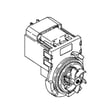
| Pump hums but little/no water exits | Drain pump or obstruction at pump | Dishwasher drain pump WD19X25461 |
| Drains sometimes, then stops mid-cycle | Drain hose restriction or partial clog | Dishwasher drain hose WD24X10062 |
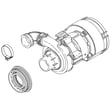
| Fills and washes but drains slowly | Sump restriction or pump performance issue | Dishwasher sump and seal assembly WD19X28199 |
Why a clog triggers the FTD error
The dishwasher is timed to drain within a set window. When a clog slows flow, water remains in the tub and the control interprets that as a drain failure, even if the pump is running.
Helpful DIY guidance
Use our GE electronic dishwasher error codes reference to confirm the exact meaning of the code and the most common checks tied to it.
Last updated: January 2026
What is the most common problem with a GE dishwasher?
The most common problems we see on a GE dishwasher like model DDT700SGN4BB are draining and wash-performance issues caused by food debris buildup (filters, sump area, drain hose) or a failing drain or wash component. A quick check of the drain path and spray arms usually identifies the cause.
Most common issues (and what they look like)
- Not draining: standing water at the end of the cycle, gurgling, or a “wet” tub smell
- Not cleaning well: gritty dishes, soap left behind, or weak spray action
- Won’t start or stops mid-cycle: door not latching, control not responding, or intermittent power
- Not drying: dishes come out cool and wet, especially plastics
- Leaks: water at the front corners or under the unit
Quick checks we recommend first
- Remove any standing water and check the drain area for debris.
- Inspect the drain hose routing for kinks or a low loop issue.
- Spin and rinse the spray arms; clear clogged spray holes.
- Confirm the door closes firmly and the latch engages.
- Run a cleaning cycle to remove grease and mineral buildup.
Parts that commonly relate to these symptoms on DDT700SGN4BB
| Symptom | Common cause | Example part for this model |
|---|---|---|
| Won’t drain | Pump can’t move water or drain path restricted | Dishwasher drain pump WD19X25461 |
| Poor cleaning | Weak spray or blocked spray holes | Dishwasher spray arm, lower WD22X33499 |
| Won’t start | Door switch not proving “closed” | GE dishwasher door latch lock WD21X10490 |
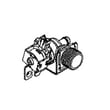
| Not filling or fills slowly | Water supply not opening fully | Dishwasher water inlet valve WD15X26078 |
Why it matters
Drain and circulation problems do more than leave dirty dishes; they also cause odors, extend cycle time, and can lead to repeated error conditions. Catching a clog early often prevents replacing higher-cost parts like the wash pump.
Helpful troubleshooting guides
- Use GE electronic dishwasher error codes to match beeps/lights or displayed codes to likely causes.
- If the unit has power but won’t run, follow dishwasher wont start video for step-by-step checks.
Last updated: January 2026





