Owner’s manual
 Error Codes




How do I remove the base grille on my Whirlpool refrigerator?
To remove the base grille on your Whirlpool WRF954CIHZ02 bottom-mount refrigerator, use a 1/4-inch hex driver to take out the two base-grille screws, then grasp the grille with both hands and pull it straight toward you (open the freezer drawer for access). See the WRF954CIHZ02 owner's manual for the exact steps and screw locations.
- Open the freezer drawer so you can reach the grille area comfortably.
- Use a 1/4-inch hex driver to remove the two screws securing the base grille.
- Grasp the grille firmly with both hands.
- Pull the grille straight toward you to release it.
- Set the grille and screws aside so they do not get lost.
After you finish adjusting the brake feet or moving the refrigerator, reinstall the grille:
- Align the ends of the grille with the leveling assemblies on each side.
- Snap the grille into place.
- Reinstall the two screws with the 1/4-inch hex driver.
| Task | Tool you need | What you will do |
|---|---|---|
| Remove base grille | 1/4-inch hex driver | Remove 2 screws, pull grille toward you |
| Reinstall base grille | 1/4-inch hex driver | Snap grille in place, reinstall 2 screws |
The base grille covers the adjustable brake feet and roller assemblies. Removing it is the first step for proper leveling so the refrigerator does not roll forward when you open the doors or freezer drawer.
If the grille is cracked, won’t snap in, or the screws are missing, you can order replacement parts for WRF954CIHZ02 from the parts list for this model, or search by model number on Sears PartsDirect.
Last updated: February 2026
Do you remove cardboard from the bottom of a Whirlpool refrigerator?
For the Whirlpool WRF954CIHZ02, we remove and recycle the external packaging used for shipping, but we do not remove any built-in bottom or rear covers that protect the refrigerator’s components and airflow. Follow the unpacking steps in the WRF954CIHZ02 owner's manual.
Remove only the materials meant for shipping protection and surface protection.
- Remove exterior tape and any protective film
- Remove foam blocks, spacers, and cardboard used as packing material
- Remove any cardboard placed under the unit only for moving it across floors
- Leave any factory-installed covers or panels in place (bottom or rear)
- Dispose of or recycle packaging after setup
Use this simple guide before pulling anything off the bottom.
| What you see | Usually is | What we recommend |
|---|---|---|
| Loose cardboard/foam you can lift out by hand | Shipping packaging | Remove it |
| A fitted panel secured with screws/clips | Protective cover/airflow shield | Leave it installed |
| Cardboard used under the fridge while sliding it out | Floor protection | Remove after positioning |
| Anything attached near wiring or tubing | Component protection | Leave it installed |
These steps prevent cosmetic damage and help avoid airflow problems.
- Unplug the refrigerator before moving or inspecting underneath
- Pull the refrigerator straight out; do not “walk” it side to side
- Clean off tape residue with mild dish soap and warm water (no abrasives)
- After all packaging is removed, clean the interior before loading food
Bottom and rear covers help protect wiring, fans, and other refrigeration components; removing them can lead to noise, poor cooling, or damage. Removing only the shipping materials keeps your Whirlpool bottom-mount refrigerator operating as designed.
Last updated: February 2026
Does the Whirlpool WRF954CIHZ02 have a water filter?
Yes. The Whirlpool WRF954CIHZ02 has a built-in water filtration system for the ice and water dispenser; you install and replace the filter as outlined in the WRF954CIHZ02 owner's manual.
On this model, the water filter is part of the water supply path that feeds the dispenser and ice maker. If you have an external dispenser and an ice maker connected to a household water line, the filter is designed to protect taste and reduce sediment.
Common signs the filter needs attention:
- Water dispenses slowly or sputters
- Ice production drops
- Ice cubes get smaller or hollow
- Water tastes or smells off
- You recently had plumbing work and see air in the line
A clogged or mis-installed filter is a top cause of low dispenser flow on this Whirlpool refrigerator.
Try these steps:
- Dispense water for 2 to 3 minutes total (in intervals) to purge air after a filter change.
- Remove the filter and reinstall it firmly (a partial seat can restrict flow).
- If flow improves with the filter removed, replace the filter.
- Confirm the refrigerator door is fully closed when testing the dispenser.
- Check household water pressure and the supply shutoff valve is fully open.
If you’re also dealing with odors or stale smells, this model uses a separate air filter (not the same as the water filter).
| Filter type | What it affects | Example part for this model |
|---|---|---|
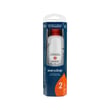
| Water filter | Water and ice quality, dispenser flow | Refrigerator cartridge wrap assembly EDR2RXD1 |
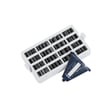
| Air filter | Odors inside the fresh food compartment | Refrigerator air filter W10311524 |
A fresh water filter helps maintain normal dispenser flow and ice maker performance; it also improves taste and helps keep sediment from building up in the dispenser system.
You can order replacement filters and other Whirlpool WRF954CIHZ02 parts from the parts list for this model, or search by model number on Sears PartsDirect.
Last updated: February 2026
Why is there ice on the bottom of my freezer side by side?
Ice on the bottom of the freezer is almost always caused by a defrost drain problem: meltwater cannot flow to the drain pan, so it refreezes on the freezer floor. On your Whirlpool WRF954CIHZ02, also check for door sealing issues and temperature settings that promote frost and ice buildup (see the WRF954CIHZ02 owner's manual).
- Clogged or frozen defrost drain: Water backs up, then freezes into a sheet of ice.
- Door not closing tightly: Warm, humid air enters and creates excess frost that later melts and refreezes.
- Gasket not sealing: Gaps let moisture in; ice builds up faster.
- Freezer set too cold: Can increase frost and ice accumulation in some conditions.
- Unplug the refrigerator for safety.
- Remove the freezer drawer/bins and melt the ice on the freezer floor with warm towels.
- Clear the drain opening (usually at the back/bottom of the freezer compartment) using hot water.
- Flush the drain with hot water; a common method is hot water with a small amount of baking soda to help break up residue.
- Confirm the doors seal and close fully; clean the gasket and mating surfaces.
Your WRF954CIHZ02 temperature ranges are:
| Compartment | Normal set point | Adjustable range |
|---|---|---|
| Refrigerator | 37°F | 33°F to 45°F |
| Freezer | 0°F | -6°F to 5°F |
If you see frost or ice buildup, we correct it by reducing door openings, ensuring the seal is tight, and returning the freezer to a normal set point (0°F is the factory recommendation).
When the drain is restricted, water repeatedly refreezes and can spread under bins and rails. Fixing the drain and improving door sealing prevents recurring ice sheets, sticking drawers, and temperature swings.
If you find the gasket is torn, warped, or no longer sealing after cleaning and warming it back into shape, replacing it restores the air seal.
You can also find additional replacement parts for Whirlpool WRF954CIHZ02 on this model’s parts list, or search by model number on Sears PartsDirect.
Last updated: February 2026