 Installation guide
 Owner’s manual
 Error Codes







Where is the model number on my Kenmore electric stove?
On Kenmore electric range model 79095301100, the model and serial number are printed on a serial plate located on the right-hand side of the oven front frame, inside the storage (or warmer) drawer area or behind the lower panel. The diagram in the owner's manual shows the exact spot.
- Turn the range off and let it cool.
- Pull the storage drawer straight out (or open it fully).
- Look on the right side of the oven front frame for a rectangular serial plate.
- If your model has a lower panel instead of a drawer, remove the panel and check the same right-side frame area.
- Write down model number, serial number, and any lot number/letter shown on the plate.
The serial plate is more than a label. We use it to match the correct Kenmore parts and electrical specs for your exact range.
- Model number and serial number (for correct parts lookup)
- Lot number/letter (helps identify production variations)
- Voltage and kilowatt rating (power requirements)
| What you see on the front of the range | Where to look for the plate |
|---|---|
| Storage drawer | Right side of oven front frame inside the drawer opening |
| Lower panel (no drawer) | Behind the lower panel on the right side of the oven front frame |
If you need to pull the range out for cleaning or access, disconnect power first and move it only as far as needed to avoid stressing the power cord and wiring.
Last updated: February 2026
How many watts does a Kenmore oven use?
For the Kenmore 79095301100 electric range, oven power use is best read from the range’s serial plate as a kilowatt (kW) rating; typical installed ratings for this style of range fall in the 8.8 to 16.5 kW range at 120/240V (about 8,800 to 16,500 watts). See the installation guide for where to find and use that rating.
We use the serial plate kW rating because it reflects the full appliance load (oven plus cooktop) and matches how the range is wired.
- Locate the serial plate on the range (often on the oven frame behind the door, or on a side frame).
- Find the kW rating listed for 120/240V (and sometimes 120/208V).
- Convert kW to watts: watts = kW × 1,000.
- Use the 120/240V number if your home has standard 240V range power.
- Use the 120/208V number if you are in a building with 208V service.
| Serial plate rating | Approx. watts |
|---|---|
| 8.8 kW | 8,800 W |
| 12.0 kW | 12,000 W |
| 16.5 kW | 16,500 W |
The oven rarely pulls its maximum rating continuously because the control cycles the bake and broil elements to hold temperature.
- Preheat: highest draw (elements on steadily)
- Maintaining temperature: moderate draw (elements cycle on and off)
- Broil: high draw (broil element on more continuously)
Knowing the wattage helps you size electrical supply correctly (breaker, cord kit, and terminal block connections) and estimate energy use. If you’re inspecting the power connection area, the terminal block 5304409888 is the part that the power cord wires attach to.
Last updated: February 2026
Can you replace the oven heating element in a Kenmore oven?
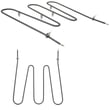
Yes. On the Kenmore electric range model 79095301100, you can replace a failed oven heating element (bake or broil) by shutting off power, removing the mounting screws, pulling the element forward to access the wire terminals, transferring the wires to the new element, and reinstalling it. See the owner's manual for model-specific safety notes.
- Turn off power at the breaker (or unplug the range) before touching any wiring.
- Let the oven and elements cool completely; elements can stay hot even when dark.
- Pull the range forward carefully to avoid stressing the power cord.
- Use work gloves; sharp sheet-metal edges are common behind panels.
- Take a photo of the wire connections before disconnecting anything.
- Remove oven racks for working room.
- Remove the screws that hold the element to the rear oven wall.
- Gently pull the element toward you a few inches to expose the terminals.
- Disconnect the wires (do not let them slip back through the insulation).
- Connect wires to the new element, then reinstall screws and racks.
- Restore power and test Bake or Broil.
- A tripped breaker (many electric ranges use a 2-pole breaker).
- Loose or burned power connections at the terminal block 5304409888.
- A failed temperature sensor, such as the oven probe 316233903.
- A control issue (less common than an open element).
| Symptom | Most likely cause | What you’ll usually see |
|---|---|---|
| No bake heat, broil works | Bake element failed | Blistering, cracks, or a burned spot |
| No broil heat, bake works | Broil element failed | Visible damage or no glow |
| Slow heating or uneven baking | Weak element or sensor issue | Longer preheat, temperature swings |
A damaged heating element can cause long preheat times, uneven cooking, and overheating at the terminals. Replacing the element and confirming tight, clean connections restores normal bake and broil performance.
Last updated: February 2026
How do I reset my Kenmore electric range?
To reset your Kenmore electric range model 79095301100, restore the control by turning power off at the breaker (or unplugging the range) for about 1 minute, then turning power back on. If the display flashes 12:00, set the clock before trying Bake or Broil.
- Turn all surface controls to OFF.
- Switch the range circuit breaker OFF (or unplug the power cord).
- Wait 60 seconds.
- Switch the breaker ON (or plug back in).
- If the display shows 12:00, set the clock using the steps in the 79095301100 owner's manual.
A reset clears many control glitches, but it will not fix a failed heating component or wiring issue. After power is restored, verify these basics:
- The range has full power (no dim display, no partial operation).
- The clock is set (some functions will not run until time-of-day is set).
- Bake and Broil start normally and the oven begins heating.
- Surface elements respond correctly to knob settings.
- No error code returns immediately (use Kenmore 790 self-cleaning range error codes if one appears).
| Symptom after reset | Most common cause | What we recommend |
|---|---|---|
| Display is blank | No power to range | Check breaker, cord connection, and terminal block wiring |
| Oven will not heat but display works | Failed bake or broil circuit | Inspect elements and wiring; test components |
| Surface element will not heat | Failed element or control switch | Check the element and the matching control switch |
| Oven light does not work | Bulb or socket issue | Replace bulb; inspect socket for heat damage |
If the reset does not restore normal operation, these model-compatible parts are often involved:
- Terminal block 5304409888 (power connection point; heat damage here can cause intermittent power)
- Oven probe 316233903 (temperature sensor; problems can cause heating faults)
- Oven switch 316436000 (surface element control switch for certain burners)
- Range oven light bulb 316538904 (if the oven light is out)
A proper power reset helps the electronic control recover from a power interruption. On model 79095301100, a power loss commonly triggers the flashing 12:00 clock condition; setting the clock restores normal oven operation for timed and standard cooking modes.
Last updated: February 2026






