 Installation guide
 Owner’s manual
 Error Codes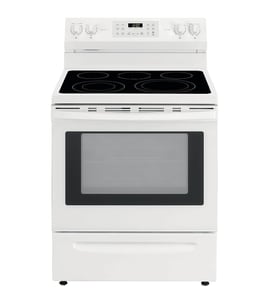





Does a Kenmore Elite have a reset button?
No. The Kenmore Elite range model 79077553803 does not use a single dedicated “reset” button; most resets are done by restoring power (breaker off then on) or by using the control’s lockout and settings features described in the 79077553803 owner’s manual.
How to “reset” the range safely (power cycle)
A power cycle clears many temporary control glitches.
- Turn the range off.
- Switch the range circuit breaker OFF.
- Wait 3 to 5 minutes.
- Switch the breaker ON.
- Reset the clock if needed (the manual notes the clock must be reset after power is restored).
What a power cycle helps with
| Symptom | What the reset can do | What it will not fix |
|---|---|---|
| Display frozen or unresponsive | Reboots the electronic control | Failed control board or keypad damage |
| Oven won’t start after a brief outage | Restores normal operation | Tripped thermal limiter or wiring issue |
| Incorrect time after outage | Lets you set the clock again | Underlying power supply problems |
Control features that can look like a “reset”
Your model’s Use & Care information includes features that can stop operation until changed back.
- Oven lockout: prevents the oven from being used until unlocked.
- 12/24-hour display setting: changes how time is shown.
- Silent control operation: changes beeps and tones.
- 12-hour energy saving mode: can shut the oven off after extended time.
If the oven temperature seems “off” after resetting
If the oven heats but cooks too hot or too cool, use the calibration steps in the manual. A common related failure is a bad oven temperature sensor; replacing the frigidaire range oven temperature sensor 316490000 is a typical fix when the sensor is out of spec.
Why it matters
A “reset” is meant to clear a temporary electronic issue. If a problem returns right away, it usually points to a control setting (like lockout) or a component issue (sensor, wiring harness, or control) rather than something a button press can permanently solve.
Last updated: February 2026
Where is the model number on the Kenmore Elite stove?
On the Kenmore Elite range model 79077553803, the model and serial number plate is typically on the right-hand front frame of the oven, right at the storage drawer or warmer drawer opening (sometimes on the lower front panel area). Confirm the exact spot using the 79077553803 installation guide.
Where to look (fast checklist)
- Pull the storage drawer or warmer drawer out and look at the right-hand front frame
- Check the lower front frame/panel area near the drawer opening
- If you do not see it there, look for an alternate label location under the cooktop
- Use a flashlight and look for a silver or white serial plate with model and serial fields
- Write down the model number, serial number, and lot number/letter from the plate
Why the serial plate matters
We use the serial plate information to match the correct Kenmore parts and specifications for your exact range. The plate can also list key details such as burner ratings, fuel type, and the gas pressure setting the range was adjusted for at the factory.
What you should record before ordering parts
| What to copy | Example of what it looks like | Why we need it |
|---|---|---|
| Model number | 79077553803 | Ensures correct part fit |
| Serial number | Letters and numbers | Confirms production run |
| Lot number/letter | Single letter/number | Helps narrow variations |
Related safety note (when moving the range)
If you need to pull the range out to see the label, follow the safety steps in the 79077553803 installation guide.
- Shut off the gas supply (if applicable)
- Disconnect electrical power
- Pull the range out only as far as needed
- Reinstall and re-level the range when finished
- Verify the anti-tip bracket is properly engaged
Last updated: February 2026
Who makes Kenmore Elite ranges?
Kenmore Elite ranges (including model 79077553803) are sold under the Kenmore brand, but they are built by other major appliance manufacturers under contract. For the 790-prefix Kenmore Elite ranges, the design and parts family commonly align with Frigidaire/Electrolux manufacturing.
How to tell who built your specific Kenmore Elite range
We recommend using the model and serial tag plus the documentation for your exact unit.
- Check the full model number on the rating plate (use the complete number, not just “790”)
- Match the model number format to the parts used (many 790 models use Frigidaire-style part numbering)
- Confirm the manufacturer details and service information in the 79077553803 owner's manual
- Use the 79077553803 installation guide for installation and safety requirements tied to the original build
- When ordering parts, match by model number and part ID to avoid fit issues
What “Kenmore” means for parts and service
Kenmore is a brand; the actual manufacturer can vary by model series and production run. The most reliable way to get the right replacement part is to shop by model number 79077553803 and then match the exact part ID.
| What you have | What it tells you | Best way to use it |
|---|---|---|
| Kenmore nameplate | Brand only | Use it to identify product line |
| Model number (79077553803) | Build family and parts compatibility | Use it to select diagrams and parts |
| Part ID/part number | Exact replacement match | Use it to order the correct part |
Example: why the manufacturer matters
If you are troubleshooting oven temperature accuracy, the correct sensor style matters. For this model, a common replacement is the frigidaire range oven temperature sensor 316490000, which matches the Frigidaire/Electrolux parts family used on many 790-prefix Kenmore Elite ranges.
Why it matters
Knowing who built the range helps you identify the correct parts ecosystem (controls, igniters, sensors, door hardware) so repairs are faster and you avoid returns due to mismatched components.
Last updated: February 2026
Why is my Kenmore Elite oven not working?
If your Kenmore Elite range model 79077553803 oven is not working, the most common causes are a power supply issue, an oven control setting problem (including Sabbath mode behavior after an outage), or a failed heating or sensing component. Start with power and settings, then check heating parts.
Quick checks first (no tools)
- Confirm the range has power; check the outlet and household circuit breakers.
- Make sure you selected the correct cooking mode (Bake, Broil, Convection) and set a temperature.
- After a power interruption, reset the clock and reselect the oven function.
- If Sabbath mode is enabled, the oven will not resume heating automatically after a power failure until Sabbath mode is turned off.
Parts that commonly stop heating
These parts often cause “won’t heat” or “heats wrong” symptoms:
- Range bake element 316413800: look for blisters, cracks, or a break.
- Range oven temperature sensor 316490000: a bad sensor can cause no heat, slow preheat, or incorrect temperatures.
- Door lock or door switch issues can prevent some functions from operating normally (especially after self-clean).
Symptom guide
| What you see | What to check first | Typical next step |
|---|---|---|
| No display, nothing works | Breaker, outlet, power cord | Restore power |
| Display works, no heat | Bake element, sensor, settings | Inspect element; test sensor |
| Stopped after outage | Clock reset, Sabbath mode | Reset clock; disable Sabbath |
Why it matters
Power and control settings are the fastest fixes; checking them first prevents unnecessary part replacement. When a bake element or temperature sensor fails, the oven can undercook food and produce poor baking results.
For the exact control steps and the “Before you call” checklist for model 79077553803, use the 79077553803 owner’s manual.
Last updated: February 2026





