Get free shipping on your order, with any water filter subscription. Find my filter

Open Hamburger Menu
Sears Parts Direct
Tips to find your model number
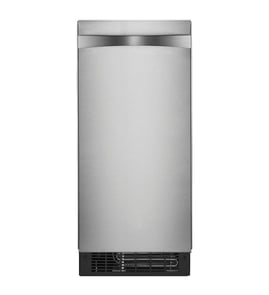
Jenn-Air JUIFX15HX00 freestanding icemaker

Jenn-Air JUIFX15HX00 freestanding icemaker Parts

Here are the diagrams and repair parts for Jenn-Air JUIFX15HX00 freestanding icemaker, as well as links to manuals and error code tables, if available.

By Schematic
By Part
SELECT DIAGRAM
?

This is the number corresponding to the part on the diagram / schematic

Browse Parts for JUIFX15HX00 Freestanding Icemaker

  • Refrigerator Refrigerant Valve for Jenn-Air JUIFX15HX00 - Part WP759113

    Unit parts diagram

    Gas Valve

    Part #759113

    Replaced by #WP759113

    Info Icon
    Manufacturer substitution
    This part replaces 759113. Substitute parts can look different from the original.
    In Stock
    $259.15
    Minus Item
    Qty
    Plus Item
  • Sidecap, Top (black) for Jenn-Air JUIFX15HX00 - Part W11309752

    Cabinet, door and liner parts diagram

    Sidecap, Doo

    Part #W11197599

    Replaced by #W11309752

    Info Icon
    Manufacturer substitution
    This part replaces W11197599. Substitute parts can look different from the original.
    In Stock
    $34.85
    Minus Item
    Qty
    Plus Item
  • Refrigerator Door Insulation, 2-piece for Jenn-Air JUIFX15HX00 - Part 876370

    Optional parts diagram

    Insul - 16pk

    Part #876305

    Replaced by #876370

    Info Icon
    Manufacturer substitution
    This part replaces 876305. Substitute parts can look different from the original.
    In Stock
    $130.13
    8% OFF Phone Price : $142.13Info Icon
    Minus Item
    Qty
    Plus Item
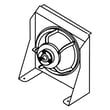
  • Refrigeration Appliance Condenser Fan Blade for Jenn-Air JUIFX15HX00 - Part WP2188935

    Unit parts diagram

    Fan Blade

    Part #2188935

    Replaced by #WP2188935

    Info Icon
    Manufacturer substitution
    This part replaces 2188935. Substitute parts can look different from the original.
    In Stock
    $43.71
    12% OFF Phone Price : $49.71Info Icon
    Minus Item
    Qty
    Plus Item
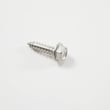
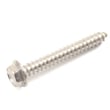
  • Dishwasher Screw for Jenn-Air JUIFX15HX00 - Part WP9741232

    Control panel parts diagram

    Dishwasher Screw

    Part #9741232

    Replaced by #WP9741232

    Info Icon
    Manufacturer substitution
    This part replaces 9741232. Substitute parts can look different from the original.
    This item is not returnable
    In Stock
    $4.73
    17% OFF Phone Price : $5.73Info Icon
    Minus Item
    Qty
    Plus Item
  • Technical Sheet for Jenn-Air JUIFX15HX00 - Part W10761657

    Cabinet, door and liner parts diagram

    Technical Sheet

    Part #W10761657

    The manufacturer no longer makes this part, and there's no substitute part

  • Installation Instructions for Jenn-Air JUIFX15HX00 - Part W11175865

    Cabinet, door and liner parts diagram

    Installation Instructions

    Part #W11175865

    The manufacturer no longer makes this part, and there's no substitute part

  • Use And Care for Jenn-Air JUIFX15HX00 - Part W11172210

    Cabinet, door and liner parts diagram

    Use And Care

    Part #W11172210

    The manufacturer no longer makes this part, and there's no substitute part

  • Ice Maker Evaporator Mounting Screw for Jenn-Air JUIFX15HX00 - Part 3400886

    Ice Maker Evaporator Mounting Screw

    Part #3400886

    The manufacturer no longer makes this part, and there's no substitute part

  • Foam Slab for Jenn-Air JUIFX15HX00 - Part 876029

    Optional parts diagram

    Foam Slab

    Part #876029

    The manufacturer no longer makes this part, and there's no substitute part

Jenn-Air Freestanding Icemaker JUIFX15HX00 FAQs

Yes. For the Jenn-Air JUIFX15HX00 freestanding ice maker, it’s normal to leave the unit powered on so it can cycle and make ice as needed; when the bin is full it shuts off and restarts when more ice is needed. Because the ice bin is not refrigerated, some melting is expected, so routine cleaning and occasional shut-downs help keep performance and ice quality consistent (see the owner's manual).

What to expect when it runs 24/7

  • The ice maker cycles automatically based on ice level in the bin.
  • Some cubes will melt in the bin; warmer rooms increase melting.
  • Higher room and water temperatures reduce ice production.
  • Minerals are flushed out each cycle; the unit drains water after freezing.
  • You may hear the pump and water circulation during normal operation.

When we recommend turning it off

Turn the ice maker off and shut off the water supply when it will sit unused for an extended time.

Common examples:

  • Vacation or extended time away
  • Seasonal use (guest house, bar area)
  • You notice off-taste or odor and want to deep-clean and dry the interior
  • Freezing conditions are possible around the water line (to prevent line freeze and pressure issues)

Quick decision guide

Situation Leave it on? Best practice
Daily ice use Yes Keep ventilation clear; clean on schedule
Overnight with light use Optional Empty older ice if taste/odor is a concern
Vacation or weeks without use No Turn off power and water; follow shutdown steps
Hot room or poor airflow Optional Improve airflow to reduce melting and run time

Why it matters

Running continuously is safe for normal use, but melting in a non-refrigerated bin can lead to more frequent cycling and wetter ice. Turning the unit off during long idle periods also reduces the chance of water-related problems and keeps the interior fresher.

Last updated: February 2026

For the Jenn-Air JUIFX15HX00 ice maker, most “not making ice” problems are caused by power/control being off, room temperature being too low, restricted water supply, or a kinked drain hose. We fix it by confirming power, turning the control on, and correcting water and drain routing using the owner's manual.

Quick checks (fastest fixes first)

  • Confirm the unit is plugged into a grounded 3-prong outlet; do not use an adapter or extension cord.
  • Make sure the ice maker control is turned on.
  • Reset a tripped circuit breaker or replace a blown fuse (if applicable).
  • Keep room temperature above 55°F (13°C); colder rooms can stop the ice maker.
  • Check the water supply line for kinks or pinches; straighten the line and avoid pushing the unit too far back.
  • If equipped with a drain pump, check the drain hose for kinks, pinches, or damage between the cabinet and the ice maker.

Water and drain issues that stop ice production

If there was a large amount of water added, wait a few minutes for the drain pump to clear. If water remains in the bin, the drain hose is typically kinked, pinched, or misrouted.

Symptom guide

What you notice Most likely cause What we do
Ice maker will not operate No power, control off Restore power; turn control on
Runs but makes very little ice Room too warm, airflow blocked at condenser Keep room under 90°F; clear lint/dust from condenser area
Water stays in bin Drain hose kinked/pinched Reroute hose; remove pinch points

When a part is the likely fix

If power, temperature, and water/drain routing are correct but operation is still inconsistent, these parts commonly affect cycling and water flow:

Why it matters

This Jenn-Air ice maker uses sensors, water flow, and drainage to manage the freeze and harvest cycle. A kinked supply or drain hose, or a room below 55°F, can stop production even when the unit is otherwise functional.

Last updated: February 2026

Your Jenn-Air freestanding ice maker model number and serial number are printed on the product rating plate. For model JUIFX15HX00, locate that rating plate on the unit, then copy the model number exactly as shown for parts lookup and service records.

Where to look

The rating plate is a fixed label on the ice maker cabinet (not on a removable part). Check these common spots:

  • Inside the ice storage bin area along a side wall
  • On the door frame or inner cabinet edge
  • On the rear exterior panel near the lower section
  • Behind the toe-kick or lower front access area (if your installation allows access)

What to write down (and why)

Record both identifiers from the rating plate:

  • Model number (used to match the correct parts diagrams)
  • Serial number (used to identify production details)
  • Date of installation (helpful for maintenance and warranty paperwork)

Quick reference

Item on rating plate What it’s used for Example format
Model number Correct parts and diagrams JUIFX15HX00
Serial number Unit identification Letters and numbers

Why it matters

Jenn-Air ice maker parts can vary by production run. Using the exact model number from the rating plate helps ensure you get the correct components (for example, a control board, thermistor, or water valve) for JUIFX15HX00.

For the manufacturer’s description of where this information is listed, see the JUIFX15HX00 owner's manual.

Last updated: March 2026

Most common symptoms to help you fix your freestanding ice makers

Choose a symptom to see related ice maker repairs.

Main causes: water supply problems, control board failure, weak recirculation pump, clogged water distributer, faulty cu…

Main causes: dirty evaporator plate, untreated water supply, food items being stored in ice storage bin…

Main causes: wiring failure, broken cutting grid, faulty electronic control board…

Main causes: bad bin thermistor, condenser fan failure, faulty control board…

Main causes: failing compressor, bad condenser fan motor, faulty drain pump, bad recirculation pump, water supply proble…

Main causes: cracked water supply line, leaky drain line, broken drain pump, cracked water reservoir, leaky ice bin…

Main causes: bad electronic control board, water supply problems, faulty recirculation pump, sealed system failure, brok…

Main causes: lack of electrical power, bad power cord, wiring failure, bad control board, faulty bin thermistor, bad eva…

Most common repair guides to help fix your freestanding ice makers

These step-by-step repair guides will help you safely fix what’s broken on your ice maker.

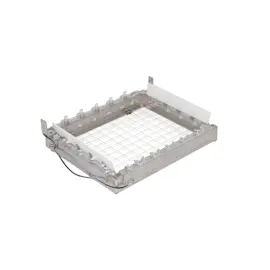
How to replace a freestanding ice maker cutter grid

How to replace a freestanding ice maker cutter grid

When the cutting grid is broken, ice cubes don’t drop into the ice bin. Use the steps in this repair guide to replace a…

Repair time and Difficulty

 15 minutes or less
How to replace a freestanding ice maker recirculation pump

How to replace a freestanding ice maker recirculation pump

If your ice maker isn’t making ice, the pump could be the problem. Here’s how to replace it. …

Repair time and Difficulty

 45 minutes or less
How to replace a freestanding ice maker electronic control board

How to replace a freestanding ice maker electronic control board

When the electronic control board won’t activate the ice maker components, follow these steps to install a new one.…

Repair time and Difficulty

 45 minutes or less

Effective articles & videos to help repair your freestanding ice makers

Use the advice and tips in these articles and videos to get the most out of your ice maker.

Using a wiring schematic to trace a current video

Using a wiring schematic to trace a current video

Find out what’s wrong with your appliance by following a circuit.…

Freestanding ice maker cleaning tips

Freestanding ice maker cleaning tips

Learn how to keep your freestanding ice maker operating at its peak by following these simple cleaning tips.…

Ice maker common questions

Ice maker common questions

Browse our common ice maker questions at Sears PartsDirect. Find detailed answers to frequently asked questions.…

Parts & More

Bottom-Mount Refrigerator
Dishwasher
Electric Range
Garage Door Opener
Gas Chainsaw
Gas Walk-Behind Mower
Office
Parts
Power Screwdriver
Rear-Engine Riding Mower
Washer