 Installation guide
 Error Codes









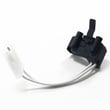
Is there a way to reset a Kenmore dryer?
Yes. For the Kenmore 11077122310 gas commercial dryer, a reset is usually a simple power cycle that clears a stuck control state. Unplug the dryer (or switch off the breaker) for 1 minute, restore power, then try a normal cycle.
Quick reset steps (safe first)
- Turn the dryer OFF.
- Unplug the power cord (or turn OFF the circuit breaker).
- Wait 60 seconds.
- Restore power.
- Open and close the door once, then select a cycle and press Start.
If it still will not start or heat
A “reset” will not fix a failed safety device or heating component. On a gas dryer like model 11077122310, these checks solve most no-start or no-heat complaints:
- Confirm the dryer has power (interior light, controls respond).
- Make sure the door fully latches; a weak latch can prevent starting (see catch 279570).
- Check airflow: clean the lint screen and make sure the vent is not crushed or clogged.
- If the drum turns but there is no heat, common gas-heat suspects include the igniter and gas valve coils (see igniter 279311 and dryer gas valve coil kit 279834).
- If the dryer shuts off or overheats, a thermal cut-off can open and stop heat (see dryer thermal cut-off kit WP8573713).
What “reset” can and cannot do
| Situation | Reset helps? | What to do next |
|---|---|---|
| Controls frozen or cycle will not change | Yes | Power cycle for 1 minute |
| Dryer will not start because door is not latched | No | Inspect/replace latch parts |
| Drum runs but no heat (gas) | No | Test igniter, coils, sensor |
| Overheating or repeated thermal trips | No | Fix venting, then test safety parts |
Why it matters
Resetting clears temporary control glitches, but repeated no-heat or shutdown issues usually point to airflow restrictions or a failing gas-heat part. Fixing the root cause prevents nuisance shutdowns and protects the dryer’s safety components.
For model-specific installation and venting requirements, follow the installation guide.
Last updated: February 2026
How do I know if my dryer start switch is bad?
If your Kenmore 11077122310 gas commercial dryer won’t start when you press Start (no motor sound, no drum movement) and power and the door switch check out, the start switch is a top suspect. The most reliable confirmation is a continuity test with a multimeter after safely accessing the switch; use the installation guide.
Quick symptoms that point to a bad start switch
- Pressing Start does nothing (no click, hum, or motor attempt)
- Dryer runs only if you hold the button in (then stops when released)
- Start button feels loose, sticks, or does not “spring back” normally
- You can hear the timer advance (on timed cycles) but the motor never engages
- Door closes properly, but Start still does not respond
Rule out the common look-alikes first
Before you open the console, check these basics because they can mimic a failed start switch:
- Confirm the dryer has power (breaker not tripped; cord seated)
- Make sure the door is fully closed and the latch catches
- Try a different cycle setting (some cycles require a selection before Start works)
- Listen for a brief hum when pressing Start (a hum can point more toward a motor or belt issue)
- If the dryer starts but has no heat, the issue is in the gas/heat circuit, not the start switch (examples: dryer gas valve coil kit 279834, igniter 279311)
How we test a dryer start switch (continuity test)
- Unplug the dryer (and shut off the gas supply as a safety step when servicing a gas dryer).
- Access the control console and locate the push-to-start switch.
- Label and remove the wires from the switch terminals.
- Set a multimeter to continuity or the lowest ohms setting.
- Test the switch:
- With the button not pressed, the meter should typically show open.
- With the button pressed, the meter should typically show closed/continuity.
What the readings mean
| Test result | What it usually indicates | Next step |
|---|---|---|
| No continuity when pressed | Switch contacts failed | Replace the start switch |
| Continuity all the time | Switch stuck closed | Replace the start switch |
| Readings change correctly | Switch likely OK | Check door switch, timer, thermal cut-off, motor circuit |
Why it matters
A bad start switch prevents the motor circuit from energizing, so the dryer cannot begin tumbling. Confirming the switch with a meter helps you avoid replacing unrelated parts like a thermostat or gas components.
Last updated: February 2026
What causes a start button not to work on a dryer?
On a Kenmore gas commercial dryer model 11077122310, a start button that does nothing is usually caused by a failed start switch, a door switch that is not closing, a timer/control not sending power to the motor circuit, or a broken wire/connection in the console. Use the wiring diagram and access steps in the installation guide to test safely.
Most common causes (and what to check first)
- Door not fully latched: if the door switch is open, the dryer will not start.
- Failed start switch: the button can feel normal but the internal contacts do not close.
- Timer/control issue: worn timer contacts or a control panel problem can prevent the start circuit from energizing.
- Thermal safety device open: some failures in the motor circuit can stop starting until the root cause is fixed.
- Loose or damaged wiring: vibration and heat can loosen spade terminals in the console.
Quick troubleshooting steps
- Confirm power and settings: verify the dryer has power and a cycle is selected.
- Check the door latch: close the door firmly; if it feels loose, inspect the latch catch.
- Listen for a click: press Start; no click often points to the start switch or door switch.
- Inspect console wiring: unplug the dryer, open the console, and look for burnt or loose connectors.
- Test switches with a meter: continuity testing confirms whether a switch closes when actuated.
Parts that commonly relate to “won’t start” symptoms
| Symptom you notice | Likely area | What it means |
|---|---|---|
| Button presses but nothing happens | Start switch or wiring | Contacts not closing or power not reaching motor circuit |
| Door must be slammed to start | Door latch/catch | Door switch may not be engaging consistently |
| Starts only sometimes | Timer/control contacts | Intermittent internal contact failure |
If the door is not latching consistently, the door latch catch is a common wear item; for this model, see the catch 279570.
Why it matters
A non-working start button is often a simple switch or latch problem, but it can also be a safety-related open circuit. Testing the start and door switch circuits first prevents unnecessary part replacement and helps restore reliable operation.
Last updated: February 2026








