 Owner’s manual
 Error Codes
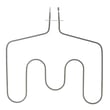




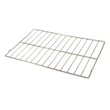

How to find GE wall oven model number?
On the GE JTP15BA2BB wall oven, we find the model and serial number on the label located on the front of the lower oven, behind the oven door. This tag is the fastest way to confirm the exact model for parts like a bake element or temperature sensor.
Where to look on model JTP15BA2BB
Check these spots in order:
- Open the lower oven door and look along the front frame area
- Look for a paper or metal label on the front of the lower oven
- Confirm it is behind the oven door (not on the door glass)
- Write down both the Model # and Serial # exactly as shown
- Take a clear photo of the label for reference when ordering parts
For the exact location wording and how GE formats the label, use the JTP15BA2BB owner's manual.
What the model number helps you do
Having the correct model number prevents ordering the wrong GE wall oven parts and helps match the right diagrams.
- Ensures correct fit for heating and temperature-control parts
- Helps identify the correct oven door components and glass
- Improves accuracy when troubleshooting error codes or heating issues
- Speeds up service calls and parts lookup
Quick ID checklist
| Item | What to record | Why it matters |
|---|---|---|
| Model number | JTP15BA2BB (exact) | Matches the correct parts list |
| Serial number | Letters and numbers | Helps confirm production details |
| Label location | Lower oven front, behind door | Confirms you found the right tag |
Why it matters
GE wall ovens often share similar styling across model families; the model tag is what separates look-alike units and ensures parts like the GE wall oven temperature sensor WB23X5340 match your exact JTP15BA2BB configuration.
Last updated: February 2026
How do I reset the error code on my GE oven?
On a GE JTP15BA2BB electric wall oven, we reset most function error codes by pressing CLEAR/OFF, letting the oven cool for about 1 hour, then restoring power by turning the breaker off for at least 30 seconds and back on. If the code returns, the oven needs troubleshooting.
Quick reset steps (safe order)
- Press CLEAR/OFF to stop the current function.
- If the oven is hot, wait about 1 hour for it to cool.
- Turn the oven circuit breaker OFF for at least 30 seconds.
- Turn the breaker ON.
- Reset the clock and try a simple bake cycle.
- If the same code repeats, stop using self-clean and move to checks below.
For control-specific button sequences and special features, follow the JTP15BA2BB owner’s manual.
What to check if the code comes back
Many repeat codes are caused by a heat-sensing or control issue. Check these common items first:
- Oven temperature sensor: A failing sensor can trigger temperature-related errors; see GE wall oven temperature sensor WB23X5340.
- Cooling fan operation: If the oven overheats, the fan may be part of the problem; see wall oven cooling fan assembly WB26K5061.
- Power supply issues: A tripped breaker or blown fuse can cause control faults.
- Door lock and self-clean: If the door is not fully closed or the oven is too hot, self-clean related messages can appear.
- Control settings: Confirm the cooking mode and temperature are set correctly.
Error code reset vs. repair: what’s the difference?
| Situation | What a reset does | What you likely need next |
|---|---|---|
| One-time glitch after a surge | Clears the display and reboots the control | No repair if it doesn’t return |
| Code repeats after reset | Confirms the control still detects a fault | Diagnose sensor, fan, lock, or control |
| Self-clean messages (door/heat) | Stops the cycle and lets the oven cool | Verify door closure, allow cooling |
Why it matters
Resetting the code correctly prevents repeated overheating attempts and helps you separate a temporary control glitch from a real failure (like a sensor or cooling fan problem) that can affect baking accuracy and safe operation.
Last updated: February 2026
Does GE make gas wall ovens?
Yes. GE makes gas wall ovens, although your JTP15BA2BB is a GE electric wall oven. If you are shopping for a gas model, focus on the fuel type (natural gas vs LP conversion), cutout size, and venting requirements listed in the JTP15BA2BB owner's manual so you can compare fit and installation needs.
How to choose the right GE gas wall oven
When comparing GE wall ovens, we recommend checking these items first:
- Fuel type: natural gas or LP (propane) conversion capability
- Cutout dimensions: cabinet opening height, width, and depth
- Electrical needs: most gas ovens still require 120V power for controls/ignition
- Cleaning type: self-clean vs manual clean
- Capacity and rack positions: to match how you bake and roast
Quick comparison: gas vs electric wall ovens
| Feature | Gas wall oven | Electric wall oven (like JTP15BA2BB) |
|---|---|---|
| Heat source | Gas burner | Electric bake/broil elements |
| Temperature stability | Often more cycling | Typically steadier baking temps |
| Utility requirements | Gas line plus power | 240V electrical circuit |
| Common service parts | Igniter, gas valve | Bake element, sensor, control |
Why it matters
A wall oven has to match your cabinet cutout and utility hookups. Choosing gas vs electric affects installation, operating cost, and which parts you may service over time (for example, an electric oven often relies on a temperature sensor for accurate baking).
Helpful related DIY info
If you are comparing features or troubleshooting a GE wall oven, use our GE wall oven error codes reference to understand common control display messages.
Last updated: February 2026





