 Installation guide
 Owner’s manual
 Error Codes




How to find Kenmore Elite dishwasher model number?
On the Kenmore Elite dishwasher model 63013959011, the model number is printed on an identification (rating) label located inside the dishwasher door area. Open the door and look along the inside edge of the tub opening, where the label also lists the serial number. See the 63013959011 owner's manual for the exact label location and what the label fields mean.
Where to look (fast checklist)
- Open the dishwasher door fully.
- Check the inside rim of the tub opening (the vertical edges around the door opening).
- Look for a white or silver rating label with multiple lines of text.
- Find the line labeled Model or Model No.
- Record the serial number too; it helps match the correct parts list.
What the label typically includes
| Label item | What it’s used for | Example of why it matters |
|---|---|---|
| Model number | Identifies the exact dishwasher design | Ensures the right door seal, pump, or rack parts fit |
| Serial number | Identifies production run details | Helps confirm compatible revisions |
| Electrical ratings | Confirms power requirements | Useful during installation or wiring checks |
Why it matters
We use the model number to match parts and diagrams to your exact Kenmore Elite dishwasher configuration. Even small model differences can change fitment for items like a door seal, drain hose, or water inlet valve.
Pro tip when ordering parts
- Copy the model number exactly as printed (all digits).
- If you’re troubleshooting, check the troubleshooting section in the 63013959011 owner's manual before replacing parts.
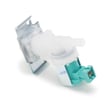
- For common leak or fill issues, parts often involved include the dishwasher water inlet valve 00622058 and the door seal 00432490.
Last updated: January 2026
How to hard reset a Kenmore Elite dishwasher?
To hard reset a Kenmore Elite dishwasher model 63013959011, we use the control-panel reset described in the cycle cancel/change instructions: pause the cycle, press the two specified cycle buttons together until the display shows “0”, then power the dishwasher off and back on. See the 63013959011 owner's manual for the exact button names on your console.
Reset methods that work on 63013959011
Use the method that matches what your dishwasher is doing.
- Stuck mid-cycle or you want to stop it: cancel the cycle so the dishwasher drains.
- You need to restart with a different cycle: reset, power off, then select a new cycle.
- Control seems unresponsive: do a power-cycle reset at the breaker.
Control-panel reset (cancel or change a cycle)
- Open the door slightly to pause the cycle.
- Wait a few seconds before opening the door fully (this lets water settle into the tub base).
- Press and hold POTS & PANS and CHINA GENTLE together until the display shows “0”.
- Close the door; the dishwasher will drain any remaining water.
- Press POWER to turn the unit off, then turn it back on.
- Select your new wash cycle and options, then close the door to start.
Power-cycle reset (when the keypad is frozen)
If the buttons do not respond, reset power to the dishwasher.
- Turn the dishwasher OFF.
- Switch the dishwasher circuit breaker OFF for about 1 minute.
- Turn the breaker ON, then power the dishwasher back on and choose a cycle.
Quick comparison
| Situation | Best reset | What you should see |
|---|---|---|
| Need to stop a running cycle | Control-panel cancel | Display shows “0”, unit drains |
| Need to change cycles | Control-panel reset + power off/on | “0”, then normal cycle selection |
| Buttons not responding | Breaker power-cycle | Controls respond after power returns |
Why it matters
A proper reset clears the current cycle logic so the dishwasher can drain safely and restart cleanly; this helps prevent standing water, incomplete washes, and false error behavior.
Last updated: January 2026
What are the common problems with Kenmore dishwashers?
Common problems we see on Kenmore dishwashers (including Kenmore Elite model 63013959011) are poor cleaning, not draining, not filling, leaks or sudsing, and control or display issues. Many of these are caused by loading, filter, door-latch, or water-supply problems that you can check quickly using the 63013959011 owner's manual.
Most common symptoms and what to check first
- Not starting: confirm the door is fully latched, a cycle was selected before closing the door, and the water supply is turned on.
- Not draining: check for a blocked drain hose, a clogged air gap (if used), or debris in the filter system.
- Not filling with water: verify the shutoff valve is open and the supply line is not restricted; a failed inlet valve can also prevent filling.
- Not cleaning well: avoid nesting dishes, confirm spray paths are clear, and clean the filter system.
- Leaks or sudsing: check the door seal area for debris and make sure the door seal is seated correctly.
Parts that commonly relate to these problems
If your checks point to a failed component, these parts are commonly involved on this model:
| Symptom | Common area | Example part for 63013959011 |
|---|---|---|
| Not filling | Water supply/inlet | Dishwasher water inlet valve 00622058 |
| Not draining | Drain system | Drain pump 00642239 |
| Leaking at door | Door sealing surfaces | Door seal 00432490 |
| Slow or incomplete drain | Drain path | Dishwasher drain hose 00668108 |
Why it matters
Catching the root cause early helps prevent repeat wash failures, standing water odors, and floor damage from leaks. Basic maintenance (filter cleaning, gasket wipe-down, and keeping the rinse agent filled) also improves cleaning and drying performance.
Quick troubleshooting checklist (5 minutes)
- Make sure the door is fully closed and latched.
- Confirm the dishwasher is turned on and a cycle was selected.
- Verify the water supply valve is open.
- Inspect the bottom area for standing water and obvious debris.
- Wipe the door gasket and lower door seal with a damp cloth.
Last updated: January 2026





