 Installation guide
 Owner’s manual
 Error Codes











How to find Kenmore Range model number?
For your Kenmore electric range, the model number is printed on a rating label attached to the appliance. On model 79095053313, you will typically find that label in the oven door jamb area or on the frame behind the storage or warming drawer.
Most common places to check
- Open the oven door and look along the door frame (door jamb) on the left or right side
- Pull out the bottom storage drawer or warming drawer and look on the frame behind it
- Check the back panel near the vent area (you may need a flashlight)
- Look on a side panel edge if the range is installed tightly between cabinets
What the label looks like (and what to copy)
The label usually includes several identifiers. Copy these exactly (including dashes):
| Label item | What it’s used for | Example format |
|---|---|---|
| Model number | Finds the correct parts list and diagrams | 79095053313 |
| Serial number | Helps match production run details | Letters and numbers |
| Electrical rating | Confirms power requirements | Volts and amps |
Why it matters
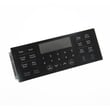
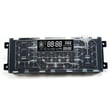
Kenmore ranges often have similar-looking control panels and cooktops across multiple series. Using the exact model number ensures you get the right parts (like an oven sensor, surface element switch, or control board) and the correct procedures in the 79095053313 installation guide.
Quick tips before you start
- Turn the oven light on or use a flashlight to read small print
- Wipe grease or dust off the label gently so the numbers are readable
- Take a clear photo of the entire label so you do not miss a digit
- If the drawer is heavy, empty it first before pulling it out
Last updated: February 2026
How to replace Kenmore Range oven control board?
To replace the oven control board on your Kenmore electric range model 79095053313, we shut off power at the breaker, access the control area, move each wire connector from the old board to the matching terminal on the new board, then reassemble and restore power. Use the 79095053313 installation guide for electrical safety basics.
Safety first (do this before touching anything)
- Turn OFF the range breaker (240V) and confirm the display is dark.
- Let the oven cool completely.
- Pull the range forward carefully to avoid damaging the floor.
- Keep screws organized by location.
- Take clear photos of every connector before removal.
Replacement steps (typical for this model style)
- Remove the rear access panel or backguard panel (location varies by configuration).
- Locate the control board and identify the wire harness plugs and any ribbon connector.
- Transfer wires one at a time from the old board to the same position on the new board.
- If your board uses a ribbon cable, fully seat it in the connector and lock the retainer.
- Reinstall the panel(s), restore power, then test Bake, Broil, clock, and keypad functions.
What parts are commonly involved
If the oven is overheating, underheating, or throwing temperature-related faults, we often check the sensor before replacing the board.
| Symptom | Most common checks | Parts on this page that may apply |
|---|---|---|
| Oven temp inaccurate | Sensor resistance, connector fit | Frigidaire range oven temperature sensor 316490000 |
| Display dead or erratic | Power supply, harness connections | (Control board varies by revision) |
| Self-clean door won’t unlock | Lock motor operation, switch feedback | Range oven door lock motor and switch assembly 5304528973 |
Why it matters
The control board is the “brain” for bake, broil, convection, and the keypad. Correct wire placement and secure connectors prevent blown fuses, error codes, and repeat failures after installation.
Last updated: February 2026
How to reset Kenmore electric stove?
To reset your Kenmore electric range model 79095053313, shut off power at the breaker (or unplug if accessible) for about 1 minute, then restore power. This clears many control glitches and can restore normal oven and cooktop operation.
Safe reset steps (recommended)
- Turn all surface element knobs to OFF.
- If the range is hardwired or plugged into a 240V outlet, switch the range breaker OFF (both poles).
- Wait 60 seconds.
- Switch the breaker ON.
- Set the clock, then test Bake and a surface element.
If the reset does not fix it
A reset helps with temporary electronic lockups. If the problem returns right away, focus on the symptom:
| Symptom after reset | Most common cause | What to check next |
|---|---|---|
| Oven heats wrong or shows temp-related errors | Oven temperature sensing issue | Inspect wiring to the sensor; consider replacing the frigidaire range oven temperature sensor 316490000 |
| Cooktop element stays on, won’t heat, or cycles oddly | Surface element control switch issue | Test the correct switch; common replacements include frigidaire range surface element control switch 316305100 or frigidaire range small surface element control switch 316436000 |
| Display dead or buttons unresponsive | Control or power supply problem | Check house breaker, terminal block connections, then control board diagnosis |
Why it matters
Resetting power is the fastest way to clear a stuck relay or a momentary control-board fault. If the issue is caused by a failed sensor, switch, or wiring connection, the reset only provides temporary relief and the underlying part still needs attention.
Important electrical note
When checking power connections, follow the wiring and safety guidance in the installation guide. The range uses high voltage; always shut off the breaker before removing any access covers.
Last updated: February 2026
Why is my Kenmore electric oven not getting hot?
If your Kenmore 79095053313 electric range oven is not getting hot, the most common causes are a failed heating circuit (bake or broil), a bad oven temperature sensor, or a control problem. Start with basic power checks, then test the heating components and sensor.
Quick checks first (no tools)
- Confirm the range is getting full power (electric ovens typically need 240 VAC to heat; lights and the clock can still work on 120 VAC).
- Make sure you are using Bake (not Delay Start, Sabbath mode, or a timed feature).
- If the oven was just in self-clean, let it cool fully; some models limit operation until temperatures drop.
- If the display shows an error, use the Kenmore 790 self-cleaning range error codes guide to identify the failure path.
What to test next (most likely parts)
1) Oven temperature sensor
A sensor that reads wrong can prevent the control from energizing the elements or can cause very weak heating.
- Inspect the sensor wiring connection at the back of the oven.
- Test sensor resistance with a multimeter (compare to the spec chart in the owner's manual).
- If it is out of range, replace the frigidaire range oven temperature sensor 316490000.
2) Heating elements and controls
Even if an element looks normal, it can be open electrically.
- Check bake and broil functions separately; if broil works but bake does not, the bake circuit is the focus.
- If surface burners act erratically too, a switch can be involved; for example, the frigidaire range surface element control switch 316305100 affects cooktop heating (not oven heat), but it can help confirm broader electrical issues.
Symptoms-to-cause guide
| Symptom | Most likely cause | What we do |
|---|---|---|
| Oven will not heat at all | Lost 240V supply, control not sending power | Verify breaker, then test output to elements |
| Heats a little, never reaches temp | Sensor drifting, weak element | Test sensor, then element continuity |
| Error code appears | Sensor, control, latch circuit | Follow error code steps |
Why it matters
An electric oven needs correct voltage, accurate temperature feedback, and a working heating circuit. One failed part (especially the sensor) can stop heating entirely or cause long preheat times and undercooking.
Last updated: February 2026




