 Installation guide
 Owner’s manual
 Error Codes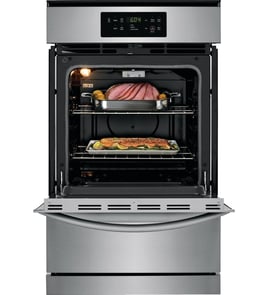




Does anyone make a 27 inch gas wall oven?
Yes. 27-inch gas wall ovens exist, but they are less common than 30-inch models. For the Frigidaire FFGW2415QSC, the installation instructions show a cabinet cutout width of about 23 1/2 inches, which is typical for a “24-inch class” wall oven rather than a true 27-inch unit; use the FFGW2415QSC installation guide to match your cabinet opening.
Manufacturers often market wall ovens by a nominal size (24-inch, 27-inch, 30-inch), but the actual cabinet cutout width is smaller than the advertised size.
Common sizing patterns:
- 24-inch class ovens often use a cutout width around 23 1/2 inches
- 27-inch class ovens often use a cutout width around 25 inches (varies by brand)
- 30-inch class ovens often use a cutout width around 28 1/2 inches (varies by brand)
Use these checks before you buy:
- Measure the existing cutout width, height, and depth (not the old oven’s front frame)
- Confirm gas hookup location and electrical outlet location
- Verify required front clearance for door opening
- Confirm the oven is gas (many 27-inch wall ovens are electric)
The FFGW2415QSC installation instructions also call out clearances like minimum spacing and door-opening clearance; those details matter as much as width.
| Nominal wall oven size | Typical cutout width range | How common in gas |
|---|---|---|
| 24-inch class | ~23 1/2 in | Common |
| 27-inch class | ~24 3/4 to 25 1/4 in | Less common |
| 30-inch class | ~28 1/2 in | Common |
If you shop by “27-inch” only, you can end up with an oven that will not mount securely or seal correctly in the cabinet. Matching the cutout dimensions from the installation instructions prevents gaps, heat issues, and installation delays.
Last updated: January 2026
How do I clear the error code on my Frigidaire oven?
To clear an error code on your Frigidaire FFGW2415QSC gas wall oven, press CLEAR OFF (or STOP/CLEAR) to stop the beeping and clear the display, then reprogram the oven. If the code returns, treat it as an active fault and troubleshoot the most likely circuit involved.
- Press CLEAR OFF to silence the alarm and clear the code.
- Set the clock (the oven needs time-of-day set to operate normally).
- Re-enter your cooking mode and temperature.
- If the code immediately comes back, turn power off at the breaker for 5 to 10 minutes, then restore power.
- If the fault recurs after a reset, record the exact code before clearing it again.
For keypad names and model-specific control behavior, follow the FFGW2415QSC owner’s manual.
Frigidaire “F” codes indicate the electronic oven control detected a fault and shut down operation. Common checks include:
- Sensor-related codes (example: F30-F31): inspect the oven temperature sensor circuit; a failed sensor is a common cause.
- Internal control fault (example: F10): power reset first; if it returns, the control or wiring needs attention.
- Keypad or control panel issues: look for stuck keys, moisture, or contamination around the touch area.
If you suspect a temperature sensing problem, the cooking appliance oven temperature sensor 5304504897 is a common repair part for this model.
| What you see | What to do first | Next best step |
|---|---|---|
| Any “F” code with beeping | Press CLEAR OFF / STOP-CLEAR | Power reset at breaker 5 to 10 minutes |
| F30-F31 (sensor circuit) | Reset, then retry Bake | Check sensor and harness; replace sensor if failed |
| F10 (internal fault) | Reset and reprogram | Service diagnosis if it returns |
An error code is the oven’s safety shutdown. Clearing it stops the alarm, but if the code returns it usually points to a real issue in the sensor circuit, keypad, wiring, or electronic control that can prevent heating or cause temperature problems.
Optional reference for interpreting codes by oven type: Frigidaire self-cleaning wall oven error codes.
Last updated: January 2026
How do I find the model number on my FFGW2415QSC?
On the Frigidaire FFGW2415QSC gas wall oven, the model and serial number are printed on the serial plate located on the left side inner trim of the oven. Use the exact model and serial numbers from that plate when ordering parts or requesting service information.
- Open the oven door fully so you can see the front frame/trim area.
- Look along the left side inner trim (the vertical trim just inside the oven opening).
- Find the serial plate (a label/plate with model and serial information).
- Write down the model number, serial number, and any lot number/letter shown.
- Keep the information with your paperwork for future parts lookups.
Besides the model number, the serial plate typically includes key identification and setup details.
| Serial plate item | What it’s used for |
|---|---|
| Model number | Ensures diagrams and replacement parts match your exact oven |
| Serial number | Identifies the production run for service and parts compatibility |
| Lot number/letter | Helps narrow down version changes within the same model |
| Fuel/pressure info | Confirms how the oven was adjusted when it left the factory |
Frigidaire wall ovens can have small design changes within the same model family. Using the model and serial information from the serial plate helps us match the correct parts and avoid ordering the wrong component.
For a diagram showing the serial plate location and other identification details, use the FFGW2415QSC installation guide.
Last updated: March 2026





