 Installation guide
 Owner’s manual
 Error Codes




What is the most common problem with the Frigidaire dishwasher?
For the Frigidaire FGID2466QF9A dishwasher, the most common service issue we see is a drain problem: water left in the bottom of the tub after the cycle. In many cases, the cause is a simple restriction (filter, glass trap, drain hose routing) rather than a failed motor.
Quick checks we recommend first
Start with the items that most often cause “won’t drain” or “water in tub” complaints:
- Confirm the cycle is actually complete and not paused.
- If connected to a disposer, make sure the disposer is empty and the disposer inlet knockout plug was removed.
- Check the drain hose for kinks and make sure it has a high loop (to help prevent backflow).
- Inspect and clean the filter and glass trap area in the center of the tub.
- Avoid opening the door mid-cycle; if you do, press START/CANCEL and close the door within 10 minutes to resume.
For model-specific operating and cleaning steps, use the FGID2466QF9A use & care manual.
When it’s likely a part issue
If the dishwasher drains slowly, leaves standing water, or you hear the drain motor run but little water moves, the drain path or drain components may need attention.
Common parts involved on this model include:
- Dishwasher filter 5304506525 (restriction from debris)
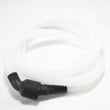
- Dishwasher drain hose 807117001 (kinked, clogged, or poor routing)
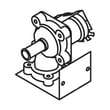
- Drain pump a A00126401 (weak or not pumping)
Symptom-to-part guide
| Symptom | Most likely area | Example compatible part |
|---|---|---|
| Water left in tub | Filter or drain restriction | Dishwasher filter, drain hose |
| Hums but won’t drain | Drain pump or blockage | Drain pump |
| Drains, then water returns | Hose routing or backflow | Drain hose routing/check |
Why it matters
A dishwasher that cannot drain properly can also clean poorly because the unit may recirculate dirty water, and it can trigger longer cycles as the machine tries to complete drain steps.
Last updated: January 2026
How to do a hard reset on a Frigidaire dishwasher?
For the Frigidaire FGID2466QF9A dishwasher, the closest thing to a “hard reset” is removing power long enough to clear a control glitch. Turn the dishwasher off, then shut off power at the breaker (or unplug it) for 5 to 10 minutes, restore power, and start a new cycle.
Reset options for FGID2466QF9A (try in this order)
- Cancel and drain: Press and hold START/CANCEL for 3 seconds; the dishwasher should run a drain for about 90 seconds.
- Power cycle (hard reset): Turn off power for 5 to 10 minutes, then restore power.
- Door interruption reset: If you opened the door mid-cycle, press START/CANCEL and close the door within 10 minutes so the unit can resume.
- Check control lock: If buttons do not respond, press and hold DELAY START for 3 seconds to toggle the control lock.
For button sequences and indicator behavior specific to this model, use the FGID2466QF9A use & care manual.
What to expect after a reset
After a reset, this model can remember the last cycle selection. Use these quick checks:
- Select a cycle and press START/CANCEL, then close the door to latch.
- Confirm Delay Start is not set.
- Make sure the door is fully closed and latched.
- Verify the breaker is on and the dishwasher has power.
| Reset method | What it fixes | Typical time |
|---|---|---|
| START/CANCEL hold | Stuck cycle, needs drain | ~90 seconds |
| Breaker/unplug power cycle | Frozen keypad, control glitches, some error conditions | 5 to 10 minutes |
| Control lock toggle | Unresponsive buttons due to lock | Immediate |
When a “reset” is not enough
If the dishwasher repeatedly locks up, will not start, or loses display power, the issue can be a failing control or user interface. For repair-level troubleshooting, we typically inspect wiring connections and, if needed, test/replace the dishwasher electronic control board 5304520582.
Why it matters
A proper reset can clear temporary memory glitches and get the wash motor, drain pump, and console back to normal operation without replacing parts.
Last updated: January 2026
Why does my dishwasher keep having power failure?
On the Frigidaire FGID2466QF9A dishwasher, repeated “power failure” events are usually caused by an unstable power supply (breaker/GFCI trips or loose wiring), the door not staying fully latched during operation, or an intermittent failure in the control circuit. Use the FGID2466QF9A use & care manual to confirm what your display/lights indicate after an interruption.
Quick checks we recommend first
- Reset the dishwasher by turning the breaker OFF for 5 minutes, then ON.
- Make sure the door closes firmly and does not bounce back; avoid leaning on the door.
- Start a cycle once (pressing START/CANCEL repeatedly can interrupt operation on some models).
- Check for a tripped breaker or a tripped GFCI outlet feeding the dishwasher circuit.
- If the unit stops when you open the door, restart correctly: press START/CANCEL and close the door promptly (the manual notes a restart window).
Parts that commonly cause intermittent power loss symptoms
If power is stable at the home but the dishwasher still “dies” mid-cycle, these model-compatible parts are common suspects:
- Dishwasher electronic control board 5304520582: can reset or drop out when failing.
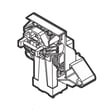
- Frigidaire dishwasher door latch 5304525218: a weak latch can open the door switch circuit during vibration.
- Dishwasher switch assembly 5304517587: can cause intermittent console or run-power issues.
What the symptoms usually point to
| What you notice | Most likely cause | What to do next |
|---|---|---|
| Whole kitchen outlet circuit also goes out | Breaker/GFCI trip, wiring issue | Check breaker/GFCI; have wiring inspected if it repeats |
| Dishwasher stops when bumped or during wash action | Door not fully latched, latch/switch issue | Inspect latch alignment; consider latch/switch replacement |
| Random resets, lights flicker, cycle restarts | Control board or connection issue | Inspect wiring connections; consider control board replacement |
Why it matters
A dishwasher that loses power mid-cycle can leave water in the tub, prevent proper draining, and increase the chance of leaks or poor cleaning. Fixing the root cause also helps protect the electronic control board from repeated interruptions.
Last updated: January 2026





