 Error Codes





How do I find the right GE part number?
For your GE CES700M2N2S5 slide-in electric range, the right part number comes from matching the exact model number first, then confirming the part by name and diagram location before ordering. This prevents look-alike parts (elements, boards, fans) from being swapped by mistake.
Step-by-step: how we match the correct part
- Confirm the model number is CES700M2N2S5 (use the full model, not a partial).
- Identify the system you are repairing: cooktop, oven, door, cooling, or wiring.
- Match the part by function and description, not just by appearance.
- Cross-check the part in the model’s parts list and diagram callouts.
- Verify electrical parts by rating and connector style (power off first).
- Order using the exact GE part number/ID shown for the model.
Common examples for this model (CES700M2N2S5)
If you already know what failed, these are examples of model-matched parts you may see listed:
| What’s not working | Part type to look for | Example part for this model |
|---|---|---|
| Oven not heating evenly or not baking | Bake element | Range bake element WB44X45499 |
| Control panel area gets too hot or fan is noisy | Control panel cooling fan | Range control panel cooling fan WB26X29468 |
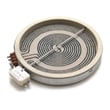
| Surface burner not heating | Radiant surface element | Range radiant surface element, 8-in WB30T10132 |
| Oven functions act erratic | Relay/control board | Range oven relay control board WB27X29202 |
Quick checks before you order
Visual and symptom checks
- Burn marks, melted terminals, or a loose connection at the terminal block
- A surface element that stays cold while others work
- A cooling fan that never runs (or runs constantly)
- An oven that heats on broil but not bake (often points to the bake element)
Electrical confirmation (when appropriate)
Use a meter to confirm an open element or failed switch/board before replacing parts. Our guide how to use a multimeter to test electrical parts video walks through safe, basic testing steps.
Why it matters
GE ranges often use multiple similar-looking components (especially radiant elements and control boards). Matching by model number + exact part ID avoids returns, repeat repairs, and wiring damage from incorrect fitment.
Last updated: February 2026
How to order GE appliance parts?
To order parts for your GE CES700M2N2S5 slide-in electric range, use the complete model number and match the exact part ID before checkout. You can order directly from the parts list for CES700M2N2S5; for ordering help, contact Sears PartsDirect support.
Fastest way to order the right part
- Confirm the full model number: CES700M2N2S5 (use the complete number, not a partial).
- Identify the failed part by symptom (no heat, uneven baking, dead burner, no display).
- Match the part by part ID/part number, not just by description.
- Compare your old part to the listing (connectors, mounting points, size).
- Order any one-time-use hardware you may need during reassembly (screws, nuts).
Common CES700M2N2S5 parts customers replace
| Symptom | What to check first | Example part for this model |
|---|---|---|
| Oven not heating or bakes unevenly | Bake element and wiring connections | Range bake element WB44X45499 |
| Control area gets very hot, fan noisy, or fan not running | Cooling fan and fan control | Range control panel cooling fan WB26X29468 |
| One surface burner not heating | Radiant element and switch | Range radiant surface element, 8-in WB30T10132 |
When to contact Sears PartsDirect support
Contact Sears PartsDirect support for:
- Help confirming the correct part using your model and serial number
- Assistance with an order already placed
- Availability questions and shipping options
Why it matters
Ordering by the exact model number and part ID prevents fit and wiring mismatches, which is especially important on a slide-in electric range where elements, control boards, and harness connections can vary by revision.
Last updated: March 2026
How to replace GE oven temp sensor?
To replace the oven temperature sensor on your GE CES700M2N2S5 slide-in electric range, we shut off power, remove the sensor’s mounting screw inside the oven, pull the sensor forward, disconnect the wire connector, then reconnect and reinstall the new sensor the same way.
Safety first (do this before touching anything)
- Turn off the range at the circuit breaker (240V); do not rely on the control panel being “off”.
- Confirm the oven is completely cool.
- Protect the oven liner with a towel so you do not scratch porcelain.
- Use gloves; sheet metal edges behind panels can be sharp.
- If the connector slips back into the insulation, stop and retrieve it carefully before restoring power.
Step-by-step: replacing the sensor
- Kill power at the breaker.
- Open the oven door and locate the sensor probe (typically a thin metal rod on the rear oven wall).
- Remove the mounting screw holding the sensor flange.
- Gently pull the sensor toward you a few inches to expose the wire connector.
- Disconnect the plug by pressing the locking tab (do not pull on the wires).
- Connect the new sensor to the harness until it clicks.
- Tuck the connector back through the opening so it will not touch hot surfaces.
- Reinstall the screw, restore power, then test bake.
Quick troubleshooting after replacement
- Oven still heats wrong: run a bake test with an oven thermometer; calibration settings can also affect results.
- No heat or error code: recheck the connector seating and look for pinched wires.
- Breaker trips: inspect for damaged wiring; use how to repair broken or damaged wires video.
What you’ll need
| Item | Typical size/type | Why you need it |
|---|---|---|
| Screwdriver | Phillips or 1/4-in nut driver | Remove sensor mounting screw |
| Gloves | Cut-resistant | Protect hands |
| Flashlight | Any | See connector and routing |
| Multimeter (optional) | Ohms setting | Verify sensor resistance |
Why it matters
A failing oven temperature sensor can cause underbaking, overbaking, long preheat times, or temperature swings. Replacing it restores accurate feedback to the control board so the bake and broil elements cycle correctly.
Last updated: February 2026
How to reset GE electric stove?
For a GE CES700M2N2S5 slide-in electric range, the reliable “reset” is a power reset: turn the range circuit breaker OFF for 60 seconds, then turn it back ON. This clears many control glitches after a power outage or a keypad lockup.
Quick reset steps (power reset)
- Turn OFF the range breaker (usually a 240V double-pole breaker).
- Wait 60 seconds.
- Turn the breaker ON.
- If the display shows a clock, set the time.
- Test Bake and a surface element to confirm normal operation.
If the breaker reset does not fix it
These checks help narrow down whether you have a power supply issue, a control issue, or a failed component.
- Confirm the range is getting full power (a partial power loss can leave lights on but prevent heating).
- If the control panel is unresponsive or keeps rebooting, inspect wiring connections at the terminal block.
- If the oven will not heat but the display works, the bake circuit or control may be the issue.
- If the cooktop element will not heat, the surface element or switch circuit may be the issue.
- If the range overheats around the controls or shows cooling-related symptoms, check the cooling fan system.
Common symptoms and likely next step
| What you see | What it often points to | What we check next |
|---|---|---|
| Display blank, no beeps | No power to range | Breaker, outlet/junction box, wiring |
| Display on, oven will not heat | Heating circuit or control | Range bake element WB44X45499, control output |
| Cooktop burner not heating | Surface element circuit | Range radiant surface element, 8-in WB30T10132 or switch |
| Fan runs a lot, control area very hot | Cooling system issue | Range control panel cooling fan WB26X29468 and airflow |
Why it matters
A breaker reset is the safest first step because it clears the electronic control without disassembly. If the problem returns quickly, the pattern of symptoms helps us pinpoint whether you need a heating element, a cooling fan, or a control-related part.
Last updated: February 2026





