 Installation guide
 Owner’s manual
 Error Codes


Why is my Samsung gas oven not heating up?
When a Samsung NX58F5500SW gas oven will not heat, the most common cause is a weak oven igniter that glows but does not draw enough current to open the gas valve. Next most common are a blocked bake burner, a failed temperature sensor, or a control problem.
Quick checks we recommend first
- Confirm the oven is set to Bake, not Delay Start or Sabbath mode.
- Make sure the range has power (display on, clock set); the igniter needs electricity.
- Look through the oven bottom vents while starting Bake: the igniter should glow and the burner should light within about 30 to 90 seconds.
- If you smell gas but it never lights, stop the cycle and ventilate the area.
- If the burner lights but heat is weak or uneven, check for clogged burner ports.
What the symptoms usually mean
| What you see | Likely cause | What to do next |
|---|---|---|
| Igniter does not glow | No power to igniter, wiring issue, failed igniter | Inspect wiring and test/replace the igniter |
| Igniter glows dim or takes a long time, burner never lights | Weak igniter | Replace the igniter |
| Burner lights, then cycles off too soon or temps are off | Temperature sensing issue | Test/replace the sensor |
| No heat and odd behavior on display | Control or relay issue | Check connections; consider control repair |
Parts that commonly fix “oven not heating” on this model
- Samsung range oven burner igniter DG94-00520A
- Samsung range oven temperature sensor DG32-00002B
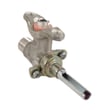
- Wall oven gas valve DG94-00449A (if the igniter is proven good and valve is not opening)
Why it matters
A gas oven depends on the igniter, gas valve, and bake burner working together. A weak igniter is especially important because it can glow but still fail to open the safety valve, so the oven never gets gas to the burner.
Model-specific guidance
Use the NX58F5500SW owner's manual for the exact bake ignition sequence, safety notes, and any model-specific settings that can prevent heating.
Last updated: January 2026
How do I clear the error code on my Samsung stove?
On the Samsung NX58F5500SW gas freestanding range, most error codes clear after a power reset and fixing the condition that triggered the code (such as a stuck key, moisture on the control, or an oven sensor or ignition problem). If the code returns right away, troubleshoot the related system before resetting again.
Fast ways to clear an error code
- Cancel the cycle: press Cancel/Off to stop cooking modes.
- Power reset: turn the range off, then switch the circuit breaker off for about 30 seconds, then back on.
- Hard reset: if the code persists, leave the breaker off for 3 to 5 minutes, then restore power.
- Dry the control area: wipe the control panel and around the keys; let it air-dry.
- Check for stuck buttons: gently press each key to ensure none are stuck.
For model-specific key sequences and code definitions, use the NX58F5500SW manual.
What to do if the code comes back
If the error returns after a reset, focus on the most common causes below.
| What you notice | Likely area to check | Common next step |
|---|---|---|
| Oven will not heat or heats inconsistently | Ignition or bake system | Inspect igniter glow and burner ignition; clean burner ports |
| Temperature seems inaccurate | Temperature sensing | Check sensor connection; consider replacing the sensor |
| Display beeps, keys act odd, code returns immediately | Control or keypad input | Dry panel, check for stuck keys; inspect wiring to control |
Parts that often relate to recurring oven codes
- Samsung range oven temperature sensor DG32-00002B (temperature sensing issues)
- Samsung range oven burner igniter DG94-00520A (no-heat or delayed ignition symptoms)
- Samsung range oven control board and clock DE92-02588G (display or control-related faults)
Why it matters
Clearing the code without correcting the cause can lead to repeat shutdowns, poor baking performance, or ignition problems. A quick reset is useful, but recurring codes usually point to a sensor, igniter, wiring, or control issue that needs attention.
Last updated: January 2026
How to tell if oven thermostat is broken Samsung?
If your Samsung NX58F5500SW oven temperature is consistently too hot or too cool, the most reliable check is comparing the set temperature to an oven-safe thermometer reading after a full preheat. Large, repeatable differences usually point to a failed temperature sensor or control issue rather than normal cycling. See the NX58F5500SW manual for your model’s temperature-check and calibration steps.
Quick test: verify actual oven temperature
- Place an oven-safe thermometer in the center of the middle rack.
- Set Bake to 350°F (180°C).
- Let the oven preheat, then wait 20 to 30 minutes for temperatures to stabilize.
- Record the thermometer reading; repeat once to confirm.
What you’re looking for
- Normal ovens cycle above and below the set point.
- A consistent offset (for example, always 25°F to 50°F low or high) indicates a sensing or control problem.
Common symptoms of a bad “thermostat” on this model
On many Samsung ranges, the “thermostat” function is handled by an oven temperature sensor plus the control board.
- Food consistently undercooks or overcooks at normal recipe times
- Oven takes unusually long to preheat
- Temperature swings feel extreme (burning on edges, raw centers)
- Error codes related to temperature sensing (varies by model)
- Broil works but bake is weak (can also be an igniter or burner issue)
Parts that most often cause incorrect oven temperature
| Symptom | Most likely part | Notes |
|---|---|---|
| Temperature consistently off | Oven temperature sensor | Sensor resistance drift causes wrong readings |
| Oven won’t maintain heat | Control board | Can misread sensor or mismanage gas valve timing |
| Weak/slow bake heat | Igniter or bake burner | Igniter can glow but still be too weak to open gas reliably |
Model-matched parts we commonly use:
- Samsung range oven temperature sensor DG32-00002B
- Samsung range oven control board and clock DE92-02588G
- Samsung range oven burner igniter DG94-00520A
Why it matters
Accurate oven temperature protects baking results and helps prevent overheating that can damage components like the bake burner, igniter, and control board.
Safety note before any repair
Turn off power to the range at the breaker; for gas component service, shut off the gas supply and follow the NX58F5500SW installation guide shutoff and connection guidance.
Last updated: January 2026






