Error Codes

Does the Magic Chef chest freezer green light stay on?
On the Magic Chef C7J chest freezer, the green light typically turns on when the compressor is running and turns off after the freezer reaches the set temperature. It may cycle on and off throughout the day as the freezer maintains temperature.
What you should see during normal operation
- Green light on for a while after plugging in or adding warm food
- Green light off once the freezer is cold enough
- Green light cycling on and off as the compressor cycles
- Longer “on” times in hot rooms or if the lid is opened often
Quick checks if the light seems “stuck” on
- Set the control colder, then slightly warmer; wait 30 to 60 minutes to see if cycling changes.
- Listen for the compressor (a steady hum) and feel for gentle vibration.
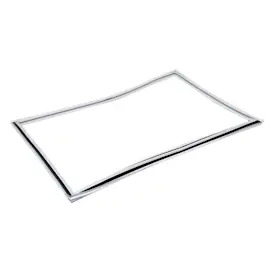
- Check the lid seal for gaps, frost buildup, or debris.
- Confirm airflow around the cabinet; keep a few inches of clearance on all sides.
- Let it stabilize after a move or power outage; cooling can take several hours.
When a part may be involved
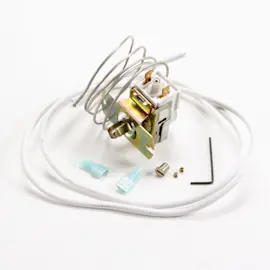
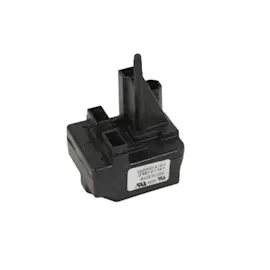
If the green light stays on and the freezer is not getting cold, common suspects are the temperature control or compressor start components.
| Symptom | What it often points to | Example part on this model page |
|---|---|---|
| Runs constantly, temperature never reaches set point | Temperature control stuck closed or sealed-system issue | Temperature control |
| Clicking, won’t start, or starts then stops | Start relay, overload, or run capacitor | Start relay 4356716, run capacitor WPW10662129, overload 2264602 |
Why it matters
A cycling green light usually means your C7J is regulating temperature normally. A light that stays on with poor cooling can signal a control or compressor-start problem that can prevent safe food storage.
Last updated: February 2026
How do I reset a chest freezer?
To reset your Magic Chef C7J chest freezer, unplug it for 5 minutes, then plug it back in and set the temperature control back to your normal setting. This clears minor control glitches and restarts the compressor and thermostat cycle.
Quick reset steps (works for most chest freezers)
- Unplug the freezer from the wall outlet.
- Wait 5 minutes (10 minutes if it was rapidly clicking or trying to start).
- Plug it back in.
- Set the temperature control to a mid setting.
- Allow 12 to 24 hours for temperatures to fully stabilize.
If it still will not restart or cool
A “reset” will not fix a failed start circuit or temperature control. These checks narrow it down:
- No sound at all: verify the outlet has power and the cord is firmly seated.
- Clicking every few minutes: the compressor may be failing to start; the start components are common suspects.
- Runs but not cold enough: check the lid seal, airflow around the cabinet, and the control setting.
- Trips breaker or blows fuse: unplug immediately and inspect for damaged wiring.
Helpful DIY testing guidance: how to use a multimeter to test electrical parts video
Common parts related to “won’t start” symptoms
If your C7J is clicking, humming briefly, or not starting, these parts are often involved:
| Symptom | Most likely area | Example part on this model page |
|---|---|---|
| Clicks, compressor will not start | Start circuit | Start relay 4356716 |
| Hums then clicks off | Start circuit / overload | Overload 2264602 |
| Slow or hard starting | Electrical assist | Run capacitor WPW10662129 |
Why it matters
Resetting by removing power protects the compressor from rapid restarts and clears minor electrical or control issues. If the freezer repeatedly needs resetting, the start relay, overload, capacitor, wiring, or temperature control is usually the real cause.
Last updated: February 2026
How do I find the model number on my C7J?
The model number is printed on the freezer’s model and serial tag. On a Magic Chef chest freezer like model C7J, that tag is usually inside the cabinet near the top rim, or on the back near the power cord and compressor area.
Where to look on a Magic Chef C7J chest freezer
Check these common tag locations:
- Inside the freezer, on the upper left or right cabinet wall
- Under the lid, along the top rim (near the gasket)
- On the exterior back panel near the compressor compartment
- Near the power cord entry point
- On a side panel close to the rear
What you should write down
For parts lookup and diagrams, we recommend recording:
- Model number (for this unit, look for C7J)
- Serial number
- Any revision letters or additional digits printed with the model
- Electrical rating info (volts/amps), if shown
Why it matters for ordering parts
Even small model variations can use different temperature controls, wiring, or start components. Using the exact model number helps match the correct parts list for your freezer.
| If the tag shows | Use it for |
|---|---|
| Model number | Finding the correct parts diagram and part fit |
| Serial number | Identifying production run details when needed |
| Electrical ratings | Confirming compatibility for electrical parts |
If the label is missing or unreadable
Use the parts list and diagrams for model C7J as your starting point, then match by description and location. For example, common C7J service parts include the wire basket 8210434A and electrical start components like the start relay 4356716.
For more help identifying the correct model tag format, use how to find your appliance model number (and what it means for parts).
Last updated: March 2026