- Kenmore refrigerator water filters
- Whirlpool refrigerator water filters
- Samsung refrigerator water filters
- GE refrigerator water filters
- LG refrigerator water filters
- Frigidaire refrigerator water filters
- KitchenAid refrigerator water filters
- Maytag refrigerator water filters
- Kenmore Elite refrigerator water filters
- Estate refrigerator water filters
- GE Profile refrigerator water filters
- Amana refrigerator water filters
- Bosch refrigerator water filters
- Dacor refrigerator water filters
- Electrolux refrigerator water filters
Top DIY repair help
View All Repair Categories
Appliances
Lawn & Garden
Power Tools
Home Improvement
Sports & Leisure
Heating & Cooling
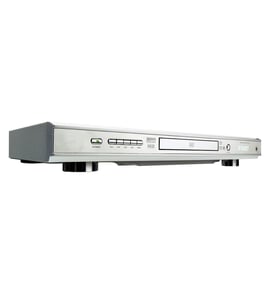
Midland Video equipment Parts — Browse All Models
You rely on your Midland video equipment to provide the clear video playback you expect from video media. Midland video equipment includes the features you look for in video electronics. When your Midland video equipment isn't working properly, you can find the repair parts you need to fix the equipment at Sears PartsDirect.


Frequently bought Midland parts

Lxi Ic K1a7205cp
In Stock
$11.99

Qty

Midland Magnet
In Stock
$32.99
Qty
Popular maintenance items for Video Equipment
Ic
Part #670602501
This item is not returnable
In Stock
$3.51
Qty
Coil Line
In Stock
$36.39
Qty
Owner's Manual
In Stock
$26.05
Qty
Transformer
In Stock
$32.97
Qty
Owner's Manual
Part #IB38480001
This item is not returnable
In Stock
$4.99
Qty
Plate
In Stock
$43.04
Qty
Connecting your Midland video equipment to the television
- Refer to the user's manual of the television for information on connecting the video equipment to the television. Follow the user's manuals instructions on selecting the type of cable and television connection jack or jacks to use when connecting the video equipment to the television.
- Turn off the video equipment and the television before connecting the video equipment to the television.
- To connect the video equipment to the television using the HDMI cable, plug the HDMI cable into the HDMI Out jack on the video equipment. Plug the other end of the HDMI cable into the HDMI In jack of the television.
- To connect the video equipment to the television using an HDMI-DVI cable and audio cable, plug the HDMI plug into the HDMI Out jack on the video equipment. Plug the DVI connector into the DVI In jack on the television. Connect the audio cable to the Audio Out jacks on the video equipment and the Audio In jacks on the television.
Common replacement parts for Midland video equipment
- HDMI cable. The HDMI cable connects the video equipment to the television and transmits the digital video and audio signals from the video equipment to the television for playback.
- Power cord. The power cord supplies electrical current to the video equipment components.
- Disc tray. The disc tray opens and allows you to insert a DVD or CD into the DVD player of the video equipment.
- Remote control. The remote control allows you to control video equipment settings and functions from a remote location. The remote control communicates setting and function selections to the video equipment using RF (radio frequency) signals.
Parts & More
Bottom-Mount Refrigerator
Electric Range
Electric Wall Oven
Front-Engine Lawn Tractor
Gas Walk-Behind Mower
Parts
Rear-Engine Riding Mower
Refrigerator
Side-By-Side Refrigerator
Table Saw