Error Codes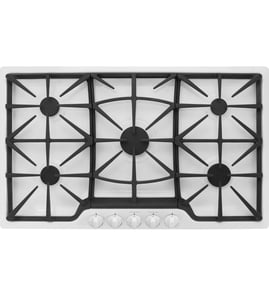




Can you use a downdraft vent with a gas cooktop?
Yes. You can use a downdraft vent with a gas cooktop, and the Jenn-Air JGD8348CDP is designed around downdraft-style ventilation. The key is matching the cooktop to the correct downdraft blower and keeping the vent path clean so airflow stays strong.
What to check before you install or replace downdraft parts
- Confirm your cabinet and duct routing allow a straight, short run (long runs reduce airflow).
- Make sure the blower wheel spins freely and is not rubbing the housing.
- Keep the grease filter clean; a clogged filter is the most common cause of weak downdraft.
- Verify the cooktop has power; the downdraft system needs electricity even though the burners use gas.
- If the fan will not turn on, test the fan switch and related wiring connections.
Common downdraft vent parts for JGD8348CDP
These are typical parts involved when the downdraft is noisy, weak, or not running:
| Symptom | Most likely area | Example part for this model |
|---|---|---|
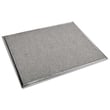
| Weak airflow | Grease filter clogged | Range downdraft vent grease filter WP707929 |
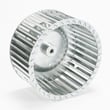
| Loud rattling or vibration | Blower wheel dirty, damaged, or loose | Blower wheel WPY707985 |
| Fan will not start | Switch not closing, failed switch | Jenn-air cooktop fan switch 74009662 |
Why it matters
Downdraft ventilation pulls smoke and steam downward, which is especially helpful for island installations or kitchens where an overhead hood is not practical. On a gas cooktop, good airflow also helps keep heat, grease, and odors from lingering around the burners and grates.
Last updated: January 2026
How long do Jenn-Air cooktops last?
Most Jenn-Air gas cooktops like model JGD8348CDP typically last 10 to 15 years with normal household use. Keeping burners clean, ensuring steady ignition, and maintaining the downdraft vent (if equipped) helps you reach the upper end of that range.
Typical lifespan and what affects it
A cooktop’s life depends less on the glass or metal top and more on wear items like igniters, switches, and gas valves.
- Daily high-heat cooking shortens lifespan faster than light use
- Spills and boilovers can foul burner ports and ignition parts
- Moisture and harsh cleaners can damage igniters and electrodes
- Poor ventilation can overheat nearby components
- Using the correct cookware size reduces heat stress on grates and burners
Quick maintenance checklist (high impact)
- Clean burner caps and ports regularly; keep ports clear of debris
- Dry the cooktop surface after cleaning to protect ignition components
- Avoid flooding the burner area with water or spray cleaner
- Keep the vent intake and grease filter clean if your unit uses downdraft ventilation
- Address weak or delayed ignition early to prevent repeated clicking and extra wear
Common wear items and what they usually mean
| Symptom | Most common cause | What we typically replace |
|---|---|---|
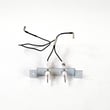
| Clicking but no flame | Dirty/wet electrode area or failing igniter | Cooktop burner igniter electrode WP74006072 |
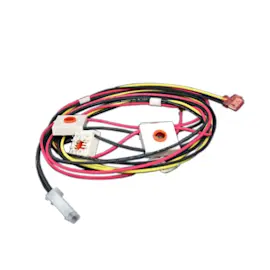
| No spark on one burner | Failed igniter or wiring issue | Range surface burner igniter 74004053 |
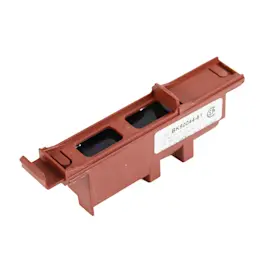
| Continuous sparking | Stuck/failed ignition switch | Cooktop burner igniter switch 74007003 |
| Poor venting or greasy airflow | Clogged or damaged filter | Range downdraft vent grease filter WP707929 |
Why it matters
A well-maintained ignition system lights faster and reduces gas buildup, and a clean vent path helps manage heat and grease. Both directly support safer operation and help your JGD8348CDP cooktop reach its expected service life.
Last updated: January 2026
How do I reset a Jenn-Air cooktop?
To reset your Jenn-Air cooktop model JGD8348CDP, turn the cooktop off, then shut off power at the circuit breaker for 1 minute. Restore power and watch the cooktop for about 1 minute to confirm normal operation and that any error indication does not return.
Reset steps (safe, standard power reset)
- Turn all burner knobs to OFF.
- Turn OFF the cooktop circuit breaker (or unplug the cooktop if it uses a plug-in power cord).
- Wait 60 seconds.
- Turn the breaker ON (or plug the cooktop back in).
- Test ignition on one burner; confirm the igniter clicks and the flame lights normally.
- If an error or abnormal behavior returns, repeat the reset once after the cooktop cools.
If the reset does not fix the problem
A reset clears many temporary control or lock conditions, but it will not correct a failed ignition or venting component.
Common symptoms and likely next checks:
- No clicking at any burner: check household power, then inspect the ignition switch circuit.
- One burner will not spark: clean and dry the burner area; inspect the electrode and wiring.
- Constant clicking: moisture or a stuck switch is common; let the cooktop dry fully and re-test.
- Downdraft fan issues: check the fan switch and grease filter condition.
Parts that commonly relate to “won’t ignite” or “keeps clicking”
If troubleshooting points to ignition components, these model-matched parts are common fixes:
| Symptom | Part to consider | What it does |
|---|---|---|
| Burner will not spark | Cooktop burner igniter electrode WP74006072 | Creates the spark at the burner |
| Intermittent or no ignition | Igniter assembly WP74005890 | Provides ignition function for the burner system |
| Clicking or ignition only when knob is moved | Cooktop burner igniter switch 74007003 | Signals ignition when a knob is turned |
Why it matters
A proper reset restores normal control operation after a power interruption or temporary fault. If ignition problems continue after a reset, focusing on the igniter electrode, igniter assembly, or igniter switch helps you fix the root cause instead of repeatedly cycling power.
Last updated: January 2026
How do I turn on a Jenn-Air gas stove top?
To turn on the Jenn-Air JGD8348CDP gas cooktop, choose the burner you want, press the control knob in, and turn it to the LITE/ignite position until the burner lights; then adjust the flame to your cooking setting.
Step-by-step: lighting a surface burner
- Make sure the burner cap and burner head are seated flat and centered.
- Push the burner knob straight in.
- Turn the knob to the LITE/ignite position; you should hear clicking.
- When the flame lights, keep the knob held in briefly, then release.
- Turn the knob to set the flame height (low to high).
- If the burner does not light within a few seconds, turn the knob OFF, wait at least 1 minute, then try again.
If it clicks but will not light
These checks solve most “no ignition” complaints on gas cooktops.
| What you notice | Most common cause | What to do |
|---|---|---|
| Clicking sound, no flame | No gas flow | Confirm another burner lights; verify the gas shutoff valve is open. |
| Clicking sound, weak or delayed ignition | Wet or dirty burner parts | Dry the burner cap/head; clean ports with a soft brush. |
| No clicking on any burner | Power issue | Confirm the cooktop has power (outlet, breaker, GFCI). |
| Clicking continues after lighting | Moisture or misaligned parts | Dry and reseat the cap; wipe around the electrode tip. |
Parts that commonly affect ignition
If cleaning and reseating do not help, ignition parts are the next place we look on the JGD8348CDP.
- Range surface burner igniter 74004053: the spark igniter that helps light the gas at the burner.
- Igniter assembly WP74005890: the igniter assembly used in the ignition system.
- Cooktop burner igniter switch 74007003: the switch that triggers sparking when you turn the knob.
Why it matters
Correct lighting technique and properly seated burner parts help the igniter spark in the right spot, which prevents delayed ignition, uneven flames, and repeated clicking.
Last updated: January 2026