Installation guide
 Owner’s manual
 Error Codes




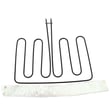
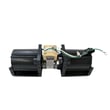
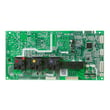
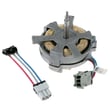
How do I fix the F2 code on my oven?
On the GE PT7550SF2SS electric wall oven, an F2 code is a function error that often relates to overheating, a temperature-sensing problem, or a control issue. We recommend canceling the cycle, letting the oven cool fully, then resetting power; if the code returns, focus on the oven temperature sensor circuit and related wiring.
Quick reset steps (do these first)
- Press Cancel/Off.
- Let the oven cool for 1 hour.
- Try baking again.
- If the code repeats, turn off power at the breaker for at least 30 seconds, then restore power.
- If the code comes back again, move to sensor and airflow checks in the owner's manual.
Check the most common causes
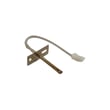
1) Temperature sensor and wiring
A drifting or open sensor can make the control think the oven is too hot.
- Inspect the sensor harness for loose plugs, pinched wires, or heat damage.
- If you have a multimeter, test the sensor resistance at room temperature (many oven sensors read around 1,080 to 1,100 ohms at about 70°F).
- Replace the sensor if readings are far off or intermittent.
Helpful model-matched part:
2) Airflow and cooling fan operation
Poor airflow can cause real overheating.
- Make sure the oven vents are not blocked.
- Confirm the cooling fan runs when the oven is hot.
- Verify the bottom air duct opening is free of obstructions (installation checklist item).
Helpful model-matched part:
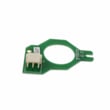
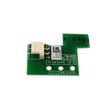
3) Control board or sensor board issues
If the sensor tests good and airflow is normal, the control may be misreading temperatures.
Helpful model-matched part:
What to check and what it points to
| What you observe | Most likely direction | What to do next |
|---|---|---|
| F2 appears during preheat | Sensor circuit or airflow | Test sensor, check fan/vents |
| F2 appears after long bake | Overheating or fan issue | Verify cooling fan and duct opening |
| F2 returns immediately after reset | Control or wiring fault | Inspect harness, consider board diagnosis |
Why it matters
An F2 code is the oven telling you it cannot reliably control temperature. Fixing the sensor circuit or airflow problem helps prevent undercooking, overcooking, and repeated shutdowns.
Last updated: February 2026
How long do GE PT7550SF2SS ovens last?
A GE PT7550SF2SS electric wall oven lasts 15 years.
What affects lifespan most
- Heat stress on electronics: frequent high-heat cooking and long bake times age control boards and sensors faster.
- Self-clean usage: high temperatures can shorten the life of door locks, wiring, and temperature sensing parts.
- Door seal condition: a worn gasket leaks heat, forcing longer run times and more cycling.
- Cooling airflow: blocked vents or a weak cooling fan raises internal temperatures.
- Prompt repairs: replacing a failing sensor or fan early prevents bigger failures.
Parts that commonly impact performance over time
If your oven starts running hot/cold, takes longer to preheat, or throws temperature-related errors, these model-matched parts are common fixes:
- Wall oven temperature sensor WB21X10165
- Wall oven cooling fan assembly WB26X35088
- Wall oven door seal WB35X32825
Quick “age vs. symptoms” guide
| Oven age | What you may notice | What we check first |
|---|---|---|
| 0 to 5 years | Minor calibration complaints | Temperature sensor, settings in the manual |
| 6 to 10 years | Longer preheat, uneven baking | Sensor, cooling fan operation |
| 11 to 15 years | More frequent faults, heat loss | Door seal, fan, wiring connections |
Why it matters
A wall oven that holds temperature accurately and vents heat correctly cooks more evenly and puts less strain on major components like the control board and wiring harness. Following the cleaning and use guidance in the owner's manual helps you reach the full 15-year service life.
Last updated: February 2026
How to disable control lock on GE wall oven?
To disable Control Lock on your GE PT7550SF2SS electric wall oven, press and hold the Lock Controls pad for 3 seconds to unlock the control panel. The Cancel/Off pad stays active even when the controls are locked (see the owner's manual).
Quick steps to turn Control Lock off
- Press and hold Lock Controls for 3 seconds.
- Watch for the lock indicator to turn off (or for the display to confirm unlock).
- Try a simple function (like Oven Light or Bake) to confirm the keypad responds.
- If the oven is running, use Cancel/Off to stop cooking (it works even while locked).
If it still will not unlock
Control Lock is a keypad feature, so problems are usually related to the touch panel, power, or a stuck key.
- Reset power: turn the breaker off for 1 minute, then back on.
- Make sure you are pressing the correct pad: Lock Controls (not Remote Enable).
- Press firmly and hold the full 3 seconds.
- If the keypad seems unresponsive in multiple areas, inspect for moisture or residue on the control surface and wipe it dry.
What the oven should do (normal behavior)
| Situation | What you should see | What still works |
|---|---|---|
| Controls locked | Pads do not activate cooking settings | Cancel/Off |
| Controls unlocked | Pads respond normally | All functions |
Why it matters
Control Lock prevents accidental keypad presses during cleaning or when children are nearby. Knowing that Cancel/Off is always active helps you stop the oven quickly even if the panel is locked.
Last updated: February 2026
What are the parts of an electric oven?
An electric oven like the GE PT7550SF2SS is built around heating, temperature sensing, airflow, lighting, and door-sealing parts that work together to cook evenly and safely. The most common “core” parts are the bake and broil heating elements, oven racks, temperature sensor, cooling fan system, and the door gasket.
Main parts you will find in most electric wall ovens
- Heating system: bake element (bottom) and broil element (top)
- Temperature control: oven temperature sensor and electronic control board(s)
- Airflow and cooling: convection fan (if equipped) and cooling fan assembly
- Door and safety: door hinges, door seal (gasket), and door lock/latch (on models with self-clean)
- Interior basics: oven racks, rack supports, and the oven light bulb
PT7550SF2SS examples of common replacement parts
These are examples of parts we commonly see serviced on this model:
| Oven function | Example part on this model | What it affects |
|---|---|---|
| Temperature sensing | Wall oven temperature sensor WB21X10165 | Preheat accuracy, overheating, error codes |
| Broiling heat | Wall oven broil element WB44X48685 | Broil performance, browning |
| Door sealing | Wall oven door seal WB35X32825 | Heat retention, cooking consistency |
| Cooling airflow | Wall oven cooling fan assembly WB26X35088 | Cabinet cooling, control protection |
| Door locking | Latch assembly WB10X28391 | Self-clean lock operation |
Why it matters
Knowing the major oven components helps you troubleshoot faster. For example, uneven baking often points to a heating or sensing issue, while excessive exterior heat or long cool-down times often point to the cooling fan system.
Quick tips before you troubleshoot or replace parts
- Turn off power at the breaker before inspecting wiring or components.
- Confirm the symptom (no heat, slow preheat, uneven bake, door won’t unlock, no light).
- Check the easiest items first (light bulb, door seal condition, loose connectors).
- Use the wiring diagram and component locations in the PT7550SF2SS owner’s manual.
- If the oven is being installed or reinstalled, follow the hard-wiring and junction box requirements in the PT7550SF2SS installation guide.
Last updated: February 2026