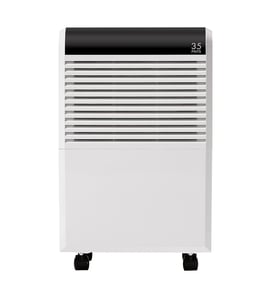

How many hours a day should you run a dehumidifier?
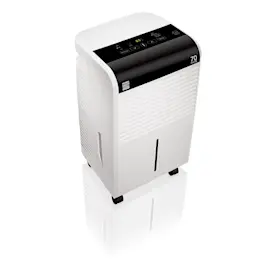
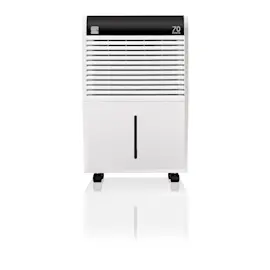
For the Kenmore 106639113 dehumidifier, most homes run the unit 4 to 8 hours per day; in very damp areas (basements, laundry rooms, bathrooms) it may need to run longer until the space stays near 45% to 55% relative humidity.
How to choose the right daily runtime
Use humidity and comfort as your guide, not a fixed schedule:
- Start at a 50% RH setting (or “comfort” setting if your control panel uses that wording)
- Run longer during rainy/humid weather or when windows are open
- Run less when the room feels dry or you see static, dry skin, or wood shrinkage
- Keep doors closed to the space you are drying for faster results
- Empty the bucket regularly or set up continuous drain if your model supports it
Quick runtime guide (typical)
| Room condition | Typical runtime | What you should see |
|---|---|---|
| Mild humidity (50% to 60% RH) | 2 to 4 hours/day | Bucket fills slowly, air feels less “sticky” |
| Damp space (60% to 70% RH) | 4 to 8 hours/day | Steady water collection, musty odor improves |
| Very damp (70%+ RH) | 8 to 24 hours/day | Frequent bucket fills until humidity drops |
If it runs a lot but doesn’t collect much water
That usually points to airflow, temperature, or a control/sensor issue:
- Clean the air intake and filter area; dust buildup reduces airflow
- Make sure the room is above about 65°F; coils can frost in cooler spaces
- Verify the humidity setting is not set too high (for example, 60% to 65%)
- Check that the bucket is seated correctly and the “bucket full” switch is not stuck
For deeper troubleshooting and repair steps, use dehumidifier doesn't remove moisture and how to clean a dehumidifier.
Why it matters
Running the right number of hours helps prevent mold-friendly humidity while avoiding over-drying, unnecessary noise, and extra energy use. The goal is stable humidity control, not maximum runtime.
Last updated: January 2026
What do the numbers on a dehumidifier mean?
On the Kenmore 106639113 dehumidifier, the numbers you set on the control panel typically indicate the target relative humidity (RH) percentage you want the room to reach (for example, 45 means 45% RH). Some displays also show current room humidity or a fan-speed level.
What you are usually seeing on the display
Most dehumidifiers use numbers in one of these ways:
- Set humidity (RH%): the goal the unit will maintain by cycling the compressor on and off
- Current humidity (RH%): what the sensor is reading in the room right now
- Fan speed level: low, medium, high, or a numbered level depending on the design
- Timer hours: how many hours until the unit turns on or off
- Error code: a letter/number combination that points to a specific fault
If the unit is acting unusual and you see a code instead of a percentage, use our dehumidifier error codes landing page to match the code to the likely cause.
Recommended humidity settings (practical targets)
A good everyday target is usually 45% to 50% RH. Adjust based on comfort and conditions:
| Situation | Typical target setting | What you may notice |
|---|---|---|
| Normal living areas | 45% to 50% | Comfortable, less musty odor |
| Damp basement | 40% to 45% | Drier air, less condensation |
| Very dry winter air | 50% to 55% | Helps avoid over-drying |
| If you see frost on the coil | 50% to 60% temporarily | Longer off-cycles can reduce icing |
Quick checks if the numbers do not seem to “work”
If you set 45% but the room never reaches it (or the unit never shuts off), these steps usually help:
- Clean the air filter and make sure the intake and exhaust are not blocked
- Close windows and doors; outside air can keep humidity high
- Verify the bucket is seated fully and the float switch is not stuck
- Let the unit run 24 hours after moving it; sensors stabilize with steady airflow
- If the unit runs but does not remove moisture, follow dehumidifier doesn't remove moisture
Why it matters
The number you choose controls how hard the dehumidifier works. A lower RH setting removes more moisture but can increase run time, noise, and energy use. A realistic target helps protect floors, walls, and stored items from dampness while keeping the space comfortable.
Last updated: January 2026
What is the downside of a dehumidifier?
The main downside of using a dehumidifier (including Kenmore model 106639113) is over-drying the air. If humidity drops too low, you can get dry skin, irritated sinuses, more static electricity, and potential drying or shrinking of wood furnishings.
Common downsides (and what to do about them)
- Air gets too dry: Aim for 30% to 50% indoor relative humidity.
- Heat and noise: Most units add some warmth and make fan/compressor noise.
- Higher electric use: Long run times increase energy costs.
- More maintenance: Bucket emptying, filter cleaning, and coil cleaning are ongoing.
- Drain or bucket issues: Poor leveling or a clogged drain path can cause leaks.
Quick settings guide
| Situation | Recommended action | Why |
|---|---|---|
| Dry throat, dry skin, static | Raise humidity setpoint or run less | Prevents over-drying |
| Musty basement smell | Run longer, target ~45% | Reduces mold-friendly moisture |
| Water on floor | Check level, bucket seating, drain hose | Prevents overflow/leaks |
| Frost on coil | Increase room temp, clean filter, allow defrost | Restores airflow and performance |
Why it matters
Humidity that is too high encourages mold and odors, but humidity that is too low causes comfort problems and can stress wood materials. Keeping the dehumidifier in a normal target range protects both comfort and the space.
When a “problem” points to a repair
If the unit runs constantly, is noisy, or leaks, it is often a maintenance or component issue (not just a normal downside). Use our troubleshooting steps in dehumidifier common questions and leak guidance in dehumidifier leaks water.
Last updated: January 2026