 Installation guide
 Owner’s manual
 Error Codes


Is there a way to reset a Frigidaire Gallery dishwasher?
Yes. On the Frigidaire FGID2468UF0A dishwasher, the most reliable “reset” is canceling the current cycle so the control clears the active program and runs a short drain; then you can start a fresh wash cycle.
Quick reset steps (cancel and drain)
- Press and hold START/CANCEL for 3 seconds.
- The cycle and option lights should turn off.
- The dishwasher will run a 90-second drain.
- When draining ends, select your desired cycle and press START/CANCEL to begin.
- For model-specific button names and indicator lights, use the FGID2468UF0A owner's manual.
If it still acts “stuck” after canceling
These checks fix most “won’t start” or “won’t respond” complaints after a reset:
- Control lock: If controls are locked, press and hold DELAY START for 3 seconds to unlock.
- Door latch: Open and firmly re-close the door; the cycle will not start if the door is not fully latched.
- Power reset: Turn the dishwasher off at the breaker for 1 minute, then restore power.
- Drain issue: If water remains in the tub, check the filter area for debris and review dishwasher not draining video.
What “reset” does (and does not) do
| Action | What it does | When to use it |
|---|---|---|
| Cancel and drain (hold START/CANCEL 3 sec) | Stops the cycle and drains for about 90 seconds | Error, wrong cycle selected, mid-cycle interruption |
| Control lock toggle (hold DELAY START 3 sec) | Locks or unlocks the keypad | Buttons won’t respond |
| Breaker power reset (1 minute) | Reboots the control | Frozen display, unresponsive console |
Why it matters
Canceling the cycle prevents the dishwasher from trying to continue a stalled wash program. It also clears the tub so the next cycle starts with the correct water level, heating, and wash actions.
Last updated: January 2026
How do I run a diagnostic on my Frigidaire dishwasher?
On the Frigidaire FGID2468UF0A dishwasher, diagnostics are used to help identify stored fault conditions (often shown as an error code in the display or status window). We recommend following the model’s exact key sequence in the FGID2468UF0A owner’s manual so the unit enters the correct test mode and reports codes accurately.
What to do before you start diagnostics
- Make sure the dishwasher has power and the door is fully latched.
- Turn the water supply valve fully on (a closed valve commonly triggers fill-related errors).
- Remove standing water from the tub if it is unusually high.
- Reset the control by pressing START/CANCEL, then closing the door within 4 seconds (this is the normal start behavior for this model family).
- If the dishwasher is mid-cycle, cancel and let it drain before attempting tests.
How diagnostics typically work on Frigidaire dishwashers
Most Frigidaire dishwashers use a button sequence to enter a service or diagnostic mode, then they display a stored code or run a short test that checks filling, washing, heating, and draining. Use the FGID2468UF0A owner’s manual for the exact steps and any model-specific display behavior.
Common symptoms diagnostics can help narrow down
| Symptom | What to check first | Parts often involved |
|---|---|---|
| Won’t fill or fills slowly | Water supply valve on, inlet screen, household pressure | Water inlet valve, float switch |
| Won’t drain | Drain hose routing, disposer knockout, filter area | Drain pump, drain hose |
| Not drying | Rinse aid use, heated dry option, cycle selection | Heating element |
| Poor cleaning | Filter condition, spray arm movement, loading | Filter, sprayer |
If you’re seeing a fill-related code (example: “I10”)
A fill error is often caused by the water supply being off, a kinked supply line, or the float being stuck in the “full” position.
- Confirm the shutoff valve under the sink is fully open.
- Check that the float moves freely and is not blocked by debris.
- Inspect the inlet valve area for sediment buildup.
- If the dishwasher still will not fill, the dishwasher float switch 154773201 or the water inlet valve may be the next items to test.
Why it matters
Running diagnostics the right way prevents misreading stored codes and helps you avoid replacing good parts. It also points you toward the correct system (fill, heat, wash, or drain) so troubleshooting stays focused.
Last updated: January 2026
How to figure out a Frigidaire dishwasher model?
To identify your Frigidaire dishwasher model (including FGID2468UF0A), we look for the rating label on the dishwasher itself. On most Frigidaire dishwashers, it’s located just inside the door, typically along the left side, and it lists both the model number and serial number.
Where to find the model and serial number
Check these common label locations first:
- Open the dishwasher door and look along the inner door frame
- Check the left side of the tub opening (most common)
- Look near the top edge of the inner door area
- Wipe the area with a damp cloth if the label is hard to read
For diagrams and model-specific details, use the FGID2468UF0A owner’s manual.
What to write down (and why)
Record the information exactly as shown on the label.
- Model number: identifies the exact design and parts list
- Serial number: helps match production changes and correct revisions
- Purchase date (if known): useful for service history and warranty reference
Quick reference
| Item | What it’s used for | Example format |
|---|---|---|
| Model number | Matching parts and procedures | FGID2468UF0A |
| Serial number | Matching production run details | Letters + numbers |
Why it matters
Frigidaire often uses similar-looking dishwasher designs across multiple model numbers. Using the exact model number prevents ordering the wrong part (like a control board, water inlet valve, or drain pump) and helps ensure troubleshooting steps match your console and features.
Last updated: January 2026
What is the most common problem with the Frigidaire dishwasher?
The most common issue we see with the Frigidaire FGID2468UF0A dishwasher is water left in the bottom of the tub after a cycle, which points to a draining problem. The good news is that many drain problems start with simple checks like the filter area, drain hose routing, and sink connection.
What to check first (fast, no-parts steps)
- Cancel the cycle and run a drain function, then listen for the drain pump running.
- Check the filter area for debris and confirm it is seated correctly.
- Inspect the sink drain or garbage disposal inlet where the dishwasher drain connects (clogs are common).
- Look for kinks, sags, or crushing in the drain line.
- Confirm the dishwasher is level; an out-of-level unit can contribute to leaks and poor draining.
When it is likely a part problem
If the tub still holds water after you clear clogs and confirm the hose path is correct, a failed drain component becomes more likely.
Common parts tied to “won’t drain” symptoms:
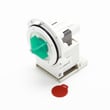
- Drain pump a A00126401 (pump runs weakly, hums, or will not move water)
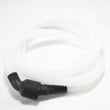
- Dishwasher drain hose 807117001 (internal blockage, split hose, or poor routing)
- Dishwasher float switch 154773201 (overfill protection stuck, can interrupt normal operation)
Quick symptom guide
| Symptom | Most likely cause | Best next step |
|---|---|---|
| Water left in tub | Clog or drain restriction | Clean filter area; check sink connection |
| Loud hum, little/no draining | Drain pump issue | Test drain; inspect pump area |
| Leaks near door | Door gasket not seated or unit not level | Reseat gasket; level the dishwasher |
| Long cycles | Normal energy-saving behavior or heating/temp delays | Review cycle options in the manual |
Why it matters
Standing water can lead to odors, poor cleaning, and repeat clogs. Addressing drain restrictions early also helps protect the pump and keeps cycle performance consistent.
Helpful references
- Use the troubleshooting section in the FGID2468UF0A owner's manual for “Water in Bottom of Tub” and other common symptoms.
- For step-by-step diagnosis, follow dishwasher not draining video.
Last updated: January 2026





