Owner’s manual
 Error Codes






Can I start my Samsung oven remotely?
Yes, you can typically start the oven remotely on a Samsung FE710DRS electric range if the range supports SmartThings remote functions and you complete the required on-range “remote enable” step first. The exact button name and sequence can vary by version; confirm the steps in the FE710DRS use & care manual.
- SmartThings app installed and signed in
- Range connected to your home Wi-Fi network
- Remote control feature enabled at the range control panel (often required each cooking session)
- A stable Wi-Fi signal at the range location
On many Samsung smart ranges, remote start is a two-part process: you pair the range to SmartThings, then you enable remote control at the control panel so the app can start a bake cycle.
- Add the range in SmartThings and complete pairing
- Enable the range’s remote control mode at the control panel
- In the app, choose the oven mode (for example, Bake), set temperature and time, then start
- If remote start is blocked, check for a “Remote” indicator light or setting that must be turned on
Remote start is designed to prevent unintended operation. Requiring an on-range confirmation step helps ensure someone is physically present to verify the oven is empty, safe, and ready to run.
| Symptom | Most common cause | What to do |
|---|---|---|
| App connects but Start is disabled | Remote mode not enabled at the range | Enable remote control at the control panel, then retry |
| Commands are delayed or fail | Weak Wi-Fi at the range | Improve coverage; see how do i extend wi fi coverage in my home |
| Range shows offline | Router/app account issue | Reboot router, re-open app, confirm Wi-Fi credentials |
Last updated: January 2026
How to hard reset a Samsung oven?
To hard reset your Samsung FE710DRS electric range oven, turn OFF the range’s power at the home circuit breaker for 5 to 10 minutes, then turn it back ON. This power-cycle resets the electronic control and often clears a blank display, glitches, or a frozen keypad.
- Turn the oven OFF.
- Switch the range breaker OFF (or remove the fuse if applicable).
- Wait 5 to 10 minutes (do not press keys during this time).
- Restore power by switching the breaker ON.
- Set the clock and test Bake.
For control locations and model-specific keypad features, use the FE710DRS manual.
| Reset type | What you do | Best for |
|---|---|---|
| Soft reset | Cancel/Off/Clear (varies by model) | Minor mode selection issues, quick recovery |
| Hard reset | Breaker OFF 5 to 10 minutes | Frozen controls, blinking/blank display, persistent errors |
These checks apply to FE710DRS and most Samsung electric ranges:
- Control lock may be on; look for a lock indicator and hold the lock key (or the specified key combo) for a few seconds.
- Confirm the range has the correct 240V power supply; a tripped breaker can leave you with lights but no heat.
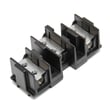
- If the display is dead or erratic, inspect for a loose or damaged wire connection at the terminal block (power must be OFF).
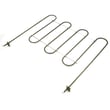
- If heating is the issue (not the display), suspect a failed bake element, broil element, temperature sensor, or electronic control board.
A hard reset clears temporary control-board faults without replacing parts. If the problem returns quickly, it usually points to a power supply issue, a failing keypad/control, or a heating circuit problem that needs diagnosis.
Last updated: January 2026
How to use Samsung delay start oven?
To use Delay Start on your Samsung FE710DRS range, we set the oven mode and temperature first, enter the cook time (how long it will bake), then set the delay time (when you want it to begin). The oven waits, starts automatically, then shuts off when cook time ends (if timed cooking is used). See the exact keypad sequence in the FE710DRS user manual.
- Press Bake (or your desired mode such as Convection Bake, if equipped).
- Set the temperature, then press Start/Set.
- Press Cook Time and enter the desired duration (for example, 3:00 for 3 hours).
- Press Delay Start and enter the time you want cooking to begin.
- Press Start/Set to confirm.
| Setting | What you enter | What happens |
|---|---|---|
| Mode/Temp | Bake at 300°F | Oven is programmed but does not heat yet |
| Cook time | 3:00 | Oven will run for 3 hours once it starts |
| Delay start | 7:00 PM | Oven begins heating at 7:00 PM |
On many Samsung models, the display shows a countdown to the delayed start time. After the start time is reached, it switches to counting down the cook time.
- Use Delay Start for baking/roasting; avoid using it for foods that should not sit out (especially raw meats).
- Confirm the oven clock is set correctly before programming Delay Start.
- If the oven does not start, cancel the cycle and reprogram; a missed Start/Set press is a common cause.
- If the control panel is unresponsive, check for Control Lock/Child Lock being enabled.
Delay Start is a timed cooking feature; setting cook time and delay time correctly prevents undercooking, overcooking, and unexpected shutoff.
Last updated: January 2026