 Installation guide
 Owner’s manual
 Error Codes




How do you reset a GE electric stove?
To reset a GE electric stove such as model JBS60DF1WW, we recommend doing a full power reset at the home breaker: turn the range circuit OFF for 60 seconds, then turn it ON. This clears many control glitches and restores normal operation.
- Turn the range circuit breaker OFF (or remove the range fuse).
- Wait 60 seconds so the electronic control fully powers down.
- Turn the breaker ON.
- Set the clock and test Bake and a surface element.
- If the display shows an error again, write down the exact code before resetting a second time.
These checks address the most common causes after a reset:
- Confirm the breaker is fully seated in the ON position (some breakers look on but are tripped).
- Check for a loose or overheated power connection at the range terminal block (power must be disconnected first).
- If only the oven will not heat, inspect for a failed heating circuit (bake element, wiring, or control).
- If the control panel is blank or erratic, the electronic control may be failing.
| Symptom after reset | Most likely area to check | What to do next |
|---|---|---|
| Display is blank | Power supply, breaker, terminal block | Verify 240V supply and wiring connections |
| Oven will not heat | Bake circuit | Inspect/replace the range bake element WB44X45495 if damaged |
| Error code returns | Control or sensor circuit | Use the GE freestanding range error codes guide to match the code |
A breaker reset is the fastest way to clear a temporary software lockup, but repeated failures usually point to a power supply issue (breaker/terminal block) or a failed component such as the bake element or control board.
For model-specific electrical and safety details (including disconnecting power at the breaker before service), follow the JBS60DF1WW installation guide.
Last updated: January 2026
What is the F1 code on a GE Profile?
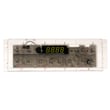
On a GE Profile range, an F1 error code usually points to a problem in the electronic oven control system, most often a stuck key or failure in the control board circuit. On the GE JBS60DF1WW electric range, start by resetting power, then focus troubleshooting on the control panel and oven control board.
- Reset power: turn the range breaker OFF for 1 minute, then ON.
- If the code returns immediately, stop using Bake/Broil until you identify the cause.
- If the display shows abnormal lines or the unit behaves oddly after wiring work, follow the electrical checks in the JBS60DF1WW installation guide.
- Confirm the range is plugged in correctly and the cord is not pinched behind the unit.
- If the F1 happens only when you press certain keys, the keypad may be sticking.
In GE electric ranges, F1 is typically triggered when the control senses an invalid input or internal fault.
| Likely cause | What you may notice | Typical fix |
|---|---|---|
| Stuck or shorted keypad (touch panel) | Beeping, F1 appears without cooking | Clean/dry panel; replace control interface if needed |
| Failed oven control board | Random F1, oven may not respond correctly | Replace the control board |
| Moisture/heat intrusion at control area | F1 after heavy cleaning or high-heat use | Let it dry; improve ventilation; inspect wiring |
| Wiring connection issue | Intermittent faults, especially after moving range | Inspect harness connections (power off) |
If basic resets and cleaning do not stop the F1, the repair often centers on the electronic control.
- Range oven control board WB27X45466 is the control board used on this model’s parts list.
- If the range was recently installed or moved, also inspect the power connection area and terminal block for heat damage or loose connections.
An F1 code is the range telling you it cannot reliably control oven temperature or interpret keypad input. Addressing it quickly helps prevent nuisance beeping, cooking failures, and repeated shutdowns.
For GE-specific code meanings and common fixes, we use the GE freestanding range error codes guide as a quick cross-check when diagnosing display faults.
Last updated: January 2026
What is the life expectancy of a GE oven?
Most GE electric ovens, including the GE JBS60DF1WW electric range oven, typically last 13 to 15 years with normal household use. Consistent cleaning, good airflow around the range, and fixing small issues early (like a weak bake element or a leaking door gasket) help you reach that lifespan.
- Heat stress and heavy use (daily high-temp baking, frequent broiling)
- Self-clean frequency (high heat can shorten the life of wiring, sensors, and controls)
- Door seal condition (heat leaks make the oven work harder)
- Power quality (surges can damage the electronic control)
- Routine maintenance (keeping spills from baking onto elements and surfaces)
| Symptom | Most common cause | Typical fix |
|---|---|---|
| Oven won’t heat or heats unevenly | Failed heating element | Replace the range bake element WB44X45495 |
| Temperature swings, random beeping, or error codes | Control or sensor issue | Check codes in the GE freestanding range error codes guide |
| Longer preheat times | Weak element, heat loss, or calibration issue | Inspect element and door seal; calibrate if supported |
| Heat escaping around the door | Worn gasket | Replace the range oven door gasket WB04T10086 |
- Wipe spills after the oven cools; baked-on spills trap heat and odors.
- Keep the door closing firmly; don’t slam it or hang heavy items on the handle.
- Use self-clean only when needed; use manual cleaning for light soil.
- Verify the range is level; uneven racks can affect baking results (see the JBS60DF1WW installation guide).
- Address heating problems early; running a weak element strains the control and wiring.
A GE oven that is struggling to heat or losing heat at the door often uses more energy and cooks unevenly. Replacing a wear part like a bake element or door gasket on time can extend the useful life of the JBS60DF1WW and improve baking performance.
Last updated: January 2026





