 Installation guide
 Error Codes






How long do Whirlpool wall ovens last?
Most Whirlpool wall ovens last 13 to 15 years with normal use and basic care; many reach 15 to 20 years when the oven is kept clean, the door seals well, and overheating issues are corrected early. For your Whirlpool RBD245PDS12, good installation and proper electrical supply also help maximize lifespan (see the installation guide).
Typical lifespan and what affects it
A wall oven’s life is mainly driven by heat stress, how often it runs at high temperatures, and whether key safety parts are working correctly.
- Usage frequency: daily baking and frequent self-clean cycles shorten life
- Heat management: blocked vents and heavy grease buildup trap heat
- Electrical health: loose connections and incorrect circuit sizing cause damage over time
- Door seal condition: heat leaks make the oven work harder
- Timely repairs: fixing small issues early prevents control and wiring damage
What to do to help your RBD245PDS12 reach the high end of the range
These steps reduce overheating and component wear, which are common reasons electric wall ovens fail early.
- Keep the cavity and door area clean so the door closes fully
- Avoid running repeated high-temp cycles back-to-back; let the oven cool between uses
- If you see error codes or the oven stops heating, troubleshoot promptly
- If temperatures seem off, test and replace the sensor if needed (common wear item)
- If the oven overheats or shuts down, check the high-limit and safety thermostats
Common “wear” parts that can extend service life
| Symptom | Likely part to check | Example part for this model |
|---|---|---|
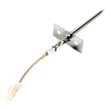
| Oven temperature inaccurate | Temperature sensor | Wall oven temperature sensor WPW10131825 |
| Oven overheats or shuts off | High-limit thermostat | Range high-limit thermostat WP9759243 |
| Repeated overheating protection trips | Safety thermostat | Oven safety thermostat WP4451354 |
Why it matters
A wall oven that is running hot, leaking heat at the door, or cycling on safety limits will cook unevenly and put extra stress on wiring, controls, and insulation. Keeping temperatures accurate and preventing overheating is the most direct way to extend the oven’s usable life.
Last updated: February 2026
How to hard reset a Whirlpool oven?
To hard reset your Whirlpool RBD245PDS12 electric wall oven, turn the power off at the circuit breaker for 1 to 5 minutes, then restore power. When power returns, the control may briefly show a power-failure message (often “PF”), which is normal after a reset; see the installation guide.
Safe hard reset steps (recommended)
- Set the oven to OFF and make sure no cooking cycle is running.
- Turn OFF the oven’s circuit breaker (or remove the fuse) at the home electrical panel.
- Wait 1 to 5 minutes (this lets the control board fully discharge).
- Turn the breaker ON.
- Confirm the display is on; clear any message by pressing CANCEL/OFF.
- Test BAKE or BROIL for a couple minutes to confirm the oven heats.
What a reset fixes (and what it does not)
A hard reset is most useful for control glitches such as a frozen display, unresponsive keypad, or a power interruption.
| Symptom | Reset likely helps? | Next most common cause |
|---|---|---|
| Display blank or “stuck” | Yes | House breaker tripped, loose wiring at terminal block |
| “PF” after outage | Yes | Normal after power loss |
| Oven will not heat | Sometimes | Temperature sensor, safety thermostat, wiring issue |
| “F” code keeps returning | Sometimes | Sensor or control problem needing diagnosis |
If the oven still will not heat after resetting
- Verify the breaker is fully seated (flip OFF then ON firmly).
- Run a quick heat test: start BAKE, wait 2 minutes, then carefully crack the door and feel for heat.
- If an error code returns, use our Whirlpool error codes guide to narrow the cause.
- If you suspect a temperature-reading problem, check the wiring to the sensor and consider replacing the wall oven temperature sensor WPW10131825.
- If the oven overheats or shuts down during heating, a thermostat such as the oven safety thermostat WP4451354 can be involved.
Why it matters
Resetting at the breaker is the safest way to reboot the electronic control without damaging the control panel or risking electrical shock. It also helps confirm whether the issue is a temporary control fault or a part problem (sensor, thermostat, wiring).
Last updated: February 2026
Why did my Whirlpool wall oven stop working?
Your Whirlpool RBD245PDS12 wall oven usually stops working because it lost power at the breaker, has a wiring/connection problem, or a safety device or temperature-sensing component opened the circuit after overheating. Start by confirming the dedicated circuit and then check for error codes and heat output.
Quick checks first (most common)
- Reset the circuit breaker (or replace a blown house fuse) and try Bake again.
- Confirm the oven is on a dedicated circuit sized for the oven’s rating plate (many wall ovens use 30A or 40A circuits).
- If the display shows “PF”, that indicates a recent power interruption; set the clock and test heating.
- Make sure the door is fully closed and you see the ON indicator when you press Start.
- If an “F” code appears, use the troubleshooting guidance in the installation guide.
What to check if it has power but will not heat
If the control panel works but the oven does not warm up after a couple minutes, these are the most likely causes:
- Failed oven temperature sensor (can cause no-heat or incorrect temperature)
- Tripped/open high-limit thermostat from overheating
- Open safety thermostat
- Loose/burned power connection at the terminal block
Helpful model-matched parts to consider:
- Wall oven temperature sensor WPW10131825
- Range high-limit thermostat WP9759243
- Oven safety thermostat WP4451354
- Terminal block WP8203546
Basic symptom guide
| Symptom | What it usually points to | What to do next |
|---|---|---|
| No display, no lights | Power supply issue | Check breaker/fuse; verify dedicated circuit |
| Display on, no heat | Sensor/thermostat/wiring issue | Run a Bake test; inspect connections; test sensor/limits |
| “PF” on display | Power interruption | Clear PF; retest heating |
| “F” plus a number | Control detected a fault | Note the code; follow troubleshooting steps |
Why it matters
A wall oven that “stops working” is often a power delivery problem (breaker, wiring, terminal block) or a heat-safety shutdown (high-limit or safety thermostat). Checking these first prevents unnecessary part replacement and helps restore safe operation.
Last updated: February 2026
Where is the fuse on a Whirlpool oven?
On a Whirlpool oven like model RBD245PDS12, the “fuse” you’ll usually deal with is the home’s circuit breaker or house fuse for the oven circuit, not a serviceable fuse inside the oven. The electrical connection and any fusing are typically at the breaker panel and the junction box feeding the wall oven; see the installation guide.
What to check first (most common “fuse” locations)
- Main electrical panel: Look for a double-pole breaker labeled “Oven” (or a pair of fuses if your home uses fuses).
- Fused disconnect (if installed): Some installations use a separate disconnect near the oven circuit.
- Junction box: The oven’s conduit usually connects to a junction box in the cabinet or wall space behind/above the oven.
- Do not expect an internal replaceable fuse: Many wall ovens do not have a customer-accessible fuse.
Safety notes before you open anything
- Turn power off at the breaker before removing any covers.
- Use a time-delay fuse or circuit breaker when fusing is required for the circuit.
- Fuse both sides of the line (typical for 240V circuits).
- Do not place a fuse in the neutral or grounding circuit.
Quick troubleshooting if the oven is dead
- Reset the breaker fully (OFF, then ON).
- If you have fuses, replace any blown fuses with the correct type and rating.
- If the breaker trips again, inspect for heat damage at the power connection; a failing terminal block WP8203546 can cause intermittent power loss.
- If the oven powers on but heats incorrectly, check the wall oven temperature sensor WPW10131825.
Common “no power” causes and what they look like
| Symptom | Most likely area | Typical fix |
|---|---|---|
| Display completely blank | Breaker/fuse, junction box | Reset breaker, repair loose/burned connection |
| Power flickers when heating | Junction box, terminal block | Tighten/repair wiring, replace damaged terminal block |
| Oven runs hot or won’t regulate temp | Temperature sensor | Test/replace sensor |
Why it matters
A wall oven is a high-amperage 240V appliance; the correct breaker/fusing and solid junction box connections prevent nuisance trips, overheating at terminals, and inconsistent baking performance.
Last updated: February 2026






