 Error Codes

How to factory reset a GE dryer?
Most GE dryers, including model DCLR333ET0WW, do not have a true “factory reset” like a smart device; the practical reset is a power reset that clears a stuck control state. We recommend unplugging the dryer (or switching off the breaker) for 1 minute, then restoring power and trying a cycle again.
- Turn the dryer OFF.
- Unplug the power cord (or turn OFF the dryer breaker).
- Wait 60 seconds.
- Restore power.
- Select a timed cycle and press Start.
- If the control is still unresponsive, repeat once after waiting 5 minutes.
A “reset” will not fix a failed start circuit or drive system. These are the most common causes to check next:
- Door not fully closed or door switch not engaging
- Failed start switch (common symptom: you press Start and nothing happens)
- Timer or control issue
- Motor not running (may hum, then stop)
- Belt or idler problem causing the drum not to turn
| Symptom | What it often points to | Model-matched part to consider |
|---|---|---|
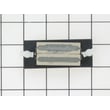
| Start button does nothing | Start switch problem | Dryer rotary start switch WE4X881 |
| Motor hums, drum will not turn | Motor or drive issue | Motor WE17X10010 |
| Drum squeals or belt feels loose | Idler pulley worn | Idler pulley WE12X83 |
A power reset is a quick way to clear a stuck timer or control state, but repeated no-start issues usually mean a switch, motor, or mechanical drive part needs attention. Checking the start circuit first helps avoid replacing parts that are still good.
Last updated: February 2026
Where is my thermal fuse located on my GE dryer?
On the GE DCLR333ET0WW dryer, the thermal fuse is typically mounted on the blower housing inside the cabinet, close to where the vent duct connects. You usually reach it by removing the rear panel or a small rear access cover, depending on the cabinet style.
- Unplug the dryer (or switch off the breaker for a 240V electric dryer).
- Pull the dryer away from the wall and disconnect the vent hose.
- Remove the rear panel or rear access plate screws.
- Look for the blower housing (the metal duct area where lint and air move to the vent).
- Find a small, flat safety device with 2 wires on the blower housing; that is the thermal fuse.
- Take a photo of the wire positions before removing anything.
The thermal fuse is a one-time safety cutoff. If the dryer overheats, it opens the circuit and the dryer may not run or may run with no heat (depending on the circuit design).
| Item | Typical description | Common symptom when it fails |
|---|---|---|
| Thermal fuse | Small plastic or metal-bodied fuse with 2 terminals on blower housing | Dryer will not start or no heat |
| High-limit thermostat | Round thermostat on heater housing or duct | Overheating, cycling heat issues |
If the thermal fuse blew, replacing it without fixing the overheating cause often leads to a repeat failure. The most common cause is restricted airflow.
- Clean the lint screen and the lint screen housing.
- Inspect the vent hose for kinks, crushing, or heavy lint buildup.
- Confirm strong airflow at the outside vent hood.
- Check the blower wheel for damage or looseness; a slipping wheel reduces airflow.
- Make sure the drum turns freely; a dragging drum can increase heat.
If you find the blower wheel is cracked or stripped, the correct replacement for this model is the dryer blower wheel WE16M15.
Last updated: February 2026
Where to find part number on GE dryer?
On a GE dryer like model DCLR333ET0WW, the part number is printed on the part itself, not on the model/serial tag. Start by finding the dryer’s model tag (usually inside the door opening), then match the part you need using the model number.
- Open the dryer door and inspect the door opening and door frame area for the model/serial tag.
- Check the back panel near the power cord entry for an additional rating label.
- If you already removed the part, look for a stamped, molded, or stickered number on the part body.
- For wear parts, check the mounting side too; numbers are often hidden once installed.
- Use the model number DCLR333ET0WW to confirm the correct replacement part listing.
| Part type | Where the number is commonly found | What it may look like |
|---|---|---|
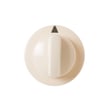
| Knobs and handles | Back side of the knob/handle | Molded plastic characters |
| Switches and timers | Side of the switch body | Sticker label with letters/numbers |
| Motor and blower parts | Motor plate or blower hub | Stamped metal or printed label |
| Pulleys and bearings | Face or rim of the part | Small stamped code |
If you are replacing a common mechanical part, match it by model DCLR333ET0WW and the part description, then confirm the ID on the listing:
GE often uses multiple revisions of similar-looking dryer parts. Using the model number first, then confirming the part ID and description, prevents ordering a look-alike that does not fit, wire correctly, or mount properly.
Last updated: February 2026





