 Owner’s manual
 Error Codes



How do you reset a wall oven?
To reset the Jenn-Air WW2460W wall oven, reset power at the home electrical panel: switch the oven’s circuit breaker OFF for about 1 minute, then turn it back ON. This power reset clears many control glitches and restores normal operation.
Reset steps (safe and effective)
- Turn the oven controls to OFF.
- Switch the circuit breaker for the wall oven to OFF (or remove the fuse if your home uses fuses).
- Wait 60 seconds.
- Turn the breaker back ON (or reinstall the fuse).
- Set the clock and try a simple BAKE cycle to confirm the oven heats normally.
If the oven was in self-clean or the door is locked
On the WW2460W, the door locks automatically during self-clean. The door stays locked until the oven cools down after cleaning.
- If the lock indicator is on, wait for the oven to cool; the door unlocks after temperature drops.
- If the oven stopped mid-clean, return the controls to the proper CLEAN position, allow it to cool, then turn the controls to OFF.
- Avoid forcing the door lock; that can damage the lock mechanism.
For the exact self-clean and lock behavior for this model, follow the WW2460W owner's manual.
What a reset fixes vs. what it does not
| Symptom | Reset likely helps? | What to check next |
|---|---|---|
| Display frozen or unresponsive | Yes | Power reset, then set time of day |
| Oven will not start a timed bake | Sometimes | Verify START TIME and STOP TIME settings |
| Door will not open after clean | Sometimes | Wait for cool-down and lock indicator to go out |
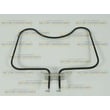
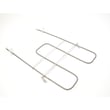
| No heat in bake or broil | Sometimes | Test heating functions; inspect elements |
Why it matters
A breaker reset is the fastest way to clear a temporary electronic control fault. If the oven still will not heat after the reset, the issue is usually in a heating circuit component (such as a bake or broil element) or a door/lock related switch.
Last updated: January 2026
What is the best brand for electric wall ovens?
There is no single “best” brand for every kitchen; the best electric wall oven is the one that matches your cooking style, service support, and must-have features. If you already own a Jenn-Air WW2460W, focusing on proper use, cleaning, and maintenance typically delivers the best real-world results. See the WW2460W use and care manual for feature and care details.
How we recommend choosing a “best” wall oven brand
Use these criteria to compare brands and specific models (single vs. double wall oven, convection vs. standard bake):
- Cooking performance: even baking, strong broil, and stable temperature control
- Features you will actually use: convection, timed bake, self-clean options, rack positions
- Reliability and parts support: availability of common wear parts like door seals and elements
- Service access: local technician coverage and reasonable lead times
- Fit and finish: door feel, rack glide, control layout, and interior capacity
Feature comparison checklist (quick view)
| What you care about | What to look for | Why it matters |
|---|---|---|
| Even baking | Convection option | Circulates heated air for more uniform results |
| Strong top browning | Broil element performance | Improves browning and broiling consistency |
| Easier upkeep | Self-cleaning design | Reduces manual scrubbing when used correctly |
| Long-term ownership | Parts availability | Keeps repairs practical over the oven’s lifespan |
Why it matters for your Jenn-Air WW2460W
Your WW2460W is a self-cleaning wall oven, and the manual describes convection cooking benefits on applicable models, plus important care guidance. Following those instructions helps prevent avoidable issues like heat loss, uneven cooking, and door-lock problems during self-clean.
Practical tips that improve results (any brand)
- Keep the door sealing surface clean; a worn gasket can leak heat and extend cook times
- Avoid foil or liners in the oven; they can interfere with heat flow and cleaning
- Use self-clean only as directed; forcing the door lock can damage the mechanism
- Ventilate the kitchen during self-clean to reduce normal odors
If you are comparing brands for a replacement oven, prioritize the feature set you will use weekly (convection, broil performance, control simplicity) and confirm the cutout fit before buying.
Last updated: January 2026
Why is my wall oven not turning on?
If your Jenn-Air WW2460W wall oven is completely dead (no clock, no indicator lights, no response), the most common cause is a power supply problem at the breaker, fuse, or junction box connection. Start by confirming the oven is getting the correct power, then check for loose or burned wiring.
Quick checks first (most common)
- Reset the home circuit breaker for the oven (turn it fully OFF, then ON).
- Check for a blown fuse if your home uses fuses.
- Confirm the oven is properly connected at the household electrical junction box.
- If the clock and lights work but there is no heat, re-check the SELECTOR and TEMPERATURE knob settings.
- Make sure the clock controls are not set for a delayed start.
For the exact control layout and operating positions for the SELECTOR and TEMPERATURE knobs, use the WW2460W owner's manual.
What the symptoms usually mean
| What you notice | What it usually points to | What to do next |
|---|---|---|
| No lights, no clock, no heat | No power to the oven | Check breaker, fuse, and junction box wiring |
| Clock/lights work but no heat | Control settings or heating circuit issue | Verify knob settings; then diagnose bake/broil circuits |
| Light will not turn on | Bulb issue or self-clean lockout | Tighten/replace bulb; note light is disabled during self-clean |
Parts that can be involved (after power is confirmed)
If power is present and the oven still will not operate, a failed door interlock or control-related issue can prevent operation on some ovens. One part we commonly see involved in “won’t start” or “won’t run” complaints is the door switch WB24T10147.
Why it matters
A wall oven that will not power up is usually a supply issue, not a cooking component. Confirming correct power and correct knob and clock settings prevents unnecessary part replacement and gets you to the real failure faster.
Last updated: January 2026





