 Installation guide
 Owner’s manual



How to find Kenmore Elite dishwasher model number?
You can find the model number for your Kenmore Elite dishwasher on the identification label inside the dishwasher door area. For model 63013953010, the label lists both the model and serial number, which you will need when ordering parts or checking troubleshooting steps in the guide.
Where to look on the dishwasher
Check these common label locations first:
- Open the door and look along the inner door frame (often the left side)
- Look around the tub opening near the door latch area
- Check the side wall of the tub just inside the door
- Write down both the model number and the serial number exactly as shown
What the label information is used for
Having the correct model number helps us match the right Kenmore dishwasher parts and documentation.
| Label item | What it’s for | Example for this model |
|---|---|---|
| Model number | Ensures correct part fit and diagrams | 63013953010 |
| Serial number | Helps identify production version | Varies by unit |
Tips to avoid ordering the wrong part
- Use the full model number, not just the series (for example, not just “630.1395”)
- Match every digit; one wrong digit can change the parts list
- If the label is worn, take a clear photo with the door open and good lighting
- Use the model number when referencing the 63013953010 user manual
Why it matters
Kenmore Elite dishwashers often share similar styling across multiple model families, but internal parts like the drain pump, water inlet valve, and door seal can differ by model. Using the exact model number keeps part selection and troubleshooting accurate.
Last updated: January 2026
How to hard reset a Kenmore dishwasher?
On the Kenmore Elite dishwasher model 63013953010, the most reliable “hard reset” is a control reset by canceling the current cycle: open the door slightly, then press and hold POTS & PANS and CHINA GENTLE until the display shows 0; close the door so it drains, then power the unit off and back on. See the 63013953010 owner's manual.
Reset options that work on this model
Use the method that matches what the dishwasher is doing.
- Stuck mid-cycle or acting glitchy: do the POTS & PANS + CHINA GENTLE reset (display shows 0).
- Need to stop a cycle safely: open the door slightly first, wait a few seconds, then reset.
- Need to start over with a new cycle: reset to 0, press POWER off, then POWER on, select a new cycle.
- Dishwasher will not respond at all: check the house breaker, then try the reset again after restoring power.
Step-by-step: control reset (cancel and drain)
- Open the door slightly to pause the cycle.
- Wait a few seconds before opening the door fully.
- Press and hold POTS & PANS and CHINA GENTLE until the display shows 0.
- Close the door; the dishwasher will drain remaining water.
- Press POWER to turn the unit off, then turn it back on and choose a cycle.
What you should see (quick reference)
| What you do | What the dishwasher does | What it means |
|---|---|---|
| Hold POTS & PANS + CHINA GENTLE | Display shows 0 | Control reset accepted |
| Close the door after reset | Drains water | Cancel/drain in progress |
| Press POWER off then on | Ready for selection | Start a fresh cycle |
Why it matters
Resetting by canceling and draining clears a stuck cycle and gets the control back to a known state, which helps prevent standing water, incomplete draining, and repeat error behavior.
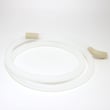
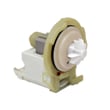
If the dishwasher still will not drain after a reset, a drain restriction or a failed drain component is likely; the most common related parts are the drain pump 00642239 and the dishwasher drain hose 00668108.
Last updated: January 2026
Why does my Kenmore dishwasher take so long?
On the Kenmore Elite dishwasher model 63013953010, long run times are usually normal when you select heavier cycles or add options that extend heating and drying. If it seems “stuck,” the dishwasher is often waiting to reach a target water temperature or complete an added option stage listed in the 63013953010 owner's manual.
What’s normal cycle time on this model?
Your manual lists typical cycle lengths that can feel long compared to older dishwashers:
- Fast Wash: about 59 minutes
- Normal Wash: about 90 to 140 minutes (varies by soil level)
- Pots & Pans: about 120 to 130 minutes (varies by soil level)
Typical cycle time snapshot
| Cycle | Typical time range | What changes it most |
|---|---|---|
| Fast Wash | ~59 min | Light loads, fewer options |
| Normal Wash | ~90 to 140 min | Soil sensing, water heating |
| Pots & Pans | ~120 to 130 min | Heavy soil, higher heat |
Options that make it run longer
Some options are designed to improve results, but they add time.
- Dry Assist increases drying time and temperature (adds time)
- HE TurbaClean adds time to focus cleaning on the lower rack
- Other cycle options can add minutes depending on the cycle selected
If you want shorter cycles, use Fast Wash when appropriate, or select Time Assist when available for the chosen cycle (it is intended to reduce cycle time while maintaining performance).
When “takes too long” points to a problem
If the cycle time is far beyond the ranges above, check these common causes:
- Incoming hot water is too cool; run the kitchen hot water until it’s hot before starting
- Filters are dirty and restricting water flow; clean the filter system per the manual
- Drain path is restricted; check for kinks or clogs in the dishwasher drain hose 00668108
- The dishwasher is not fully draining between stages; a weak drain pump can contribute (see drain pump 00642239)
- Excess suds from the wrong detergent can slow progress and cause extra draining
Why it matters
Long cycles are often the dishwasher doing its job: heating water to sanitize and extending drying for better results. When run time becomes excessive, it usually traces back to water temperature, filtration, or draining, which also affects cleaning performance.
Last updated: January 2026





