 Installation guide
 Owner’s manual
 Error Codes






How to disable control lock on GE wall oven?
To disable Control Lock on your GE JK3000SF3SS electric wall oven, press and hold Lock Controls for 3 seconds to unlock the keypad. This restores normal operation; Cancel/Off still works even when the controls are locked (see the JK3000SF3SS owner's manual).
Steps to turn Control Lock off
- Confirm the oven is not in a timed cooking setup you still need.
- Press and hold Lock Controls for 3 seconds.
- Watch the display for the lock indicator to change (locked to unlocked).
- Test a simple function like Oven Light(s) to confirm the keypad responds.
- If the oven was in Self-Clean, wait for the oven to cool; the door lock can stay engaged until the temperature drops.
If it still will not unlock
Control Lock is a keypad feature, but other conditions can make it seem “stuck.” Check these common causes:
- Self-Clean just ended: the door can remain locked until the oven cools below the locking temperature.
- Power interruption: reset the oven by turning the breaker off for 1 minute, then back on.
- Keypad not registering: press firmly and hold the pad the full 3 seconds.
- Control issue: if the display acts erratically or buttons do not respond, the control may need diagnosis.
| What you see | What it usually means | What to do |
|---|---|---|
| “Locked” indicator stays on | Control Lock is still enabled | Hold Lock Controls 3 seconds |
| Door will not open after Self-Clean | Oven is still above locking temperature | Wait for cooling, then try again |
| No response from most keys | Possible control or power issue | Reset breaker; if it persists, troubleshoot controls |
Why it matters
Control Lock prevents accidental keypad presses during cooking or cleaning. Unlocking it correctly avoids unnecessary breaker resets and helps you distinguish a normal lock condition from a control or door-lock problem.
Last updated: January 2026
What does F3 mean on a GE stove?
On a GE electric oven like model JK3000SF3SS, an F3 error points to a problem with oven temperature sensing, most commonly an oven temperature sensor circuit issue that can make the oven think it is overheating or reading temperature incorrectly. Use the troubleshooting steps in the JK3000SF3SS owner’s manual.
What to check first (safe, quick steps)
- Cancel the cycle and let the oven cool completely.
- Turn off power at the breaker for 1 minute, then restore power and retest.
- Confirm the oven is not in Self Clean (high heat can trigger heat-related faults).
- If the code returns quickly, focus on the sensor and its wiring connections.
- If the oven was recently installed or moved, double-check the electrical connection method in the JK3000SF3SS installation guide.
Most common fix: test or replace the temperature sensor
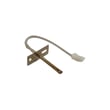
The temperature sensor (also called an RTD sensor) tells the control board the oven temperature. If it is out of range, damaged, or has a loose connection, the control can post an F3 fault.
- For this model, the sensor is the wall oven temperature sensor WB21X10165.
- Inspect the sensor harness plug for heat damage, corrosion, or a loose fit.
- Check the sensor wiring for pinched or broken wires (especially where it routes behind the oven).
Quick symptom-to-likely-cause guide
| What you notice | Most likely cause | What we recommend |
|---|---|---|
| F3 appears as soon as you start Bake | Sensor circuit open/short, loose connector | Inspect connector; test sensor; replace sensor if failed |
| Oven heats erratically or burns food | Sensor drifting out of spec | Replace sensor |
| F3 appears after heavy use | Heat-stressed wiring or connection | Inspect wiring and connector; repair damaged wires |
Why it matters
An F3 temperature-sensing fault can cause incorrect heating, long preheat times, or shutdowns. Fixing the sensor circuit helps protect the oven control board and restores accurate baking and broiling.
Last updated: January 2026
Where can I find the GE wall oven model number?
On the GE JK3000SF3SS electric wall oven, we typically find the model and serial number label on the side trim or on the front of the (lower) oven frame behind the oven door. This label is the best reference when ordering parts like a control board or temperature sensor.
Most common label locations on JK3000SF3SS
- Side trim area (visible when the door is open)
- Front frame behind the oven door (often on the lower oven frame area)
- Along the inner edge of the oven opening where the door seals
- On a rating plate that is easiest to read with a flashlight
Quick steps to locate it
- Turn the oven off and let it cool.
- Open the oven door fully.
- Check the left and right side trim first.
- Then check the front frame behind the door (around the opening).
- Write down the model number and serial number exactly as shown.
What to record (and why)
| What to write down | Example format | Why it matters |
|---|---|---|
| Model number | JK3000SF3SS | Ensures correct fit for parts like an oven control board |
| Serial number | Varies | Helps match production revisions and wiring changes |
Why it matters
We use the model number to match the correct GE wall oven parts list and diagrams. Even small model differences can change compatibility for items like the bake element, door lock assembly, or temperature sensor.
For the official location notes and documentation, use the JK3000SF3SS owner’s manual.
Last updated: January 2026
How much are electric wall ovens?
Electric wall ovens typically cost about $500 to over $5,000, depending on size (27-inch vs. 30-inch), single vs. double oven, convection features, and finish. For your GE JK3000SF3SS (a 27-inch single electric wall oven), pricing usually falls in the mid-range compared with double wall ovens.
What drives the price
- Configuration: single wall oven vs. double wall oven
- Size: 27-inch models are often less than 30-inch models
- Cooking features: convection, air fry modes, advanced controls
- Finish and design: stainless steel, handle style, control layout
- Installation needs: hardwiring, cabinet cutout work, electrician labor
Typical price ranges (appliance only)
| Type of electric wall oven | Typical range | Notes |
|---|---|---|
| Basic single wall oven | $500 to $1,500 | Fewer features, standard controls |
| Mid-range single wall oven | $1,500 to $3,500 | More modes, better insulation, upgraded controls |
| Premium single wall oven | $3,500 to $5,000+ | High-end features and finishes |
| Double wall oven | $2,500 to $7,000+ | Two cavities, higher install and purchase cost |
Budgeting for installation (common add-ons)
GE electric wall ovens like the JK3000SF3SS are designed to be hard-wired into an approved junction box (a plug and receptacle is not permitted). Use the JK3000SF3SS installation guide to confirm cutout requirements and electrical details before you buy.
Common extra costs to plan for:
- Electrician labor for a 240V hardwire connection
- Cabinet cutout adjustments and shimming
- New junction box or wiring updates (if needed)
- Haul-away and disposal of the old oven
Why it matters
Wall ovens are tightly matched to cabinet cutout dimensions and electrical supply. Knowing the full installed cost helps you avoid surprises and ensures the replacement fits and can be safely hardwired.
Last updated: January 2026





