
What is a common problem with trash compactors?
A common problem with the Kenmore 6651350596 trash compactor is that it will not start or complete a cycle; this is usually caused by a door/drawer not fully latched, a failed switch, or a jam in the ram or drive system. Noise and stuck drawers are also frequent complaints.
Most common issues (and what they point to)
- No power or no start: house breaker tripped, cord loose, on/off switch or interlock issue
- Drawer won’t stay closed or unit won’t run: latch not engaging, drawer not fully shut
- Stops mid-cycle: jammed trash, top limit switch not changing state
- Loud grinding/clicking: worn drive gear/chain components, debris in the mechanism
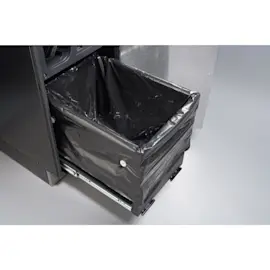
- Drawer hard to open/close: worn slides, bent rails, trash caught in tracks
- Odors: dirty drawer, residue on ram face, bag leaks
Quick checks we recommend first
- Unplug the compactor (or switch off the breaker) before inspecting moving parts.
- Confirm the drawer is fully closed and latched; push firmly until it seats.
- Look for a jam: remove the drawer and check for hard items (glass, metal, bones) caught under the ram path.
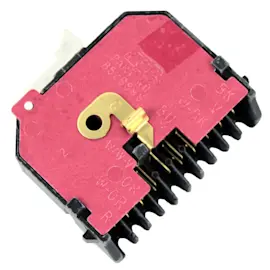
- Inspect the switches if the unit is dead or inconsistent; the trash compactor top limit and directional switch WP777811 is a common control point for cycle direction and stopping.
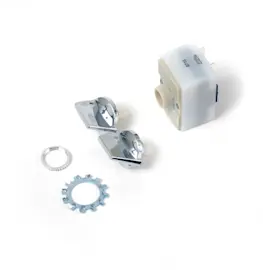
- Check the on/off switch if nothing happens when you try to start; this model uses switch-style controls such as the off switch 675382 (depending on the exact configuration).
Symptom-to-part guide
| Symptom | Most likely area | Example part for this model |
|---|---|---|
| Won’t start | Switch/latch circuit | Off switch 675382 |
| Stops at top or won’t reverse | Limit/directional switching | Trash compactor top limit and directional switch WP777811 |
| Drawer binds | Slides/rails | Kenmore elite trash compactor drawer slide kit W11722978 |
Why it matters
Trash compactors rely on a tight safety and switch sequence; if the drawer is not fully latched or a limit switch does not change state, the motor will not run (or will stop) to prevent damage. Catching jams early also protects the drive motor and ram assembly.
Last updated: February 2026
Why can't I press the trash compactor button?
On Kenmore trash compactor model 6651350596, the button usually won’t press (or won’t start a cycle) because the drawer is not fully closed and the safety interlock is not being made. Pull the drawer out, clear any obstruction, then close it firmly until it latches.
Quick checks to do first
- Make sure the drawer is pushed in all the way and fully latched.
- Look for trash, a fallen item, or a bag edge caught behind the drawer.
- Check that the bag is seated correctly on the carrier and not bunching up.
- Verify the key/lock (if equipped) is in the ON position.
- Confirm the unit has power (try another small appliance in the same outlet).
What commonly causes the button to “not work”
Most compactors use a door or drawer safety switch; if the drawer is even slightly open, the control won’t allow operation.
| Symptom | Most likely cause | What to do |
|---|---|---|
| Button won’t press or feels blocked | Drawer not aligned or something behind it | Remove drawer, clear debris, reinstall and close firmly |
| Button presses but nothing happens | Safety switch not being activated | Check latch alignment; inspect switch area for damage |
| Intermittent operation | Loose wiring or failing switch | Inspect wiring; test switch with a meter |
Parts that can be involved (when the drawer is closing but it still won’t run)
If the drawer closes normally and the compactor still won’t start, these model-compatible parts are common suspects:
- Off switch 675382 (on/off control can fail or have loose terminals)
- Off switch WP4314961 (alternate on/off switch used on some builds)
- Trash compactor top limit and directional switch WP777811 (can prevent the motor from running if it’s stuck or out of position)
Why it matters
The drawer interlock is a safety feature. If it is bypassed by forcing the button or slamming the drawer, you can damage the latch, switch, or wiring and turn a simple alignment issue into a larger repair.
Last updated: February 2026
Where is the model number on a Kenmore trash compactor?
On Kenmore trash compactor model 6651350596, the model number is printed on a rating label that’s usually on the cabinet frame just inside the drawer opening, behind the drawer front, or along a lower side edge near the base. We use that exact number to match the correct parts and diagrams.
Common places to check
- Open the drawer and look on the frame rails near the top edge of the opening
- Check the inside face of the cabinet behind the drawer front
- Look on the left or right side panel near the bottom (sometimes visible with the drawer open)
- Check near the door/drawer latch area on the frame
- If it’s built-in tight, use a flashlight to scan the front cabinet edges first
What the label looks like
Most Kenmore compactors use a small sticker or metal tag that includes:
- Model number (example: 6651350596)
- Serial number
- Electrical rating (volts/amps)
- Manufacturer information
| If you see… | Use it for… |
|---|---|
| Model number | Finding exact-fit parts for your compactor |
| Serial number | Identifying production run details (helpful for service) |
| Electrical rating | Verifying power requirements before troubleshooting |
Why it matters
Kenmore model numbers that start with 665 often share similar-looking designs, but internal parts like the drive motor, switches, and drawer hardware can differ. Using the exact model number helps us point you to the right replacement part the first time.
Related part you may see while checking
If you’re inspecting the drawer area and notice the compactor won’t start unless the drawer is fully closed, the top limit and directional switch can be involved. For this model, see the trash compactor top limit and directional switch WP777811.
Last updated: February 2026
What is the life expectancy of a trash compactor?
A typical residential trash compactor like Kenmore model 6651350596 lasts 10 to 15 years with normal household use. Lifespan depends most on how often you run compaction cycles, how well the drawer and ram move, and whether worn drive and safety-switch parts get replaced promptly.
What affects lifespan the most
- Cycle frequency and load: frequent, overfilled loads shorten motor and drive life.
- Drawer alignment and slides: binding increases strain on the drive system.
- Safety interlocks and switches: a failing switch can cause incomplete cycles and extra wear.
- Cleanliness: sticky spills and debris accelerate corrosion and friction.
- Timely part replacement: replacing small wear parts early prevents bigger failures.
Quick maintenance that adds years
- Wipe the drawer, ram area, and cabinet rails regularly; keep liquids out of the bottom pan.
- Avoid compacting glass, hot ashes, or construction debris that can jam the ram.
- Do not force the drawer closed; fix latch or slide issues first.
- If the unit stops mid-cycle or reverses unexpectedly, test the limit switch and door/latch operation.
Common “wear-out” parts to watch on 6651350596
| Symptom | Often involved part | What it impacts |
|---|---|---|
| Stops at top, won’t change direction | Trash compactor top limit and directional switch WP777811 | Cycle completion and direction control |
| Loud grinding, slow ram movement | Power screw WPW10451272 | Ram drive and load handling |
| Drawer hard to open/close | Kenmore elite trash compactor drawer slide kit W11722978 | Drawer alignment and smooth travel |
Why it matters
A trash compactor usually fails from added strain (binding drawer, worn drive components, or misbehaving switches), not from age alone. Keeping movement smooth and replacing key parts early helps you reach the full 10 to 15 year service life.
Last updated: February 2026