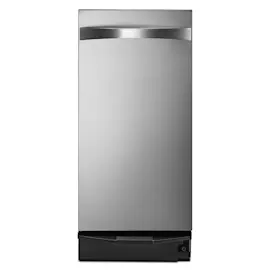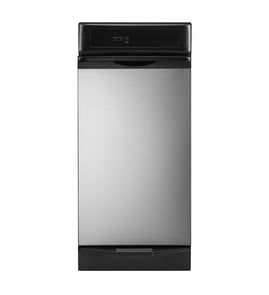

How to clean a Whirlpool trash compactor?
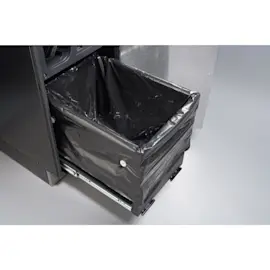
To clean your Whirlpool trash compactor TU950QPXS3, unplug the unit, remove the drawer, and wash the drawer interior with warm water and mild detergent. Wipe the cabinet opening and rails with a damp cloth, then dry everything completely before reinstalling the drawer.
Safe prep (before you start)
- Unplug the compactor or switch off power at the breaker
- Wear cut-resistant gloves (sharp edges and broken glass are common)
- Remove the bag and any loose debris before wiping
- Use mild dish detergent; avoid harsh solvents and abrasive pads
- Keep water out of switches, wiring, and the motor area
Step-by-step cleaning (drawer, rails, and cabinet opening)
- Pull the drawer out and remove the bag
- Wash the drawer interior with a soft sponge or cloth and mild detergent in warm water
- Rinse with a clean damp cloth (do not soak)
- Wipe the cabinet lip, drawer tracks, and rails with a damp cloth
- Deodorize by wiping with a baking soda and warm water solution; then wipe again with clean water
- Dry the drawer, rails, and cabinet opening thoroughly before reinstalling the drawer
If you removed a drawer side
Some Whirlpool compactors allow a drawer side to be removed for deeper cleaning. Slide the drawer side back into the same tilted position it came out, then confirm the drawer sits square and rolls smoothly.
Quick do and do not list
- Do clean spills promptly to prevent sticky buildup on the tracks
- Do check under the bag fold area for residue that causes odors
- Do not spray cleaner directly into the cabinet
- Do not use bleach or abrasive pads on painted surfaces
- Do not run a cycle until all cleaned areas are dry
Helpful items and when to use them
| Need | What to use | Where it helps |
|---|---|---|
| Everyday grime | Mild dish soap + warm water | Drawer interior, cabinet lip |
| Odors | Baking soda + warm water | Drawer interior, rim |
| Corners and seams | Soft brush/toothbrush | Edges, creases |
| Reseal a small seam after cleaning | Adhesive WP279368 | Non-food-contact seams and small gaps |
Why it matters
Regular cleaning reduces odors, keeps the drawer sliding smoothly, and helps prevent residue buildup that can strain moving parts and make the compactor messier over time.
Last updated: February 2026
Why did my trash compactor stop working?
If your Whirlpool trash compactor model TU950QPXS3 stopped working, the most common causes are a power or safety-interlock issue, a jam in the ram/can, or a failed drive component (gears, motor, or direction control). Start with quick electrical checks, then inspect for binding or stripped gears.
Quick checks first (fastest fixes)
- Make sure the compactor is fully plugged in and the outlet has power.
- Check the home breaker or fuse; reset if tripped.
- Confirm the drawer is fully closed and latched; many compactors will not run if the drawer switch is open.
- If your unit has a key switch, verify it is in the ON position.
- Let the motor cool for 15 to 30 minutes if it stopped mid-cycle (some units trip a thermal protector).
What the symptoms usually mean
| Symptom | Most likely cause | What to do next |
|---|---|---|
| No sound, no movement | No power, open drawer switch, key switch off | Verify power, close drawer firmly, try again |
| Motor hums but ram does not move | Jammed mechanism, stripped drive gear | Unplug, remove jam, inspect drive components |
| Loud noise near the bottom, won’t return up | Worn/stripped gears or direction control problem | Inspect gears and drive train for damage |
| Starts then stops repeatedly | Binding load, overheating motor, failing switch | Reduce load, check for rubbing, test switches |
Safe troubleshooting steps we recommend
- Unplug the compactor before removing panels or reaching into the cabinet.
- Pull out the drawer and look for a tilted can, broken glass, or debris wedged under the ram.
- Check for obvious mechanical damage: cracked plastic, metal shavings, or a loose fastener.
- If you find loose wiring or a damaged harness, use a proper repair method (see how to repair broken or damaged wires video).
- If you suspect an electrical part (switch, motor, interlock), test with a meter (see how to use a multimeter to test electrical parts video).
Parts and materials that can help during a repair
Some repairs require resealing or securing components after you correct the root cause. For example, we often use high-temp sealant when reinstalling certain covers or routing wiring away from vibration points. A common option is adhesive WP279368.
Why it matters
A trash compactor that stops mid-cycle is often protecting itself from a jam or overheating. Clearing binding and confirming the drawer safety switch operation prevents repeat failures and helps you avoid damaging the drive gears.
Last updated: February 2026
How do I find the model number on my TU950QPXS3?
The model number is printed on the Whirlpool trash compactor’s model and serial tag. On TU950QPXS3 compactors, you’ll typically find this tag on the cabinet frame around the drawer opening or on the inside edge of the drawer area; match the full model number exactly before ordering parts.
Where to look on a Whirlpool trash compactor
Check these common locations first:
- Cabinet frame just inside the drawer opening (left or right side)
- Inside the drawer opening near the top edge of the cabinet
- Side wall of the cabinet behind the drawer (visible when the drawer is pulled out)
- Back panel label (less common, usually requires pulling the unit out)
What the tag looks like and what to copy
The tag usually lists both a model number and a serial number.
| Item on tag | What it’s used for | Example you should match |
|---|---|---|
| Model number | Ensures correct diagrams and parts fit | TU950QPXS3 |
| Serial number | Helps identify production details | (varies) |
Tips to avoid ordering the wrong part
Small character differences matter (letters and numbers can look similar).
- Copy the model number exactly, including all letters and numbers
- Watch for 0 (zero) vs O (letter O), and 1 vs I
- Use the model number to select parts from the diagrams for your exact unit
- If the label is worn, take a clear photo and zoom in to confirm characters
Why it matters
Whirlpool often uses similar-looking compactor designs across multiple model numbers; the correct model number ensures you get the right hardware, finish items, and repair parts for your exact TU950QPXS3.
For help identifying the correct tag format and where to find it on appliances, use how to find your appliance model number (and what it means for parts).
Last updated: March 2026