 Installation guide
 Owner’s manual



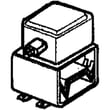
Are Kenmore microwaves good?
Kenmore microwaves are a good choice for most homes because they typically deliver solid everyday performance and practical features for the price. For the Kenmore 72180599400 microwave/hood combo, long-term satisfaction comes down to correct use, routine cleaning, and keeping key wear items (like filters and lights) in good shape; see the 72180599400 owner's manual.
What “good” usually means for a Kenmore microwave/hood combo
We judge a microwave like the 72180599400 on a few real-world factors:
- Heating performance: consistent cooking and reheating results
- Vent hood performance: exhaust fan and grease filtration for cooktop smoke and steam
- Controls and usability: clear keypad, clock, timer, and common presets
- Serviceability: parts availability for common repairs (switches, fuses, turntable drive)
- Maintenance needs: how easy it is to clean the cavity, turntable, and filters
Maintenance that keeps performance strong
The manual emphasizes regular care of interior surfaces and routine filter maintenance. These habits prevent odors, staining, and airflow restriction.
- Wipe the cavity with warm, sudsy water and a soft cloth
- Keep the door and frame contact areas clean so the door seals properly
- Use steam cleaning for stubborn soil (heat a cup of water for a few minutes)
- Deodorize by heating water with lemon juice or vinegar
- Clean or replace the hood grease filter as needed; a clogged filter reduces ventilation
Common maintenance items for this model
| Item | What it affects | When to address it |
|---|---|---|
| Grease filter 5230W1A012E | Venting and airflow | If airflow drops or filter is greasy/sticky |
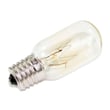
| Cooktop or oven light | Visibility over the range | When the bulb burns out |
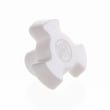
| Turntable parts | Even heating | If tray stops turning or chatters |
When “not good” is really a fixable issue
Many complaints people have about microwaves are tied to a specific, repairable symptom.
- Dead microwave (no display): often a blown fuse or door switch issue
- Runs but does not heat: can involve high-voltage components (service recommended)
- Turntable not rotating: coupler or motor problems
If your unit powers on but will not heat, use the troubleshooting guidance in the 72180599400 owner's manual and our why is my microwave not heating article to narrow down symptoms before replacing parts.
Why it matters
A microwave/hood combo does two jobs: cooking and ventilation. Keeping the cavity clean and the grease filter maintained protects performance, reduces odors, and helps the fan move air the way it should.
Last updated: February 2026
How big is a Kenmore microwave model 72180599400 in inches?
The Kenmore microwave/hood combo model 72180599400 measures 29-15/16 inches wide, 16-7/16 inches high, and 15-3/8 inches deep (overall cabinet dimensions). These measurements are listed in the installation instructions for this model series.
Dimensions at a glance
- Width: 29-15/16 in.
- Height: 16-7/16 in.
- Depth: 15-3/8 in.
- Weight (helpful for install planning): 52 lb
| Measurement | Inches | Common decimal approx. |
|---|---|---|
| Width | 29-15/16 | 29.94 |
| Height | 16-7/16 | 16.44 |
| Depth | 15-3/8 | 15.38 |
What to check before you measure your space
Even with the correct overall size, over-the-range microwaves need clearance for the cabinet, wall mounting plate, and venting path. We recommend confirming these items in the 72180599400 installation guide.
- Upper cabinet depth and bottom clearance
- Wall-to-cabinet alignment (mounting plate position)
- Venting direction (recirculating vs. outside vent)
- Power supply location (dedicated 120V circuit is typical)
- Door swing clearance and nearby cabinet doors
Why it matters
Using the exact width, height, and depth helps prevent fit issues during installation, especially when replacing an older Kenmore microwave/hood combo. It also helps you plan for venting and mounting hardware placement.
Last updated: February 2026
How do I reset a Kenmore microwave?
To reset your Kenmore microwave model 72180599400, we recommend doing a simple power reset first: unplug the microwave (or turn off the circuit breaker) for about 1 minute, then restore power and try a basic cook cycle. This clears many control glitches.
Quick reset options (start here)
- Power reset: Unplug for 60 seconds, then plug back in.
- Stop/Clear reset: Touch STOP/Clear to cancel a timer, cooking cycle, or a stuck setting.
- Door reset: Open and firmly close the door, then try START again.
- Breaker reset: If the display is dead, reset the tripped breaker (or replace a blown house fuse).
If the microwave still will not run
The 72180599400 often fails to start for simple reasons we can check without tools:
- Door not fully closed and latched
- START not pressed after entering time/power
- A previous operation still running; press STOP/Clear to cancel
- Unit is in Kitchen Timer mode; press STOP/Clear to exit
- No power at the outlet (tripped breaker, blown house fuse, or outage)
Fast symptom guide
| What you see | Most likely cause | What to do |
|---|---|---|
| Display works, won’t start | Door not latched, cycle not entered correctly | Close door firmly; re-enter cook time; press START |
| Nothing works (no display) | No power to microwave | Check outlet power; reset breaker; verify cord connection |
| Stops mid-cycle | Overheating or interrupted power | Let it cool; confirm stable power; retry |
When a “reset” points to a repair
If the microwave repeatedly goes dead, blows the house fuse, or loses power when you start cooking, a failed internal fuse is common. A qualified technician should handle internal electrical testing and replacement.
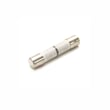
Helpful parts for this model include the us pressed steel microwave fuse 3B74133Q.
Why it matters
A reset is meant to clear control logic issues and cancel stuck operations. If power is unstable or an internal protection device is opening, resetting only treats the symptom; finding the underlying cause prevents repeat shutdowns and no-start problems.
For control panel functions and troubleshooting steps specific to this unit, use the 72180599400 owner's manual.
Last updated: February 2026
How many cubic feet is a Kenmore Model 72180599400 microwave?
The Kenmore 72180599400 microwave/hood combo has a 1.7 cubic foot oven capacity, which is a common size for over-the-range microwave hood combinations. For confirmation alongside other model details, check the 72180599400 owner's manual.
How to confirm the capacity on your unit
We recommend verifying the model and specs directly from the documentation and rating label.
- Match the full model number exactly: 72180599400
- Check the model number label location described in the 72180599400 installation guide
- Use the manual’s “Getting to know your microwave” section to confirm features tied to this model
- If your unit was replaced under service, re-check the label to ensure the model number did not change
Typical sizes (for context)
Most microwave/hood combos fall into a few common capacity ranges.
| Capacity range | Common fit/use case |
|---|---|
| 1.6 to 1.7 cu. ft. | Standard over-the-range replacement size |
| 1.8 to 2.0 cu. ft. | Larger cavity, often deeper cabinet clearance needs |
| 2.1+ cu. ft. | Extra-large cavity, may require more mounting clearance |
Why it matters
Capacity affects what fits inside (casserole dishes, tall mugs) and can influence venting and installation clearances. When you are comparing replacement parts or planning an install, using the correct model number and capacity helps avoid mismatches.
Last updated: February 2026
What is the error code F5 on a Kenmore Elite microwave model 72180599400?
On Kenmore microwave/hood combo model 72180599400, error code F5 points to a door interlock (door switch) circuit problem. The microwave detects that the door is not safely latched or a switch is not changing state correctly, so it prevents operation.
What to check first (safe, no-disassembly steps)
- Unplug the microwave for 1 minute, then restore power and try a quick cook cycle.
- Open and close the door firmly; confirm it latches smoothly without rubbing.
- Clean the latch openings and the door edge; grease and debris can block full latch travel.
- Check that the door is not sagging; a misaligned door can keep switches from engaging.
- If the code returns immediately, stop using the microwave until the door switch system is corrected.
Likely causes and the most common fix
In this model family, F5 is most often tied to one of these issues:
- A failed door interlock switch
- A loose or damaged switch mount/bracket
- A worn door latch head (door hooks)
- Wiring connection problems at the switch harness
If you’re replacing a failed switch, use the exact model-matched part: microwave door interlock switch 3B73361E. For switch testing and access guidance, follow the 72180599400 owner's manual.
Quick symptom-to-cause guide
| What you notice | Most likely cause | What to do |
|---|---|---|
| F5 appears as soon as you press Start | Interlock switch not closing | Inspect latch alignment; test/replace switch |
| Works sometimes, fails when door is moved | Loose switch mount or worn latch | Tighten/repair mount; inspect latch heads |
| Door feels stiff or doesn’t “click” shut | Debris or misalignment | Clean latch area; check door alignment |
Why it matters
The door interlock system is a primary safety circuit. When it is out of range, the control prevents heating to avoid unsafe operation and to protect components like the fuse and high-voltage parts.
Last updated: February 2026
Where is the fuse on a Kenmore microwave?
On the Kenmore 72180599400 microwave/hood combo, the internal microwave fuse is typically located behind the control panel area, inside the cabinet, near where the power cord wiring enters. For safe access steps and mounting details, follow the 72180599400 installation guide.
What to check before you open the microwave
Microwaves contain high-voltage components that can store a dangerous charge even when unplugged. We recommend basic checks first.
- Confirm the outlet works by testing a small appliance
- Check the home breaker or household fuse (the manual lists this as a common “nothing works” cause)
- Make sure the door closes and latches firmly
- Press STOP/Clear, then try a simple cook cycle
- If the display is dead after a power reset, suspect the internal fuse
Where the fuse is usually found (and what it looks like)
In most over-the-range Kenmore units like model 72180599400, the fuse sits in a small fuse holder on the line (incoming) side of the wiring, often close to the control panel or behind the upper grille.
| Symptom | More likely cause | Common next step |
|---|---|---|
| Completely dead (no display, no fan, no light) | Blown internal fuse or no power supply | Verify house power, then test/replace fuse |
| Display works but won’t start | Door interlock issue | Inspect/test door switches |
| Runs but does not heat | High-voltage circuit issue | Use pro service for HV diagnosis |
Parts that commonly relate to a blown fuse
If the fuse is blown, it often fails because another component shorted or the door switch circuit is misbehaving.
- Us pressed steel microwave fuse 3B74133Q (the internal fuse used on this model)
- Microwave door interlock switch 3B73361E (a common cause of fuse blowing when it shorts)
Why it matters
Replacing a fuse without addressing the underlying cause can lead to repeated fuse failures. Using the correct fuse rating and confirming door switch operation helps protect the control board, wiring, and high-voltage system.
For a step-by-step overview of the process, use our how to replace a microwave fuse guide.
Last updated: February 2026


