Installation guide
 Owner’s manual
 Error Codes



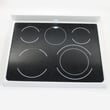
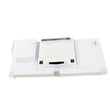
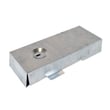

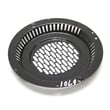
Where can I find my Kenmore electric range model number?
On Kenmore electric range model 79097432800, the model and serial number are printed on the serial plate located on the right side of the oven front frame, inside the storage or warmer drawer compartment. Pull the drawer out to view the identification plate.
- Turn the range off and let it cool.
- Pull the storage drawer or warmer drawer straight out.
- Look at the right side of the oven front frame (the metal frame behind the drawer).
- Find the identification plate with Model and Serial.
- Write the numbers down for parts lookup and service records.
| Appliance area | What you will see | What to do |
|---|---|---|
| Storage/warmer drawer compartment | Serial plate on right side of oven front frame | Pull drawer out and read label |
| Oven door area | Front frame around the oven opening | Check only after confirming the drawer area |
We use the exact model number to match the correct Kenmore parts diagrams and compatible replacement parts (for example, an oven temperature sensor, bake element, or control board). One digit off can point to a different wiring setup or component style.
For the exact serial plate location illustration and product record section, use the 79097432800 owner's manual.
Last updated: February 2026
Why is the digital display not working on my Kenmore oven?
On the Kenmore 79097432800 electric range, a blank or dead digital display is usually caused by a power problem (tripped breaker, loose cord/terminal connection) or a failed control component such as the clock/control board. Start with power checks, then move to control and wiring checks.
- Reset the range power: turn the breaker OFF for 1 minute, then back ON.
- Confirm the outlet has power (house lights and other appliances on the same circuit).
- Make sure the clock is set; some functions will not operate until time of day is set (see the 79097432800 owner's manual).
- If the display is showing an F-code and beeping, press CLEAR/OFF to stop the beeping and clear the display.
- If the display shows SAb (Sabbath mode), turn Sabbath mode off per the 79097432800 owner's manual because the control stops showing normal changes while that feature is active.
| What you see | Likely cause | What to do next |
|---|---|---|
| Display completely blank, oven also dead | No power to range | Check breaker, cord, and connections |
| Display flickers or resets | Loose connection or unstable power | Inspect terminal block and wiring |
| Display works but buttons act odd | Control panel or control board issue | Check keypad response; consider board replacement |
| Beeping with “F” code | Electronic control fault detected | Clear code; if it returns, service the control system |
If you find heat damage, arcing, or loose connections where the power cord attaches, the terminal block is a common fix:
If the range has power but the display is still dead or erratic, the clock/control is a common suspect:
The display is part of the electronic control system; when power is interrupted or the control detects a fault, the oven can stop responding or behave unpredictably. Fixing the power feed first prevents repeat failures and helps confirm whether the control board is actually bad.
Last updated: February 2026
Why is my Kenmore electric oven not getting hot?
If our Kenmore electric range model 79097432800 isn’t getting hot, the most common causes are a wrong control setting (including clock not set), a power supply issue, or a failed heating or sensing component such as the bake element or oven temperature sensor. Use the 79097432800 owner's manual to confirm the correct bake and preheat steps.
- Make sure the clock/time of day is set; this model can require the time to be set before the oven will operate.
- Confirm you selected the correct cooking mode (Bake vs. Broil) and pressed START.
- Try Preheat; this model can preheat from 170°F to 550°F.
- If the control is beeping and shows an “F” code, press CLEAR/OFF, then reprogram the oven.
- After a power interruption, reset the clock and reselect the oven function.
If the settings and power are correct, these parts are the usual suspects:
- Bake element: if it’s cracked, blistered, or has a visible break, replace the frigidaire range bake element 316413800.
- Oven temperature sensor: if it reads incorrectly, the control may not heat properly; replace the frigidaire range oven temperature sensor 316490000.
- Electronic control: recurring “F” codes after clearing can point to a control problem (this model uses a clock/control board).
Turn off power at the breaker before accessing wiring.
| What you observe | Most likely cause | What we recommend |
|---|---|---|
| Oven won’t start at all | Clock not set, control not programmed, power issue | Set clock, reprogram Bake/Preheat, verify breaker |
| Broil works but Bake doesn’t | Failed bake element | Inspect and replace bake element |
| Heats poorly or shuts off early | Sensor out of range | Replace temperature sensor |
| Beeping with “F” code | Control detected a fault | Clear, retry; if it returns, service the control circuit |
An electric oven relies on the control, sensor feedback, and the bake element working together. A bad sensor or element can prevent proper preheat, cause long cook times, and lead to undercooked food.
Last updated: February 2026
How do you reset a Kenmore electric stove?
To reset a Kenmore electric range like model 79097432800, turn the range off, then cycle power at the breaker (or unplug it) for about 1 minute and restore power. After power returns, reset the clock and any oven settings per the 79097432800 owner's manual.
- Turn all surface element knobs to OFF.
- If the oven is running, press Cancel/Off.
- Switch the range circuit breaker OFF (or unplug the power cord).
- Wait 60 seconds.
- Switch the breaker ON (or plug back in).
- Set the clock and confirm the oven responds normally.
| Symptom | Reset may help | Likely needs troubleshooting/parts |
|---|---|---|
| Display frozen or beeping | Yes | If it returns quickly, control issue |
| Oven not responding to keypad | Sometimes | Control board, wiring, or keypad |
| Error code on display | Sometimes | Use the error code chart |
| Oven temperature inaccurate | No | Sensor or heating circuit |
These checks narrow down the cause on an electric range:
- If the oven will not heat, inspect the bake and broil functions; a failed heating element is common.
- If temperature is off by a lot, the oven sensor is a top suspect; consider the frigidaire range oven temperature sensor 316490000.
- If the display works but heating is inconsistent, the electronic control can be involved; consider the range oven control board and clock 316462878.
- If you see an error code, match it using Kenmore 790 self-cleaning range error codes.
A power reset clears minor control glitches after a surge or brief outage. Your range is designed to be turned off during a power failure, and once power resumes you typically need to reset the clock and oven function.
Last updated: February 2026