Installation guide
 Owner’s manual

How to reset a KitchenAid wall oven?
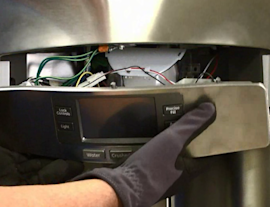
To reset the KitchenAid wall oven controls on model KEHC309JSS05, we recommend canceling the active cooking function first, then power-cycling the unit at the breaker for about 1 minute to reboot the control. Use the keypad steps in the KEHC309JSS05 owner's manual for your exact control layout.
Quick reset options (start here)
- Cancel the current cycle: Press LOWER OVEN CANCEL to stop a lower-oven function (the cooling fan may keep running until the oven cools).
- Clear a stuck timer: Press TIMER CANCEL to stop the timer and any reminder tones.
- Exit inactive/blank display: If no pad is pressed for several minutes, the display can go blank and the programmed function cancels; press a function pad to wake the control.
- Reboot the control (hard reset): Turn OFF the oven’s circuit breaker for about 60 seconds, then turn it back ON.
- Unlock the controls if needed: If CONTROL LOCK is on, touch and hold the 3 CONTROL LOCK pad for about 3 seconds to toggle lock/unlock.
What each “reset” does
| Reset method | What it fixes | What to expect |
|---|---|---|
| LOWER OVEN CANCEL | Stops an active lower-oven cook mode | Fan may continue running while cooling |
| TIMER CANCEL | Cancels timer and reminder tones | Timer stops immediately |
| 3 CONTROL LOCK (hold) | Restores keypad operation when locked | Lock icon/text turns off |
| Breaker OFF then ON | Reboots the electronic control | Display returns after power is restored |
Why it matters
A “reset” can mean different things on a KitchenAid wall oven/microwave combo: canceling a cycle, clearing a timer, unlocking the keypad, or rebooting the control board. Using the right method prevents unnecessary part replacement and gets baking, broiling, and convection cooking back to normal faster.
Last updated: February 2026
How to find KitchenAid model number?
For your KitchenAid KEHC309JSS05 wall oven/microwave combo, the model number is printed on the model and serial number label/plate on the appliance. Use the complete model and serial number when ordering parts or calling for service; it helps ensure you get the correct information and factory-specified parts.
Where to look on the appliance
We recommend checking these common label locations for built-in wall oven and microwave combo units:
- Along the oven door frame or door rim (open the oven door and look around the perimeter)
- On the front frame behind the lower oven door (if your unit has a lower oven)
- Inside the microwave compartment frame (open the microwave door and check the frame edge)
- On a side trim area that becomes visible when the door is open
- In the KEHC309JSS05 owner’s manual section that shows the model/serial label location
How to use the model number once you find it
Write the information down exactly as shown on the label/plate.
- Use the complete model number and serial number when you contact support for troubleshooting or service
- Match the model number when selecting replacement parts to avoid fit and wiring differences
- Keep your purchase date with the model and serial number for faster assistance
Quick checklist
| What to record | Example format | Why it matters |
|---|---|---|
| Model number | KEHC309JSS05 | Ensures parts diagrams and parts lists match |
| Serial number | Letters and numbers | Helps identify production details |
| Purchase date | Month/day/year | Speeds up service and support |
Why it matters
KitchenAid wall oven/microwave combo models can look similar but use different door switches, sensors, and heating components. Using the exact model number helps us point you to the right diagrams and factory-specified parts for your unit.
Last updated: February 2026
Can a wall oven also be a microwave?
Yes. The KitchenAid KEHC309JSS05 is a wall oven and microwave combination unit, so you get a built-in electric oven plus a built-in microwave in one appliance. Use the oven controls for baking, broiling, and convection cooking, and use the microwave section for quick heating.
How a combo unit works
A wall oven/microwave combo is essentially two separate cooking systems stacked in one cabinet cutout:
- The lower oven handles bake, broil, convection bake, and convection broil
- The upper microwave handles microwave cooking and related functions
- Each section has its own door, safety interlocks, and internal components
- The oven uses racks and bakeware placement rules for even heat circulation
- The microwave relies on door switches and high-voltage components to operate safely
For model-specific operating details and control functions, use the KEHC309JSS05 owner's manual.
When you would treat it like two appliances
Some symptoms and maintenance tasks are isolated to one section.
| If the problem is in... | You typically check... | Example part for this model |
|---|---|---|
| Microwave section | Door interlocks, fuses, cooling fan | Microwave door interlock switch W10211972 |
| Oven section | Temperature sensing, heating elements, door hardware | Wall oven temperature sensor, bake/broil elements |
Why it matters
Knowing it is a true combo unit helps you troubleshoot faster and order the right parts. For example, an oven that will not heat points you toward oven components (like the temperature sensor or bake element), while a microwave that will not start often points to door interlock or fuse issues.
Installation note
Because this is a built-in combo appliance, correct cabinet fit, electrical connection, and mounting are critical. Follow the KEHC309JSS05 installation guide for cutout, securing, and hookup requirements.
Last updated: February 2026
What is the life expectancy of a KitchenAid oven?
For a KitchenAid wall oven like model KEHC309JSS05, the typical life expectancy is 10 to 15 years with normal household use and basic maintenance. Heavy use, frequent self-clean cycles, and heat-related wear on electronics can shorten that timeline.
What affects lifespan most
- Heat exposure to controls and wiring: repeated high-heat cooking and self-cleaning accelerates wear.
- Door seal and hinges: heat loss and slamming strain the door system.
- Heating performance: slow preheat or uneven baking can point to a failing sensor or element.
- Cooling airflow: blocked vents can overheat internal components.
- Power quality: surges and loose connections can damage control boards and fuses.
Maintenance that helps your oven last longer
Use these habits to extend the service life of your KEHC309JSS05 electric built-in oven with microwave:
- Wipe spills promptly to reduce smoke and corrosion.
- Use self-clean sparingly; run it only when needed.
- Avoid lining the oven bottom with foil (it can trap heat and disrupt airflow).
- Keep the door closing smoothly; do not lean on the open door.
- If temperatures seem off, verify with an oven thermometer and check the sensor.
Common “wear” parts vs. “major” repairs
| What you notice | Often involved | Typical fix |
|---|---|---|
| Oven temperature inaccurate | Temperature sensing | Replace/test the wall oven temperature sensor WPW10131825 |
| Oven not heating or trips power | Protection or wiring issue | Check/test the fuse (black) WP4375321 and wiring |
| Door won’t close evenly | Door hardware | Inspect hinges and latch alignment |
Why it matters
Knowing the 10 to 15 year lifespan range helps you decide whether to repair or replace. If your KEHC309JSS05 is near the upper end of that range and you are seeing repeated heating or electrical issues, replacing a key part (like a sensor or fuse) can restore reliability without replacing the whole unit.
For model-specific care and operating guidance, follow the KEHC309JSS05 owner's manual.
Last updated: February 2026
What does error code F9E0 mean on a KitchenAid oven after power outage?
On the KitchenAid KEHC309JSS05 wall oven/microwave combo, an F9E0 error points to a problem in the oven’s temperature-sensing circuit (most often the oven temperature sensor, its wiring, or the electronic control). After a power outage, it can show up if the control detects an out-of-range sensor signal.
First, clear any power-failure message
Your manual notes that after power is restored the display may show a power-failure message (such as PF). Clear it and reset the clock before troubleshooting F9E0.
- Touch LOWER OVEN CANCEL (or the applicable Cancel key) to clear the display
- Reset the clock if needed
- Try a simple Bake cycle to see if the code returns
For the exact key sequence and display behavior, use the KEHC309JSS05 owner’s manual.
What usually causes F9E0
In most cases, F9E0 is triggered when the control cannot read a normal temperature signal.
- Failed oven temperature sensor (open, shorted, or drifting)
- Loose connector at the sensor or control
- Pinched, burned, or broken wiring harness
- Less common: electronic control issue
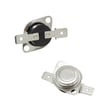
If you suspect the sensor, the model-matched replacement is the wall oven temperature sensor WPW10131825.
Quick checks we recommend (power off)
Turn off the breaker before accessing any wiring.
- Verify the oven is not in a special mode that changes display behavior (for example, Sabbath Mode)
- Inspect the sensor connector for corrosion or a partially backed-out terminal
- Look for heat damage where the harness routes near the oven cavity
- If you have a meter, test the sensor resistance at room temperature (compare to the range listed in the service information for your unit)
For safe access and mounting details, follow the KEHC309JSS05 installation guide.
Symptom-to-likely-fix guide
| What you notice | Most likely issue | What we do next |
|---|---|---|
| F9E0 returns immediately on start | Open/short sensor circuit | Check connector, test sensor, replace sensor if failed |
| Oven heats erratically, temps off | Sensor drifting or poor connection | Reseat connector, replace sensor |
| Code appears after moving/servicing unit | Pinched harness | Inspect harness routing and repair wiring |
Why it matters
The control uses the sensor signal to regulate bake and broil temperatures. When that signal is unreliable, the oven can overheat, underheat, or shut down to protect the appliance.
Last updated: February 2026
What is the capacity of the KitchenAid Superba oven?
The KitchenAid Superba built-in oven in model KEHC309JSS05 has a 4.7 cu. ft. oven capacity (lower oven cavity). For the exact specification wording and any related dimensions, use the KEHC309JSS05 owner's manual.
What capacity means on this oven/microwave combo
This model is an electric built-in oven with microwave; the term oven capacity refers to the lower oven cavity volume, not the upper microwave.
- Oven capacity: lower oven cavity (used for baking, roasting, convection)
- Microwave capacity: separate spec for the upper microwave cavity
- Capacity is measured as cubic feet (cu. ft.)
- Usable space can vary slightly with racks, convection fan cover, and cookware shape
Quick spec check
| Spec | Applies to | Value |
|---|---|---|
| Oven capacity | Lower oven cavity | 4.7 cu. ft. |
Why it matters
Oven capacity helps you plan for large cookware (roasters, pizza stones) and multi-rack baking. It also helps when comparing KitchenAid Superba configurations such as single ovens, double ovens, and oven/microwave combos.
Last updated: February 2026