Installation guide
 Owner’s manual
 Error Codes


How long does a Jenn-Air cooktop last?
A Jenn-Air electric cooktop like model JED3430WS00 typically lasts about 10 to 15 years with normal household use, proper cleaning, and good ventilation. Heavy daily cooking, overheating, and impact damage to the glass can shorten that lifespan.
- Heat stress: frequent high-heat cooking and long simmer sessions wear radiant elements faster.
- Glass-ceramic care: impacts, dragging cookware, and baked-on spills can damage the main top.
- Electrical health: loose connections and heat-damaged wiring can cause intermittent burner operation.
- Control wear: infinite switches and dual-element switches can fail after years of cycling.
- Ventilation and grease (downdraft models): clogged filters make the unit run hotter and dirtier.
| Component | Typical issue over time | Common symptom |
|---|---|---|
| Radiant surface element | Element opens or heats unevenly | Burner will not heat or cycles oddly |
| Element control switch | Contacts wear or overheat | Burner stuck on, won’t turn on, or won’t regulate |
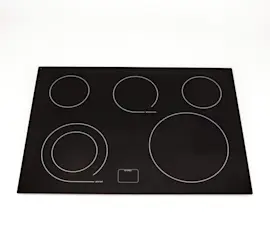
| Glass-ceramic main top | Scratches, chips, thermal damage | Visible damage, rough spots, hard-to-clean areas |
| Downdraft grease filter | Grease loading and restricted airflow | Poor venting, more smoke/odor |
- Clean spills promptly using a non-abrasive cooktop cleaner; use a scraper only on cooled glass.
- Keep cookware flat-bottomed and avoid sliding heavy pans across the surface.
- Do not block downdraft intake; clean or replace filters on a regular schedule.
- If a burner cycles erratically, address it early to prevent heat damage to wiring and switches.
- Follow the cleaning and use guidance in the JED3430WS00 owner’s manual.
Most “cooktop is failing” complaints come from a small set of wear parts (elements, switches, filters). Replacing the right component at the right time can restore safe, consistent heating and extend the usable life of the cooktop.
Last updated: January 2026
Why is my Jenn-Air stove top not working?
If your Jenn-Air electric cooktop model JED3430WS00 is not working, the most common causes are a tripped breaker or loose power connection, a failed radiant surface element, or a bad element control switch. Start with power checks, then isolate whether one burner or the entire cooktop is affected using the JED3430WS00 owner's manual.
- Confirm the cooktop has power: reset the double-pole breaker (OFF, then ON).
- If the downdraft fan works but elements do not heat, focus on element circuits and switches.
- If only one element is dead, swap cookware to rule out a pan issue (warped pans can heat poorly on radiant tops).
- Look for signs of overheating or arcing under the glass (burnt smell, discoloration).
- If the cooktop is hardwired, check for a loose junction box connection (power off at breaker first).
| Symptom | Most likely cause | Common fix |
|---|---|---|
| Entire cooktop dead | No 240V supply, loose connection | Reset breaker, check wiring per JED3430WS00 installation guide |
| One burner will not heat | Failed radiant element | Replace the element (match size/type) |
| Burner heats only on high or is erratic | Failed infinite switch | Replace the control switch |
| Dual element will not switch sizes | Dual element switch issue | Replace the dual element control switch |
If your testing points to a failed component, these are common matches for JED3430WS00:
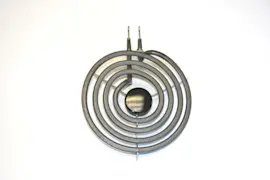
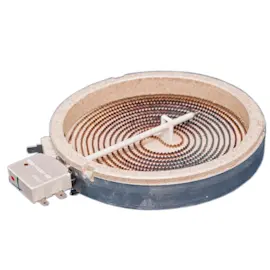
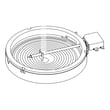
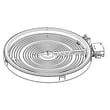
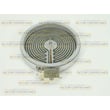
- Radiant element options: range radiant surface element W11171119, range dual radiant surface element WPW10178022, or range radiant surface element, 7-in WP8273993
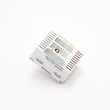
- Switches: cooktop element control switch WPW10222828 or cooktop dual element control switch WPW10234425
An electric cooktop that is partially working usually indicates a single element or switch failure; a completely dead cooktop usually points to a power supply issue. Identifying which symptom you have prevents replacing the wrong radiant element, wire harness, or control switch.
Last updated: January 2026
How to reset Jenn-Air cooktop?
To reset your Jenn-Air electric cooktop model JED3430WS00, turn the cooktop off, then shut off power at the circuit breaker for about 1 minute and restore power. Let the cooktop cool before cooking again, and watch for the error to return.
- Turn all surface controls to OFF.
- Turn OFF the cooktop circuit breaker (or remove the fuse) for 1 minute.
- Turn the breaker ON again.
- Wait until the glass surface is cool to the touch before using.
- Run the cooktop for about 1 minute to confirm the issue does not reappear.
Start with the most common causes after a reset:
- Confirm the breaker is fully reset (switch OFF, then ON).
- Check for a tripped GFCI (if your installation uses one).
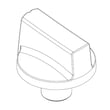
- Make sure all knobs turn smoothly and are not stuck between settings.
- If one element will not heat, the issue is often the radiant element or its control switch.
- If multiple elements act up, wiring connections or the harness can be involved.
| Symptom | Most likely part type | Example part for this model |
|---|---|---|
| One burner will not heat | Radiant surface element | Range radiant surface element W11171119 |
| Dual burner will not switch sizes | Dual element control switch | Cooktop dual element control switch WPW10234425 |
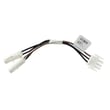
| Intermittent heating or dead section | Wire harness/connection | Cooktop wire harness (model-specific options) |
A breaker reset clears many temporary control glitches and restores power after an overheat or interruption. If the same problem returns quickly, it usually points to a failing surface element, a control switch, or a wiring connection that needs repair.
For model-specific troubleshooting and safety notes, follow the steps in the JED3430WS00 owner's manual and verify installation requirements in the JED3430WS00 installation guide.
Last updated: January 2026
Can an electric cooktop be repaired?
Yes. We repair many issues on the Jenn-Air JED3430WS00 electric cooktop by replacing failed components (like a radiant surface element, control switch, or wiring) and correcting power or installation problems. For safety, the manual recommends limiting user servicing to procedures specifically covered in the documentation.
These are the problems we see most often and what typically fixes them:
- Burner will not heat: failed radiant element or a bad element control switch
- Burner heats only on one setting: worn or failed control switch
- Nothing works at all: tripped breaker, blown fuse, loose junction box connection, or damaged wire harness
- Downdraft vent performance is weak: grease filter needs cleaning or replacement
- Glass top is damaged: stop using the cooktop and arrange service (risk of electric shock)
Disconnect power before any inspection.
- Reset the circuit breaker or replace the household fuse if it blew
- Confirm the knob is being pushed in before turning to a heat setting
- Check cookware size; cookware should not extend more than 1/2 inch (1.3 cm) beyond the cooking area
- If the unit was recently installed, verify the cooktop is properly grounded and connected at the junction box
If troubleshooting points to a failed component, these are common replacements for this model:
| Symptom | Likely part category | Example part for this model |
|---|---|---|
| One element will not heat | Radiant surface element | Range radiant surface element W11171119 |
| Dual element not switching correctly | Dual element control switch | Cooktop dual element control switch WPW10234425 |
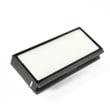
| Downdraft airflow reduced | Grease filter | Cooktop downdraft vent grease filter WPW10240990 |
Electric cooktops combine high voltage wiring, heating elements, and a glass ceramic top. Using the correct troubleshooting steps helps avoid unnecessary part replacement, and following the safety guidance reduces shock and burn risk.
For model-specific procedures and safety warnings, follow the JED3430WS00 owner’s manual and wiring/grounding steps in the JED3430WS00 installation guide.
Last updated: January 2026