Installation guide
 Owner’s manual
 Error Codes






How can I tell how old my Kenmore oven is?
To tell how old your Kenmore wall oven model 79040459803 is, we use the serial number from the oven’s rating plate and decode the date code (the model number identifies the product line, but the serial number is what dates the unit). For exact label location and access, check the 79040459803 owner's manual.
Where to find the information you need
Look for the model and serial tag in common wall-oven locations:
- Along the oven frame behind the door (open the door and check the side trim)
- On the lower front frame area near the door opening
- Sometimes behind the lower vent trim area (access varies by installation)
If the oven is built-in tight, the 79040459803 installation guide helps you understand clearances and safe access before you try to pull the oven.
How Kenmore dating works (what to decode)
Kenmore is a brand label; the manufacturer and serial format determine the date.
| What you have | What it tells you | What we do with it |
|---|---|---|
| Model number (79040459803) | Series and configuration | Confirms you are shopping the right parts list |
| Serial number (letters and numbers) | Build date code | Decode to find month and year |
| Rating plate location | Where to read it safely | Use manual guidance to access it |
Quick steps to decode the age
- Write down the full serial number exactly as shown
- Note any letters at the beginning (often indicate plant or series)
- Decode the date portion using the manufacturer’s serial scheme
- If you are ordering parts, match the full model number and keep the serial handy
Why it matters
Knowing the build date helps us match the correct Kenmore parts revisions (for example, control components, wiring harness versions, or an oven temperature sensor) and prevents ordering a part that looks right but does not fit your production run.
Last updated: February 2026
How do I know what model Kenmore oven I have?
To identify your Kenmore oven model, open the oven door and look for the model and serial plate on the interior side trim. For Kenmore model 79040459803, that plate is visible with the door open and lists the model number you need for parts and service.
Where to find the model number (fast checklist)
- Open the oven door fully.
- Look along the interior side trim (the vertical trim just inside the oven frame).
- Find the serial plate label.
- Record the model number and serial number exactly as shown.
- Use that model number when ordering parts or checking installation requirements.
What to write down (and why)
The serial plate typically includes several identifiers. Capture these so we can match the correct Kenmore wall oven parts and wiring requirements.
| Item on serial plate | What it’s used for |
|---|---|
| Model number | Correct parts lookup and diagrams |
| Serial number | Production details for service |
| Lot number or letter | Helps match revisions/variations |
| Wattage rating | Helps determine circuit breaker/fuse sizing |
Why it matters
Kenmore wall ovens can look similar across multiple series, but parts like an oven temperature sensor, terminal block, or door lock assembly can vary by model and revision. Using the exact model number prevents ordering the wrong component and helps confirm electrical requirements.
Helpful references for this model
- Use the 79040459803 installation guide to confirm serial plate location and electrical requirements.
- Keep the 79040459803 owner’s manual handy for operation details and feature-specific instructions.
Last updated: February 2026
What are the parts of an electric oven?
An electric wall oven like Kenmore model 79040459803 is built around heating, temperature sensing, lighting, airflow, and safety components. The core parts you will interact with most are the bake and broil elements, oven temperature sensor, door and light components, and the electrical connection hardware listed in the 79040459803 installation guide.
Main parts you will find in most electric wall ovens
- Bake element: lower heating element used for most baking.
- Broil element: upper heating element used for high-heat broiling.
- Oven temperature sensor: tells the control how hot the oven is; a common cause of inaccurate temps.
- Oven light system: bulb, socket, and lens so you can see inside the cavity.
- Door components: hinges, handle, and (on some models) a door lock for self-clean.
- Vent and trim pieces: help direct heat and protect surrounding cabinetry.
- Electrical connection parts: terminal block, wiring, and junction box connections.
Model 79040459803 parts you can replace (examples)
These are common service parts for this model:
| What it does | Part you may need | When it is commonly replaced |
|---|---|---|
| Lights the oven cavity | Appliance light bulb, 40-watt 316538904 | Light does not turn on, bulb is darkened or broken |
| Measures oven temperature | Range oven temperature sensor 5304504897 | Oven runs hot/cold, temperature swings, error symptoms |
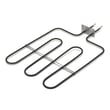
| Provides baking heat | Frigidaire range bake element 318255101 | No bake heat, slow preheat, visible damage on element |
| Supplies safe power connection | Terminal block 5304409888 | Burnt wires, melted block, intermittent power |
Why it matters
Knowing the major parts helps you troubleshoot faster. For example, if the oven will not bake but broil works, the bake element is a top suspect; if temperatures are consistently off, the temperature sensor is often the first part to test.
Safety and installation notes we follow
- Shut off power at the breaker before servicing any electrical part.
- Do not use an extension cord with a wall oven.
- Do not lift the oven by the door handle.
- Use 2 or more people to move or install a wall oven.
- Install anti-tip mounting screws during installation.
Last updated: February 2026
What does F3 mean on a Kenmore oven?
On the Kenmore wall oven model 79040459803, an F3 error typically indicates the oven control is sensing a temperature sensor (probe) problem or an open/short in the sensor wiring, so the oven may stop heating or heat unpredictably until the issue is corrected.
What to check first (safe, quick steps)
- Power reset: Turn the breaker off for 1 minute, then back on; see if F3 returns.
- Cancel the cycle: Press Cancel/Off and let the oven cool completely.
- Look for obvious wiring issues: If you can access the rear safely, check for loose, burned, or pinched wires at the sensor connector.
- Avoid self-clean until fixed: High heat can worsen marginal sensor or wiring problems.
- Confirm the code behavior: Note whether F3 appears during preheat, after reaching temp, or only in Bake/Broil.
Most common fix: temperature sensor circuit
In many Kenmore 790-series ovens, F3 points to the oven temperature sensor circuit. If the sensor is out of range or the harness connection is failing, the control interprets it as an over-temperature or sensor fault.
If replacement is needed for this model, the matching part is the range oven temperature sensor 5304504897.
Quick symptom guide
| What you notice | Most likely cause | What we recommend |
|---|---|---|
| F3 appears right after starting Bake | Sensor circuit open/short | Inspect connector, then replace sensor if needed |
| Oven overheats or temperature swings | Sensor drifting out of spec | Replace sensor |
| F3 comes and goes when door moves | Loose connection or damaged harness | Reseat connector, inspect harness routing |
Why it matters
The temperature sensor is the feedback device that tells the control board how hot the oven is. When the control cannot trust that signal, it may shut the oven down, trigger F3, or allow unsafe temperature behavior.
Helpful reference
For model-specific access, wiring routing, and safety steps, use the 79040459803 installation guide.
Last updated: February 2026
What was the size of the Kenmore 79040459803 oven?
For Kenmore model 79040459803, the installation instructions show it fits a 24-inch wall-oven cabinet cutout. The cutout opening is typically about 22 to 23 1/2 inches wide and 27 5/8 inches high for a single oven; always confirm your exact cabinet and clearance requirements in the 79040459803 installation guide.
Key dimensions you should use (cabinet cutout)
These measurements are the most important “size” numbers for planning a replacement or verifying fit.
- Wall-oven size class: 24-inch (cabinet width minimum 24 inches)
- Cutout width range: about 22 to 23 1/2 inches
- Cutout height (single oven): about 27 5/8 inches
- Door clearance when open: allow at least 19 3/8 inches
- Support requirement: cabinet base must support about 150 lb (single oven)
Single vs. double oven sizing (quick comparison)
If you are comparing a single oven to a double oven, the cutout height is the big difference.
| Configuration | Wall-oven size class | Typical cutout height range | Cabinet width minimum |
|---|---|---|---|
| Single oven | 24-inch | About 27 5/8 inches | 24 inches |
| Double oven | 24-inch | About 48 to 49 inches | 24 inches |
Why the “auction dimensions” can be misleading
Some listings quote overall exterior dimensions for a different 790-series unit (or a double oven), which can look close but still install wrong. For built-in wall ovens, we size by cutout dimensions, door clearance, and junction box location, not just outside height and width.
Fit and safety checks before you buy or install
- Verify the cutout width and height in your cabinet with a tape measure.
- Confirm the door-open clearance so the door does not hit nearby drawers or an island.
- Make sure the cabinet base is strong enough for the oven weight.
- Keep the oven centered using any factory spacers (if equipped).
- Follow the electrical junction box placement guidance in the 79040459803 installation guide.
Last updated: February 2026